
Magnificent Countdown Page Free Widget Download
Download countdown page free widget template from ThemeVault. Magnificent countdown page is a responsive & unique countdown widget. Designed with HTML5 & CSS3. Download and make it yours!
⬇ Free downloadTry the live demo
Free for personal & commercial use · keeps a small “Designed by ThemeVault” footer link · no card needed
- HTML
- CSS
- JS
- Released Apr 2017
- v2.0 · Sep 2026
- 4 pages+ 2 HTML emails
- v2.0updated Sep 2026
- 2,779views
- 1,196downloads
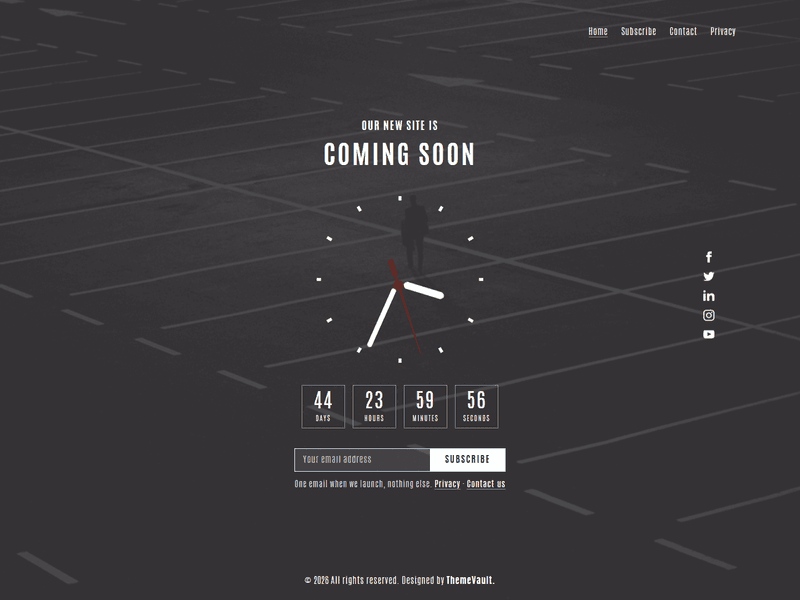
Showcase the launching of a website with a unique countdown widget, enclosed in the page. This impressive looking background and the countdown clock widget is responsive for all devices. It is entirely designed using HTML5 & CSS3 with responsive design. Fits on all screen size. Download and make it yours!
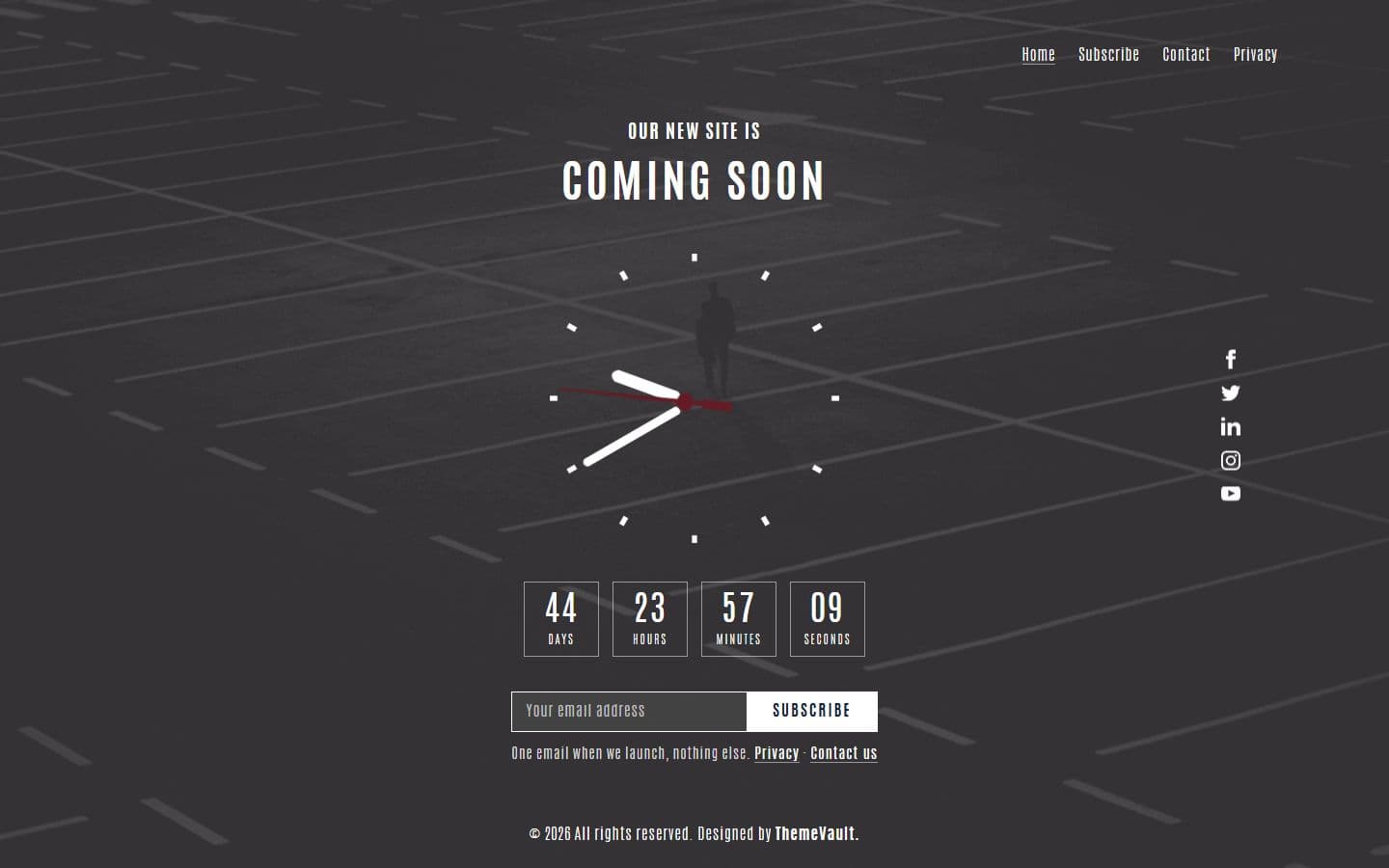
Version 2.0 brings the page back to life: the analog clock turns in every current browser and shows the time the moment the page opens, and the countdown (v1's was fixed to a 2017 date and only ever said expired) now counts to the launch date you set, in four boxes, then shows a we're-live message at zero. The Antonio font the design was drawn in now actually loads, the page is one clean column on tablets and phones, and Subscribe is a working email form. The package adds a maintenance page (maintenance.html), a contact page (contact.html) and a privacy page (privacy.html), plus two ready-to-send HTML emails: you're on the list (email-notify.html) and the contact auto-reply (email-contact.html). Plain HTML, CSS and one dependency-free script.
- A real countdown: set your launch date once (data-launch on #clockdiv) and it counts days, hours
- Subscribe is a real form: an email field and a white Subscribe button
- maintenance.html: the same page as a "Back Shortly" screen with the clock, its own countdown and a notify form.
- contact.html: a contact form (name, email, message) with validation and a thank-you.
- privacy.html: what the two forms collect, why, and how to remove it.
- Two ready-to-send HTML emails: email-notify.html ("you're on the list") and email-contact.html (the contact form's auto-reply). Table-based and inline-styled fo
- Both forms work as a demo out of the box; add data-endpoint="…" to a form and it posts to your server instead (see the note in js/main.js).
- The countdown was hard-coded to July 2017, so it only ever said "EXPIRED", and it printed one run-together line ("12Days 3Hours…").
Pages
Features
| Template Type | Free |
|---|---|
| Compatible Browsers | Opera, Firefox, Google Chrome |
| Link hover effetcs | Yes |
| Coding | HTML 5, CSS 3 |
| Forms | Contact Form, Subscribe Form |
| Additional Features | Countdown Timer, Favicon, Responsive Design, Social Links |
| Image Sources | Iconmonstr, Pixabay |
What’s new
v2.0Sep 2026
- A real countdown: set your launch date once (data-launch on #clockdiv) and it counts days, hours, minutes and seconds in four boxes. Left empty it counts 45 days from a visitor's first visit and does not restart on reload. At zero it shows "We're live!".
- Subscribe is a real form: an email field and a white Subscribe button, with email validation and a thank-you that names the address. The Subscribe menu link jumps to it and puts the cursor in the field.
- maintenance.html: the same page as a "Back Shortly" screen with the clock, its own countdown and a notify form.
- contact.html: a contact form (name, email, message) with validation and a thank-you.
- privacy.html: what the two forms collect, why, and how to remove it.
- Two ready-to-send HTML emails: email-notify.html ("you're on the list") and email-contact.html (the contact form's auto-reply). Table-based and inline-styled for Gmail, Outlook, Apple Mail and phones.
- Both forms work as a demo out of the box; add data-endpoint="…" to a form and it posts to your server instead (see the note in js/main.js).
- The countdown was hard-coded to July 2017, so it only ever said "EXPIRED", and it printed one run-together line ("12Days 3Hours…").
- The clock hands were turned with -moz- and -webkit- prefixes only; they turn with the standard transform now, and show the time the moment the page opens instead of sitting at 12:00 for the first second.
- The Antonio font never loaded: the stylesheet asked for 'antonio' but only 'antoniobold', 'antoniolight' and 'antonioregular' were declared, so browsers fell back to their default serif. A missing "forte" font stylesheet was also linked (a 404). Antonio now loads at the weights the page uses.
- Home, Subscribe and all five social icons linked to "#". The icons are now labelled links that open in a new tab.
- From 1199px down the heading, clock, menu and icons overlapped, and on phones the credit dropped below the page into a white band. The page is now one column on tablets and phones; on desktop the icons keep their place at the right edge.
- On iPhones the fixed background image rendered blown up and blurry; on touch screens it now scrolls with the page.
- The copyright year updates itself; "All right reserved" is corrected.
Already downloaded this template? Your My Downloads page always serves the latest version — re-download free.
Download Details
- Published
- April 13, 2017
- Categories
- Site ElementsFree Responsive Website Templates
- Tags
- Coming SoonComing Soon PageComing upCountdownCountdown pageFree ModernFree downloadHTMLLaunchLaunching CounterLaunching SoonRenovation PageTime WidgetWebsite Launchingbusinessfreeresponsive
Source
- HTML
- CSS
- JS
Please note that the images in the template will be blurred in the downloaded package.
Support
Facing issues with this template? Write to support@themevault.net and we'll help you out.
License
Free for personal & commercial use with an attribution link to ThemeVault. Read the license.
Reviews
No reviews yet — be the first to review this template.
Every page
See all 6 pages at a glance
Each page is built and ready, including the emails.
 Homeindex.html
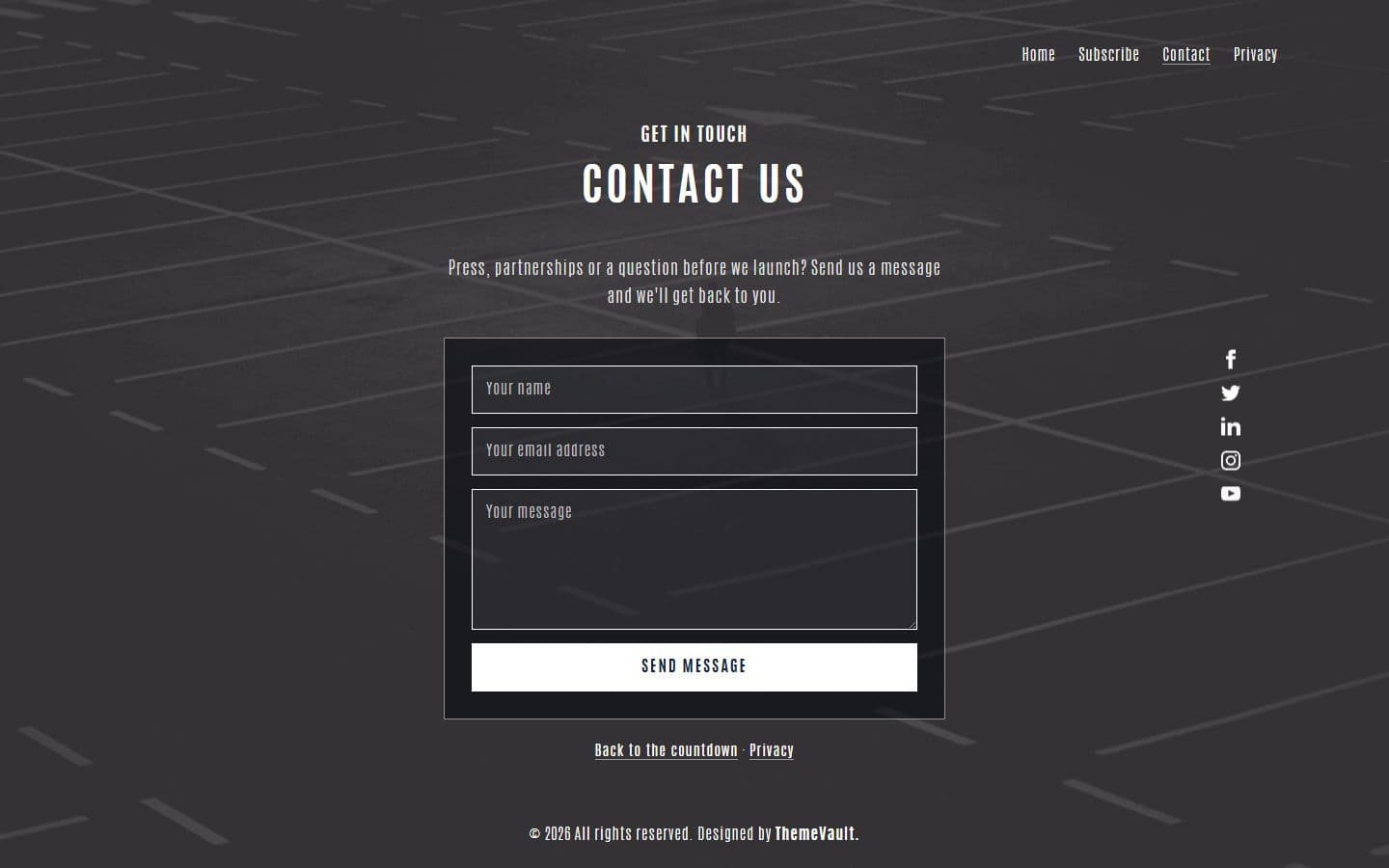 Contactcontact.html
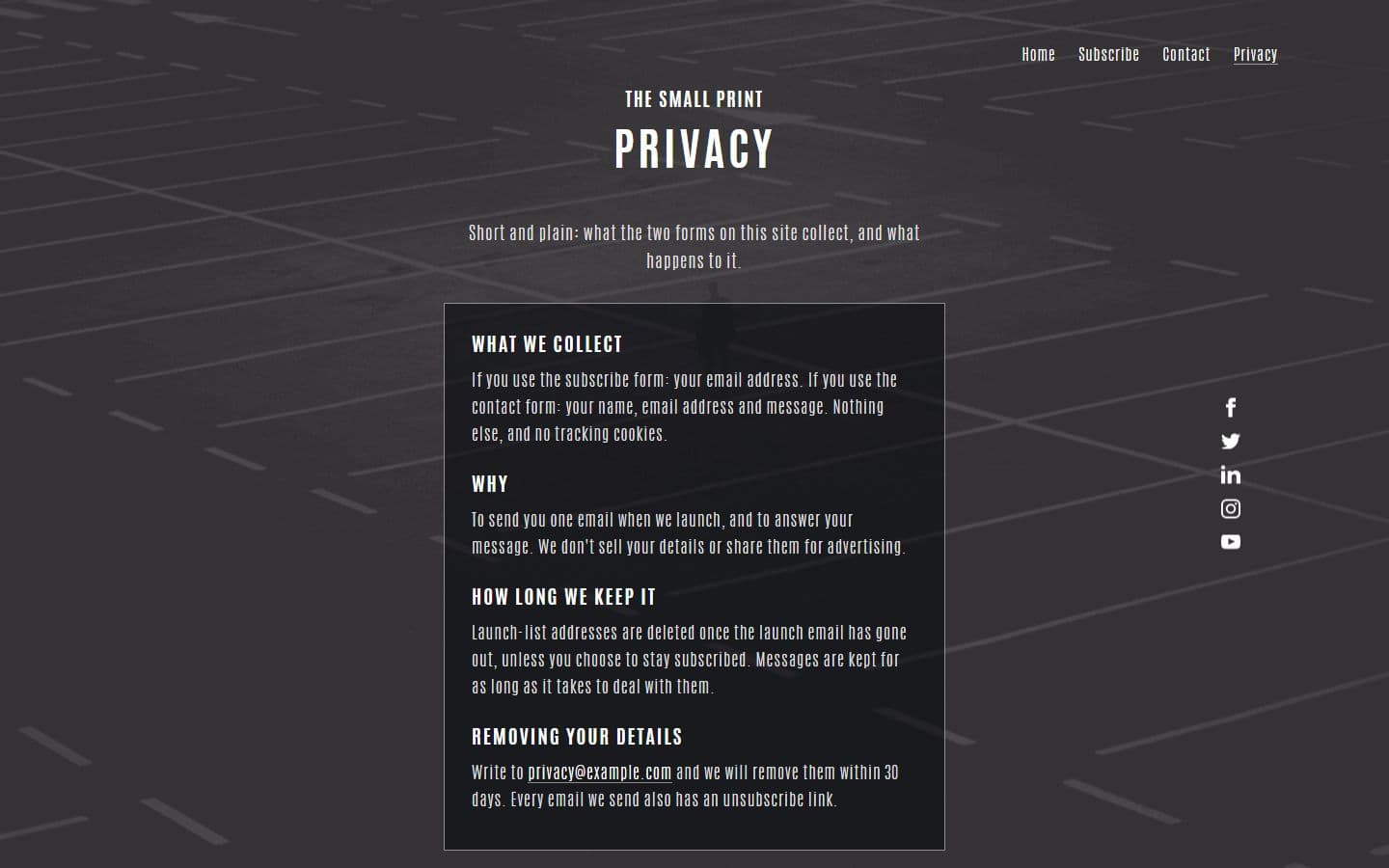 Privacyprivacy.html
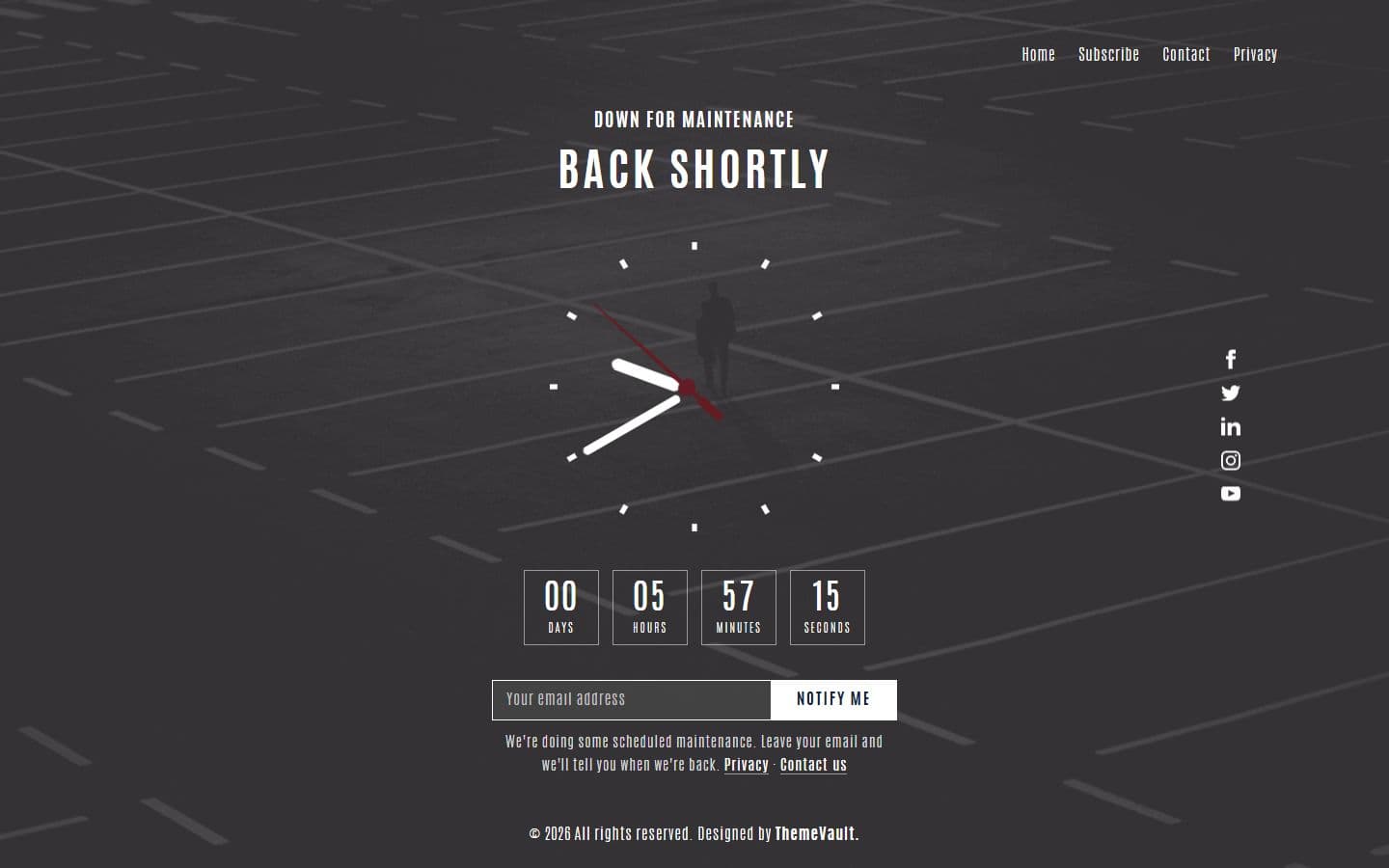 Maintenancemaintenance.html
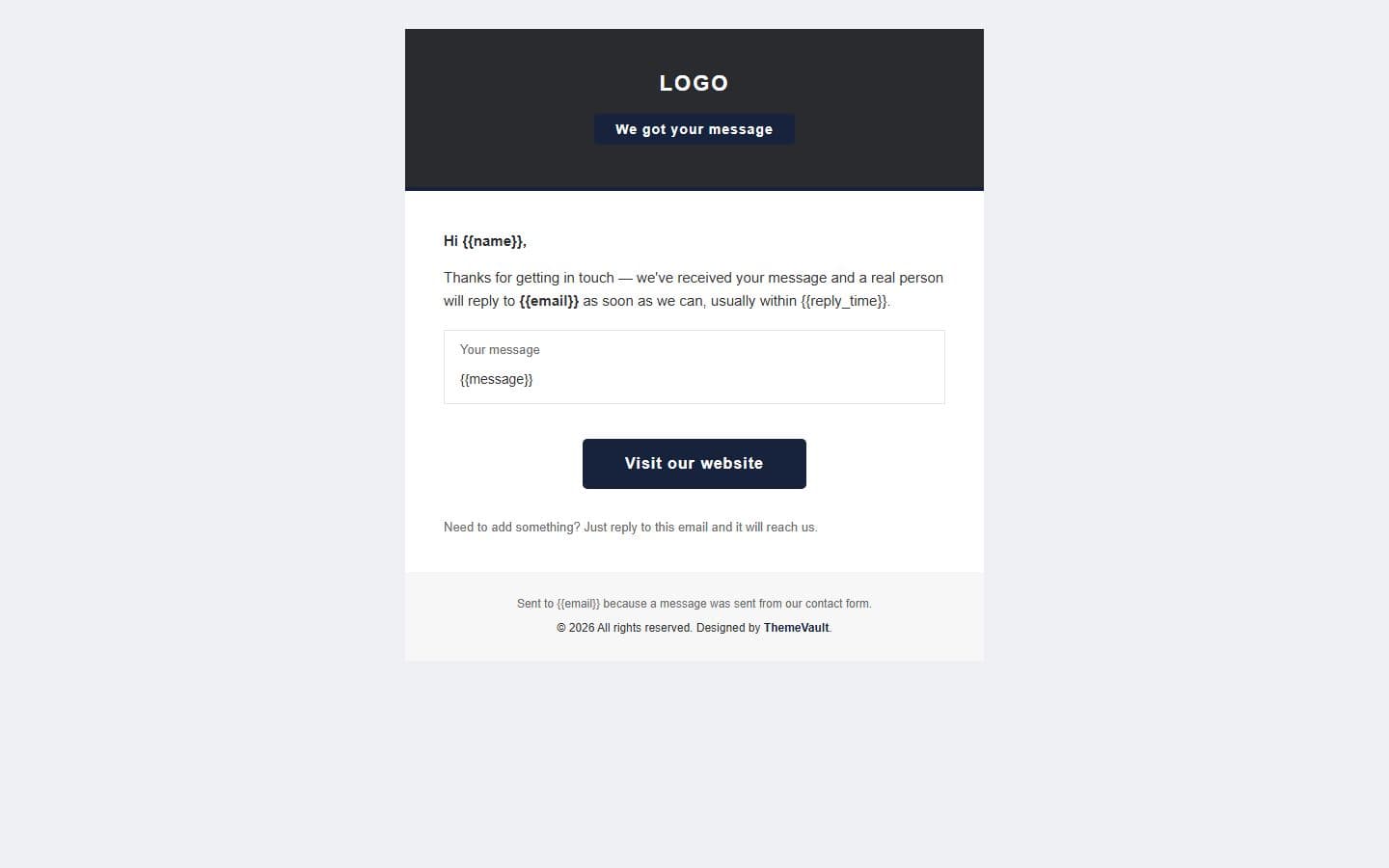 Email: contactemail-contact.html
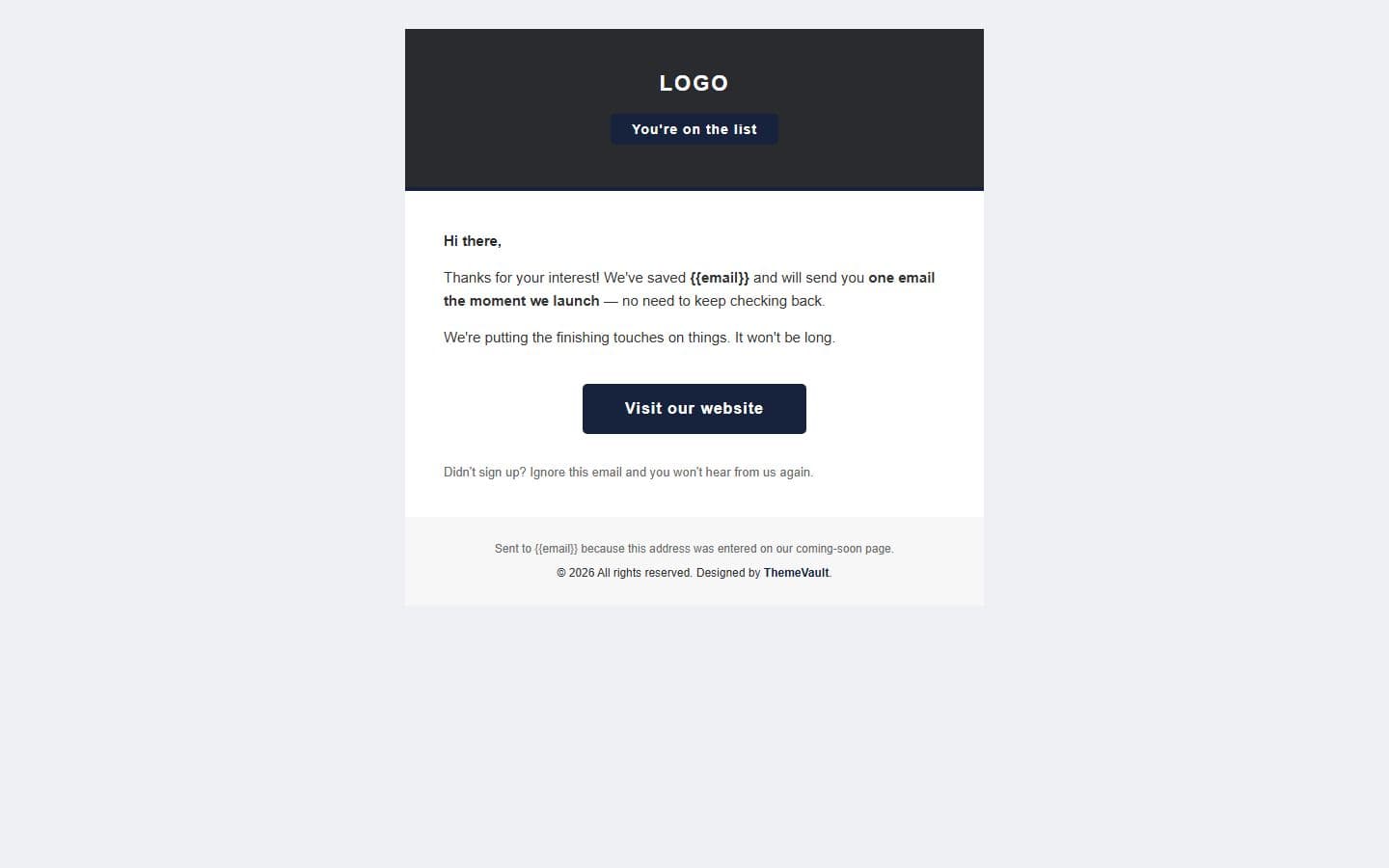 Email: notifyemail-notify.html
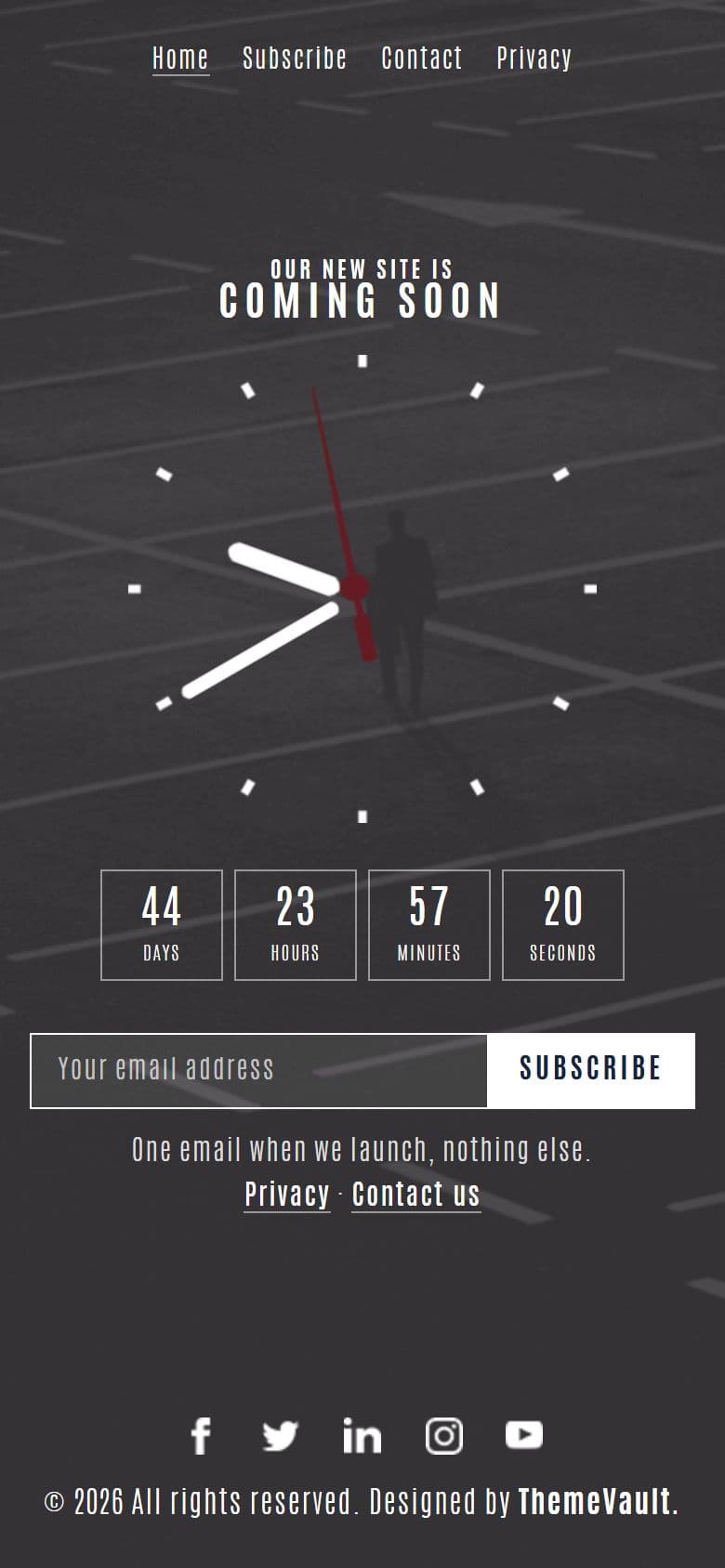
The home page on a phone, as it looks in the live demo.
In the download
What you get in the ZIP
Everything is plain files you can open in any editor. No build step and no installs.
- 24files
- 114 KBZIP size
- 6HTML pages
- 11images
Please note that the images in the template will be blurred in the downloaded package.
magnificent-countdown-page/
├── index.html
├── contact.html
├── email-contact.html
├── email-notify.html
├── maintenance.html
└── privacy.html
From download to live
No build tools, no installs
Download
Get the ZIP
Free, instant and no card needed. Unzip it anywhere.
Edit
Add your content
Change the text and photos in the HTML files with any code editor.
Publish
Upload and go
Upload the folder to any web host. It's plain HTML, so it runs anywhere.
Questions
About this template
Can I use Magnificent Countdown Page for a client's website?
Yes. The free version is licensed for personal and commercial use, including client work, as long as the footer credit stays. Remove it for $9.00₹499 one-time, or with Pro.
Do I need to know how to code?
You'll need to edit the HTML text and swap the images, which any code editor can do.
Will I get updates?
Yes. Your My Downloads page always serves the latest version, so you can re-download an update free. The What's new tab lists what changed in each version.
Are the photos included?
The images in the template are blurred in the downloaded package, and the photos in the live demo are for the demo only. Add your own images.
Subscribe Us
Keep looking
All templatesView Similar Templates


From the blog
View Blog
- Web Development
- November 03, 2026
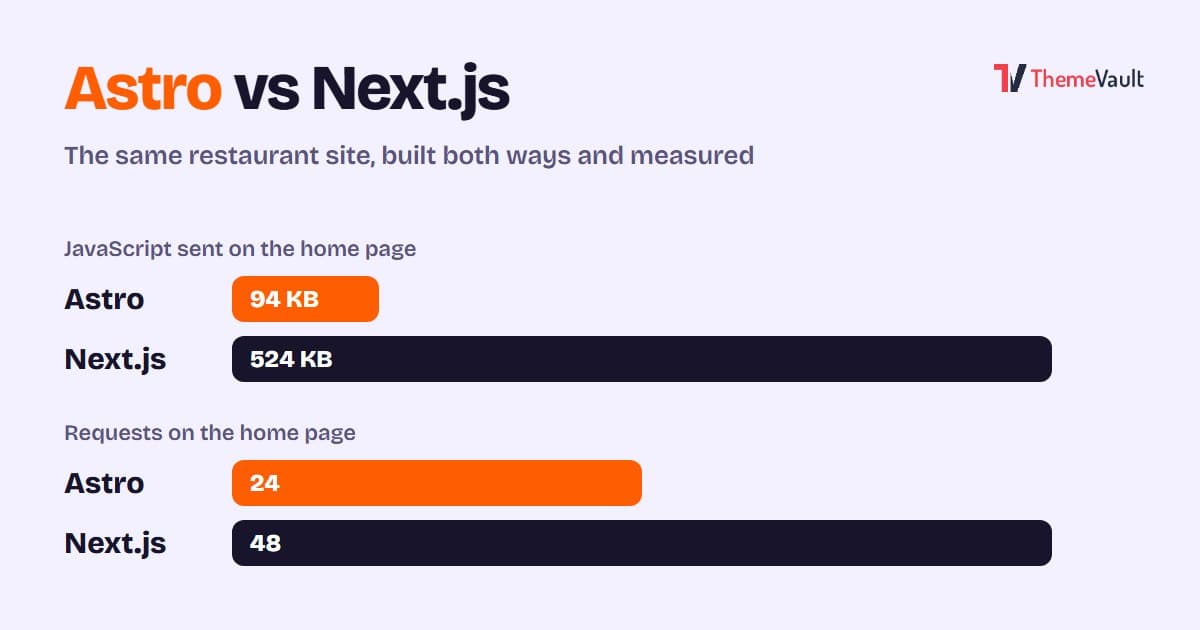
Astro vs Next.js for a Business or Marketing Website (2026)
We built the same restaurant website in Astro and in Next.js with an admin panel, then measured both. Where Astro wins, where Next.js wins, and how to choose.
- Wordpress
- Web Development
- November 03, 2026
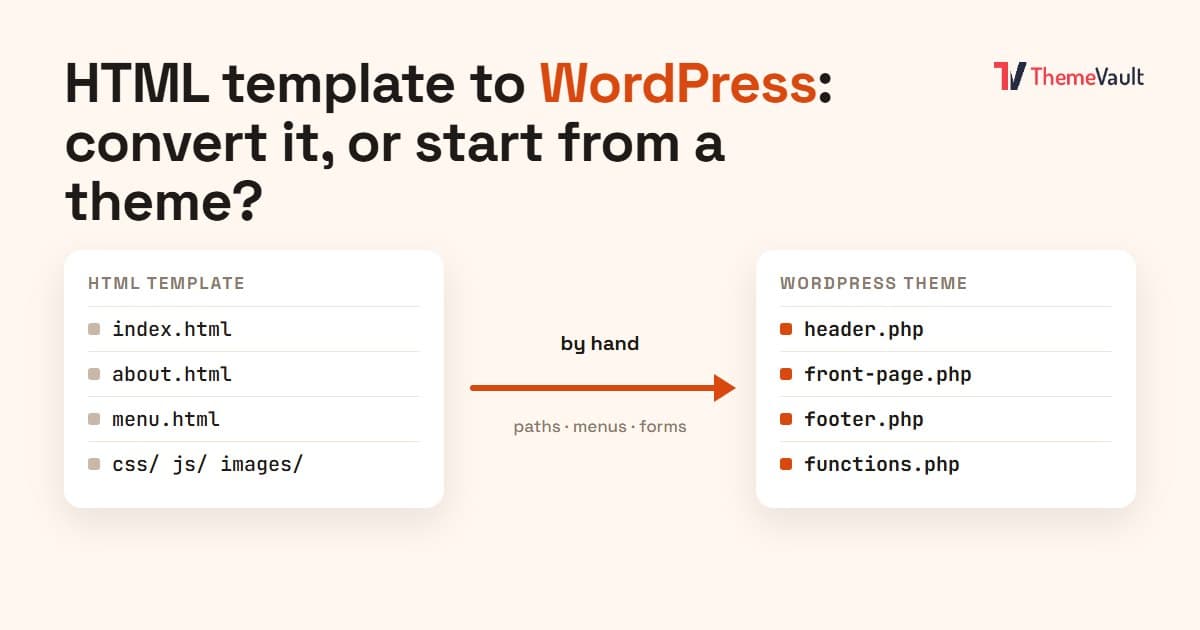
HTML Template to WordPress: Convert It Yourself or Use a WordPress Version?
We turned our Bistrofeast HTML template into a WordPress theme by hand. Every step, the mistakes, how long it took, and when a WordPress version saves you days.
- Wordpress
- Web Development
- November 02, 2026
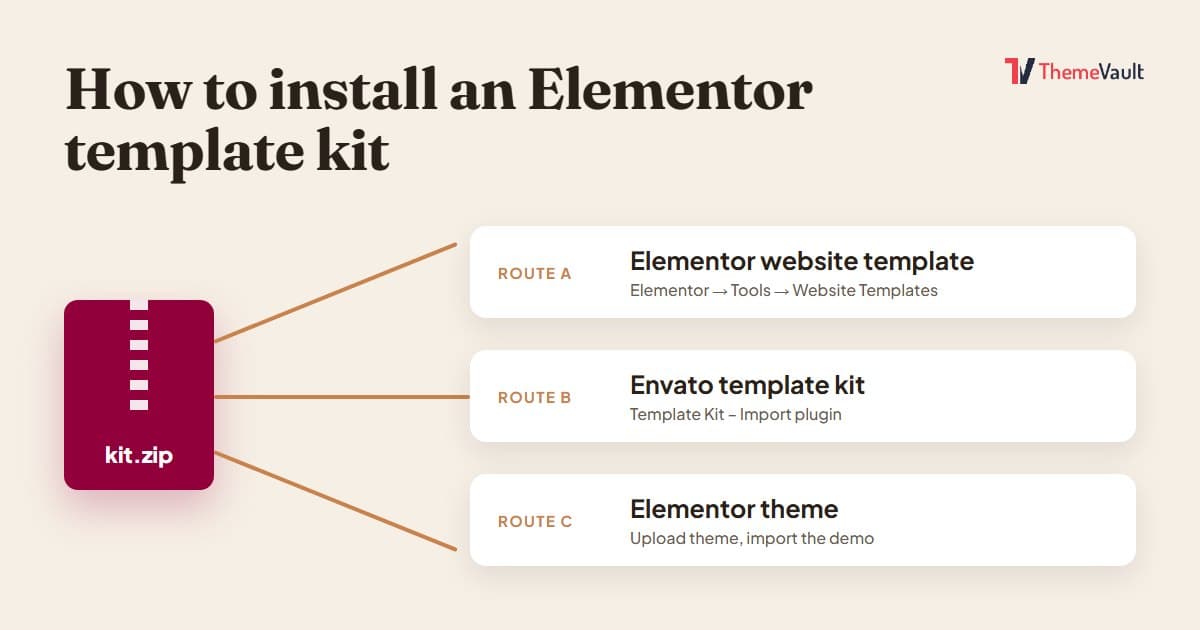
How to Install an Elementor Template Kit (2026 Guide)
We installed the same kit both ways on a clean WordPress site. Where each kind of kit goes, the steps people miss, and what to do when it looks wrong.