
Templates for Photo Gallery Websites
Photography templates are built considering latest trends and satisfy demands of creative people covering huge, retina-quality photos. Our photography website templates are the best choice for all your photography related websites in order to showcase your work around the world.
Showing 1–6 of 6 templates
Free photography and photo gallery website templates
A photographer’s website has to do three things: show your best pictures large, help people understand what you shoot, and make it easy to ask for a date. The templates in this category are free HTML designs made for sites where the images carry the page: photographers, studios, galleries and artists. You replace our sample photos and text with yours and upload the folder to any host.
Which one fits how you work
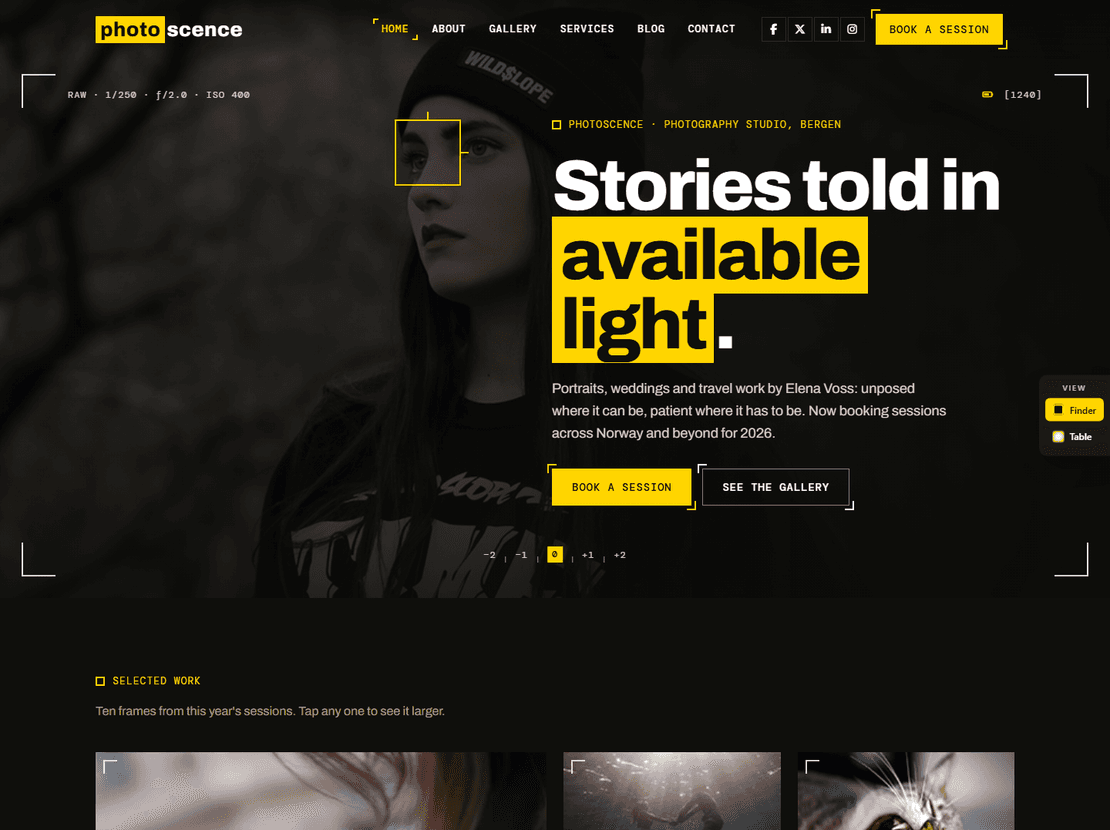
A photographer who takes bookings. Photoscence is built around getting booked. The services page lists session types (portraits, commercial and more) with a short FAQ for the questions clients always ask, such as raw files and printing, and the about page explains how a session works. The booking form asks for the session type, date, location and budget, and the download includes matching emails for a booking request, a contact reply and a blog comment. It also has an album page that tells the story of one shoot, which is a good way to show a wedding or a full project rather than single pictures.
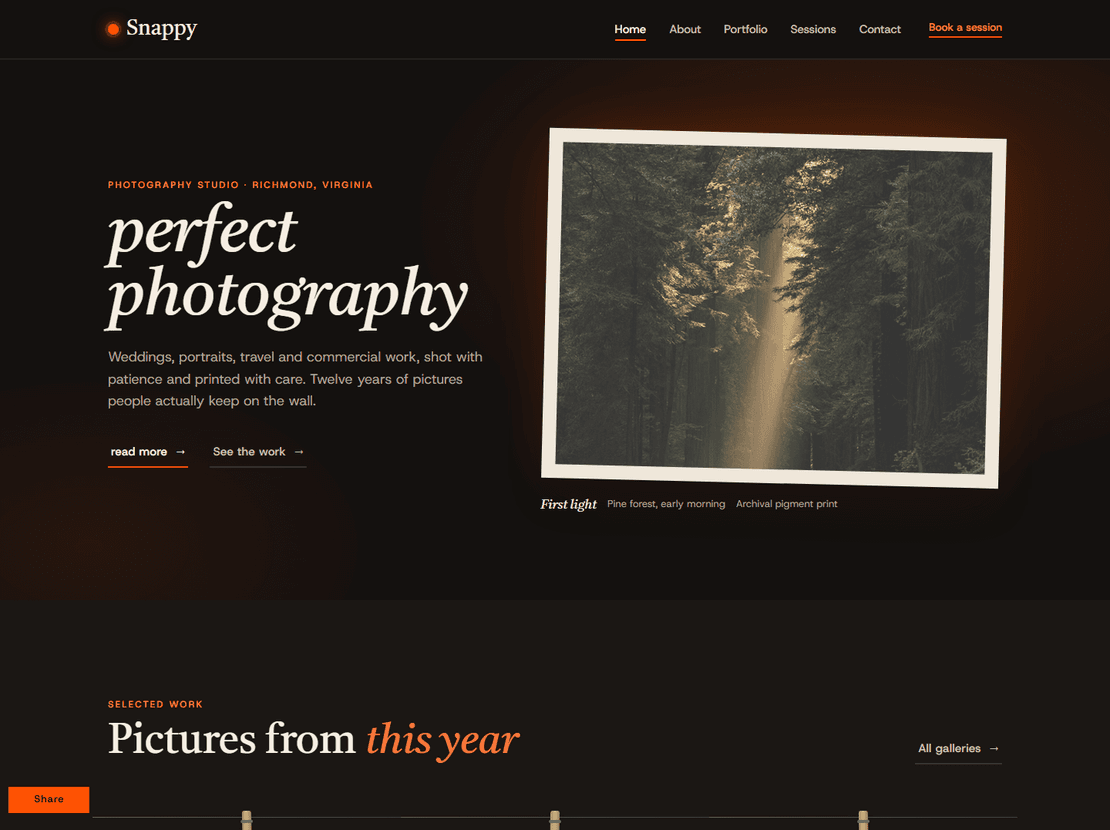
A portfolio sorted by subject. Snappy groups its gallery into subjects such as nature, travel, architecture and sport, with about, contact and portfolio pages and a customer reviews section. It suits a photographer who shoots many kinds of work.
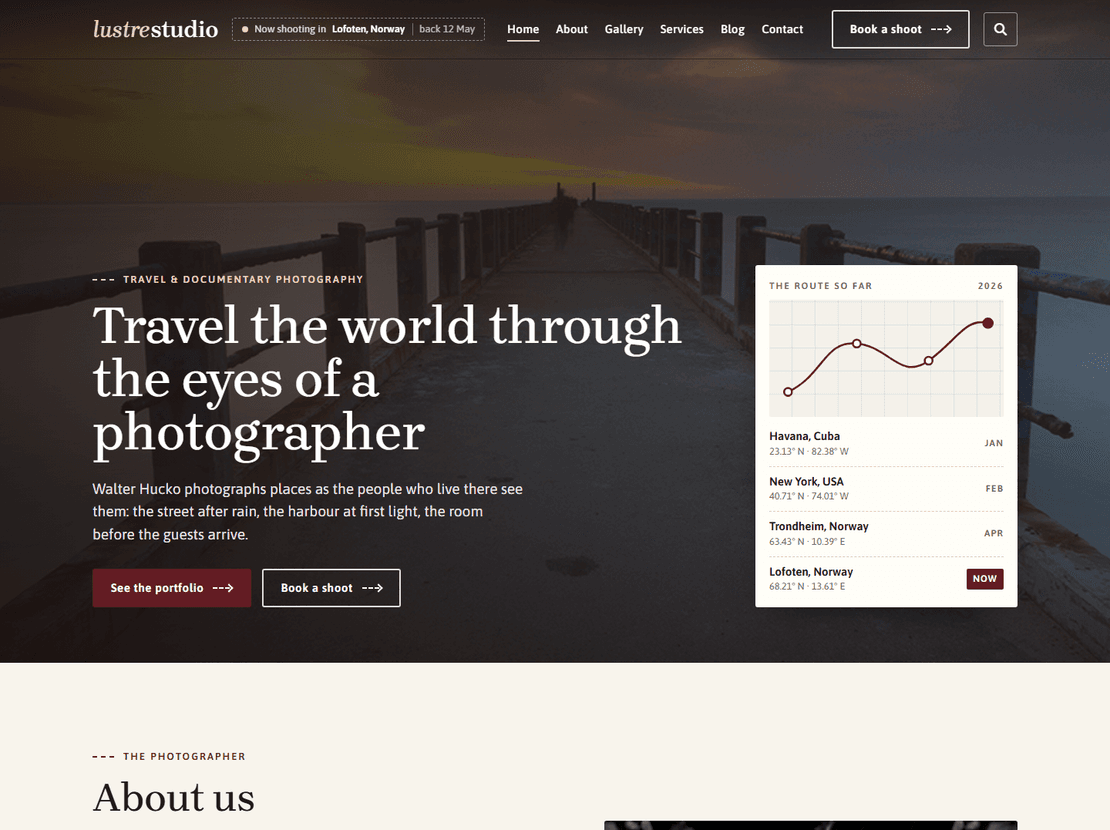
Photos plus a blog. Luster Studio has a gallery, a blog with a single post page, and about and contact pages, so you can write about trips and shoots next to the pictures.
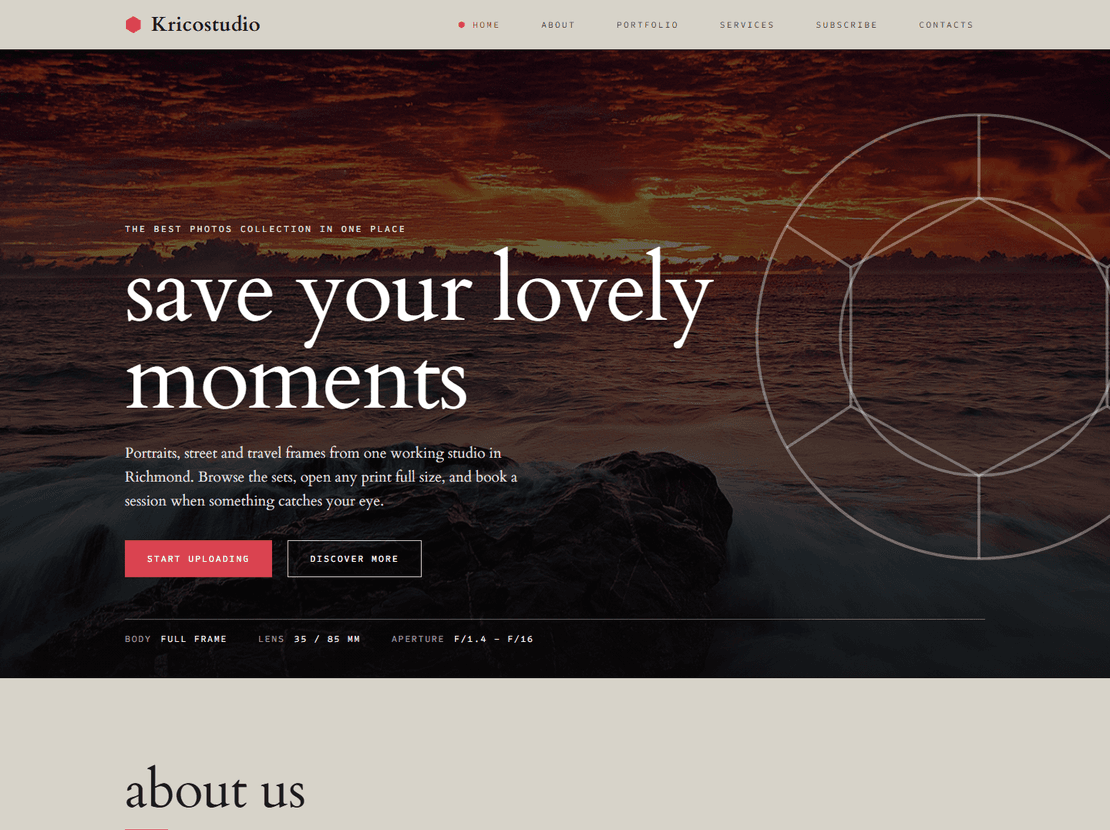
A small studio that sells prints. Krico opens each photo through a hexagon iris and filters the portfolio by f-stop, with about and services pages, a sample print page and a booking enquiry form.
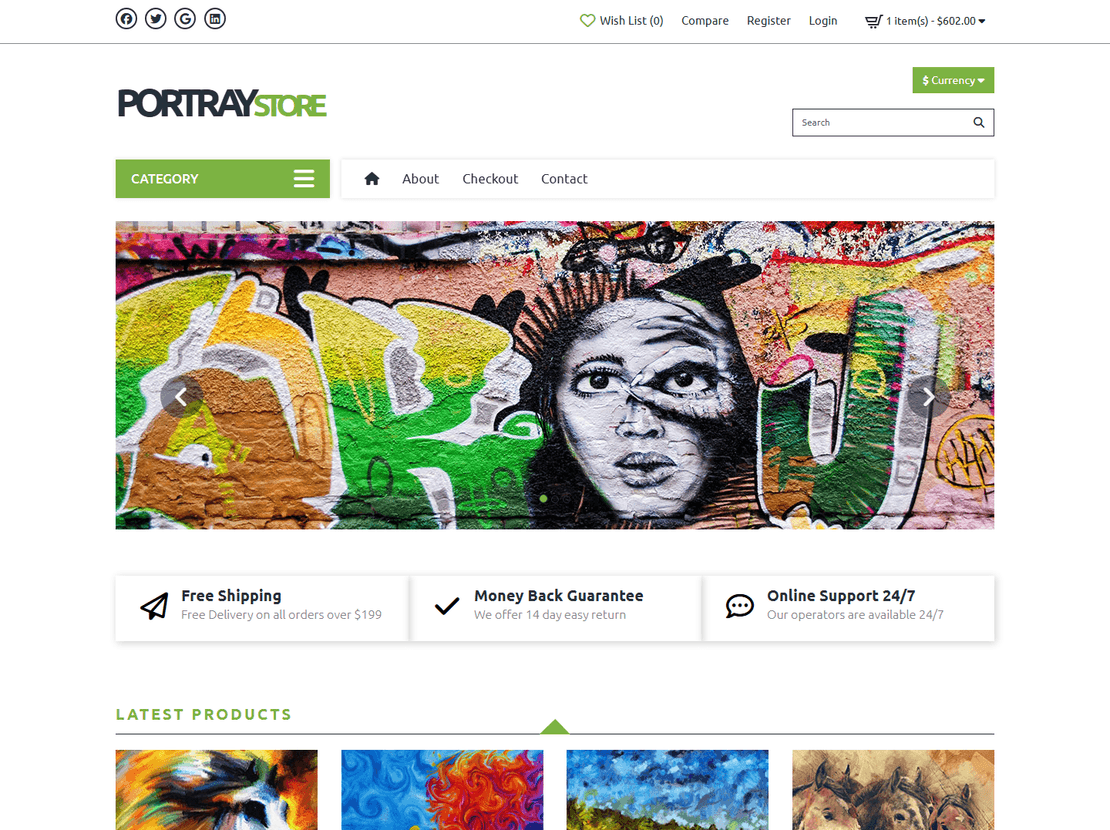
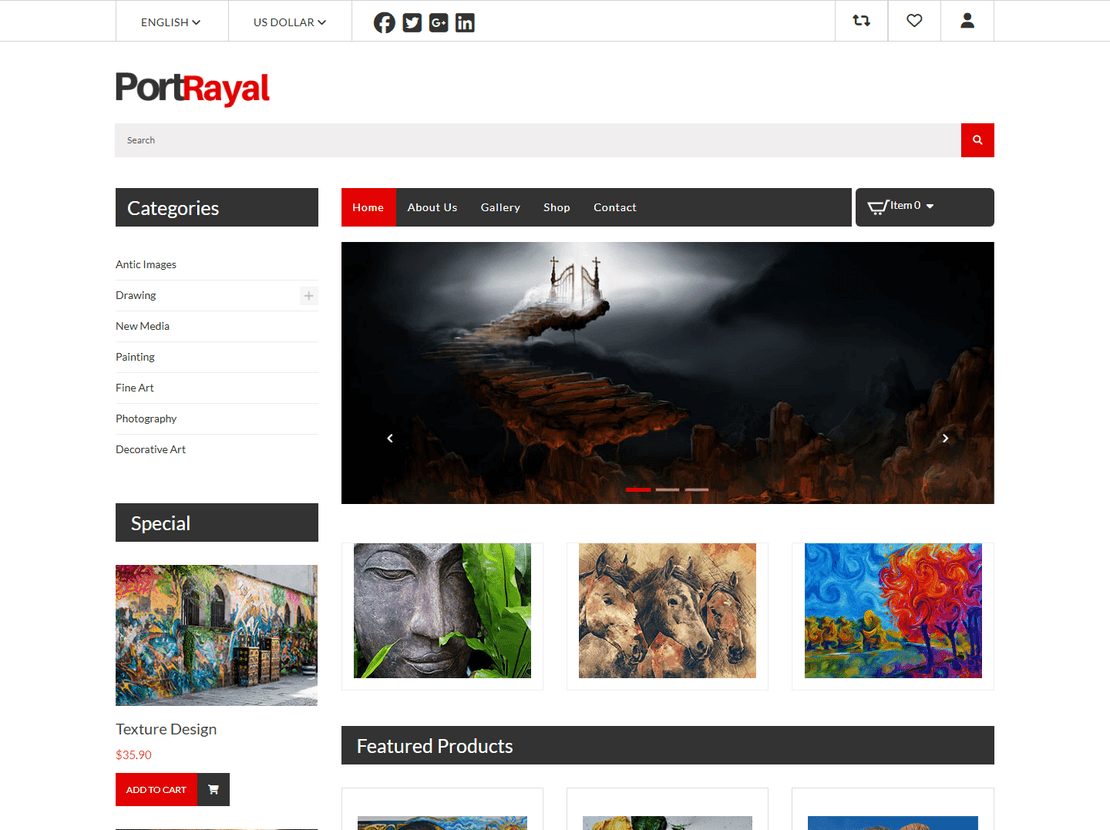
Selling prints or artwork. Portrayal and Portraystore are gallery shops, with product listings, product pages, a cart and checkout. Portraystore adds a wishlist, an account page and delivery and returns pages. Like every HTML store design, they show how the shop looks and flows; taking real payments needs a cart or shop platform behind them, which our ecommerce templates guide explains.
All six designs in this category, Krico included, were rebuilt in 2026 on Bootstrap 5 and plain JavaScript.
Getting the photos right
- Pick fifteen to thirty of your best images, not everything you have shot. People decide in the first few.
- Export web copies at the size the template uses, and compress them. Full-size camera files make a gallery crawl on a phone.
- Write a short description in each image’s
alttext, such as “bride and groom on the beach at sunset”. It helps people using screen readers, and it is how Google Images understands your work. - Put your area and the kind of work you do in the page title, for example “Wedding photographer in Pune”. That is what people type into Google.
- Add a “sessions from” price or a sentence about budget on the services page. It saves you a lot of enquiries that were never going to book.
Before you share it
Swap every sample photo, name and review for your own, including the ones in the emails. Connect the booking or contact form to a form service such as Formspree or Netlify Forms, then send yourself a test request from your phone. Our guide on building a portfolio website has more on choosing and presenting your work.
Photo Gallery — frequently asked questions
Are these photography templates free?
Yes. Download any of them and use it for your photography business or a client's portfolio. In return there's a small credit link at the bottom of the page. Paying once on the template's page removes it, and Pro removes it across the whole site.
Which template is best for a wedding or portrait photographer?
Photoscence is the one built for bookings: session types, a booking form with date, location and budget, a client FAQ and an album page for telling the story of a whole shoot. If you mainly want a gallery sorted by subject, look at Snappy.
Will the booking form send me requests?
Not on its own. The form checks what people enter and shows a confirmation, but a static site has nothing behind it to send mail. Connect it to a form service such as Formspree or Netlify Forms, or to your host's mail script.
Can I sell prints with these templates?
Portrayal and Portraystore have shop pages (product list, product page, cart and checkout). They are the design of the shop; to take payments you add a cart service such as Snipcart, payment links, or use the design for a WooCommerce or Shopify store.
How many photos can a gallery hold?
There is no fixed limit; you add or remove items in the HTML. For speed, keep each gallery page to a few dozen compressed images and split bigger collections into separate albums.
About Photo Gallery templates
All templates are 100% responsive and compatible with all devices and can be displayed on all screen sizes. Entirely built in Bootstrap framework, HTML5, CSS3, and JQuery. Make it yours now by downloading it. Our photogallery category includes photography portfolio website templates, photo gallery website template, and much more. All the templates are fully customizable as per your need and idea.
All the templates provide functions that are unique and powerful that you will ever need for a successful website. So check our collection and boost your online presence by using smart and decent photo gallery templates today!