
Astro and Next.js are both JavaScript frameworks, both free, both loved by developers, and both perfectly able to run a business website. That’s exactly why choosing between them is confusing. Read enough comparisons and you’ll be told Astro is “faster” and Next.js is “more powerful”, which is true in the way that a bicycle is lighter and a van carries more. It doesn’t tell you which one your site needs.
We’re in an unusual position to answer it, because we sell the same restaurant design, Bistrofeast, built both ways: as an Astro template and as a Next.js template with its own admin panel. On 3 November 2026 we installed both from the zips our buyers download, built them, ran them side by side and measured what a visitor actually receives. This post is what we found, including the parts where the “obvious” winner lost.
The short answer
Choose Astro for a site that’s mostly pages people read: a restaurant, a portfolio, a local business, a marketing site, a blog. It builds to plain HTML files, sends very little JavaScript, and can be hosted almost anywhere for free. The catch is that content lives in files, so someone has to be comfortable editing those (or you add a CMS later).
Choose Next.js when the site needs to do things on the server: take bookings into a database, show content that changes every few minutes, log people in, or give a non-technical owner a proper admin panel. You pay for that with heavier pages, a more involved setup and a real server to run it on.
The same site, built twice
It helps to know what we compared, because “Astro vs Next.js” can mean very different things depending on how each is used.
- The Astro version (Astro 7.3): every page is a JSON file listing its sections; blog posts are Markdown files;
npm run buildturns it all into static HTML, CSS and a little JavaScript. No server, no database. - The Next.js version (Next.js 16.3 with Payload CMS 3.88 and an SQLite database): pages are built on the server from content stored in the database, and there’s an admin panel at
/adminfor dishes, the team, the gallery, reviews, bookings and every piece of page text.
Same design, same pages, same photos. That makes the differences below about the frameworks and how each is set up, not about two unrelated sites.
Setting each one up
We started from clean copies of the two zips and timed every step on a Windows PC (Node 22, npm 10). Windows with antivirus scanning is slow at installing packages, so read the comparison, not the seconds:
| Astro | Next.js + Payload | |
|---|---|---|
| Install packages | 243 s | 390 s |
| Installed size | 234 MB (229 packages) | 776 MB (296 packages) |
| Extra setup | none | a .env file with a secret key, then a seed step (66 s) to create the database, demo content and admin user |
| Build | 34 s | 70 s |
| What you get | a 22 MB dist folder: 15 HTML pages and 2 JavaScript files | a 275 MB .next folder that needs npm start (a running Node.js server) |
One small surprise: the Astro template asks for Node.js 22.19 or newer, and our PC had 22.12. npm printed warnings about it, but the install and build both worked. If you hit a stranger error, updating Node is the first thing to try. The Next.js version is happy on Node 20.9 or newer.
What a visitor downloads
Next we ran both builds the way they’d run in production (astro preview for the static files, npm start for Next.js) and loaded each home page three times with an empty cache. These are the middle values of the three:
| Home page | Astro | Next.js |
|---|---|---|
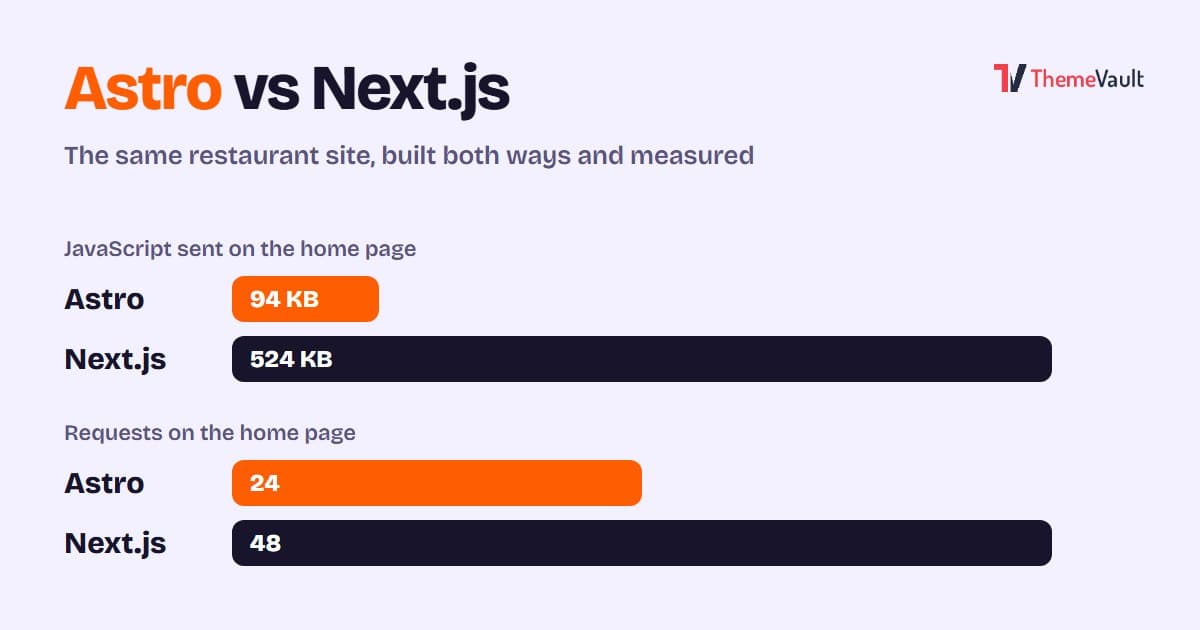
| Requests | 24 | 48 |
| JavaScript | 94 KB | 524 KB |
| HTML | 59 KB | 119 KB |
| CSS | 292 KB | 293 KB |
| Images | 1,073 KB | 579 KB |
| Server response time | 6 ms | 145 ms |
| Fully loaded | 423 ms | 870 ms |
The menu page told the same story: 94 KB of JavaScript and 15 requests on Astro, 524 KB and 41 requests on Next.js.
Three things stand out.
JavaScript is the real difference. Next.js sent about five and a half times as much: the React runtime and the code that makes the page interactive after it loads. Astro sends only the small script the design itself needs (the menu, sliders and forms). On a fast laptop you won’t feel it. On a mid-range phone on mobile data, JavaScript is the part that keeps the page busy after it appears, which is why lightweight pages tend to feel snappier and score better on Google’s Core Web Vitals.
The server response is the second. Astro answers with a file that already exists, in a few milliseconds. Our Next.js version builds each page when it’s requested, reading the content from its database. That’s why edits in its admin show up immediately, and it’s also why the first byte took about 145 ms on our PC. Next.js can cache pages to close that gap, but then you lose some of the “instant edits” benefit.
Next.js won on images. We didn’t expect this one. Next.js’s image component resized the photos to the size of the screen and sent roughly half the image data Astro did. Astro can do the same (it has its own image tools), so this is about how each template uses them rather than a hard limit, but it’s a fair reminder that “Astro is always lighter” isn’t a law of nature.
A word of caution: these timings come from a local machine, where there’s no network in the way. On a real host both will be slower. The size differences (requests, JavaScript, HTML) are what carry over to the real world.
Editing the content
For most business owners this matters more than any number above.
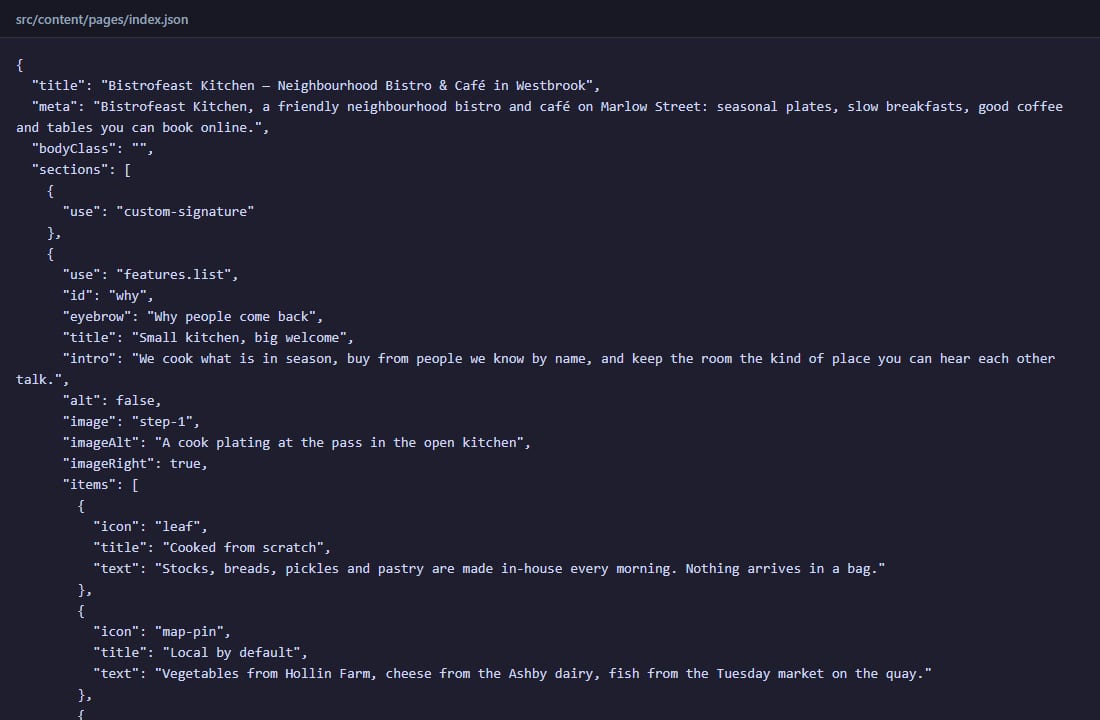
In the Astro version, the home page is a file called src/content/pages/index.json. Changing a headline means opening that file, editing the text between the quotes and saving. Blog posts are Markdown files you write in any text editor. Then the site has to be rebuilt and uploaded, which most hosts do automatically when you push the change to GitHub.
In the Next.js version, the owner logs in at /admin and sees a normal admin panel: Dishes, Courses, Team, Gallery, Testimonials, Reservations, Enquiries and a Site Settings screen with tabs for the header, the home page, the About page, contact details, the footer and SEO. Change a field, click Save, refresh the site, done. No rebuild.
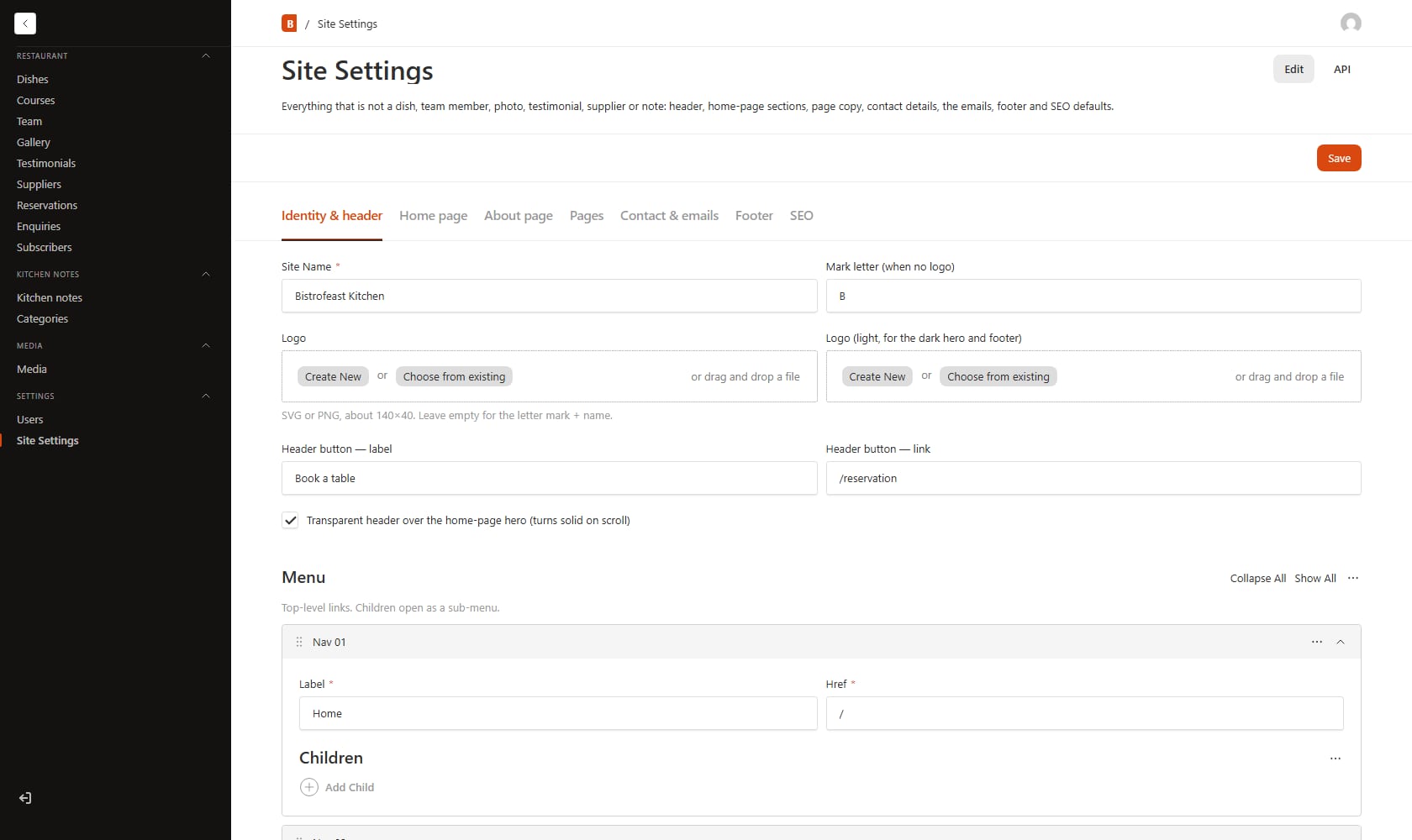
That difference is bigger than it sounds. If the person updating the menu every six weeks is the restaurant owner, the admin panel is the whole point. If it’s a developer, or the site changes twice a year, the JSON files are faster and there’s nothing extra to maintain or secure. (You can add a headless CMS to Astro too, but then you’re building the admin side yourself.)
Forms and bookings
A restaurant site lives or dies by its booking form, so we checked what each version does with one.
The Astro version can’t receive a form on its own, because it has no server. Its forms check the fields and show a success message, and to actually receive the messages you connect a form service (Formspree, Basin, Getform, Netlify Forms or your own endpoint) by setting one value in the settings. That’s quick, but it’s an extra account, and on a free plan there’s usually a monthly limit. Until you connect one, the form only pretends to send, so test it before launch.
The Next.js version has a real booking flow built in. Each reservation is saved in the admin with a reference number and a status for the floor team, enquiries are saved too, and once you add email (SMTP) settings the guest gets a confirmation email and the restaurant gets a notification. Even without email set up, nothing is lost: every booking is stored in the admin.
Hosting and what it costs to run
This is where Astro is hardest to beat. Its build is a folder of static files, so you can host it on Cloudflare Pages, Netlify, Vercel or GitHub Pages (connect the repository, build command npm run build, output folder dist), or simply upload the folder to any ordinary web host. For a small business site that’s often free on Cloudflare Pages or Netlify (Vercel’s free Hobby plan is for non-commercial use, so a business site there means a paid plan), and there’s no server to patch.
The Next.js version needs Node.js running all the time. Its documentation recommends a VPS or any Node host: build it, start it, put nginx or Caddy in front, keep it alive with PM2 or systemd, and back up the database file and the uploads folder. Serverless hosts such as Vercel are possible but need changes, because their file system is read-only: you swap SQLite for a Postgres database and add a storage service for uploaded images. Either way, there’s a monthly cost and some upkeep (updates, backups, a server that has to stay up).
If you’re weighing either one against WordPress, our comparison of Next.js vs WordPress for a small business website covers hosting and updates in more detail.
SEO
Both can rank perfectly well. Google reads the finished HTML, and both versions send complete HTML with titles, descriptions and headings already in it. Our Astro template writes the title, description, canonical URL, social sharing tags and structured data for every page, plus a sitemap, robots.txt and an RSS feed at build time. The Next.js template handles SEO from its admin (there’s an SEO tab in Site Settings), which is handy when a non-developer wants to adjust a page description.
Where Astro has a real edge is speed on phones, simply because there’s less JavaScript to process. That feeds into Core Web Vitals, which Google uses as one signal among many. It won’t rescue thin content, but on two otherwise equal sites the lighter one has a small advantage.
A quick way to decide
- A developer will edit the site, and it’s mostly pages to read: Astro.
- You want free or near-free hosting with nothing to maintain: Astro.
- A non-technical owner will update menus, team or text every few weeks: Next.js with an admin panel (or WordPress).
- The site takes bookings, enquiries or orders and you want them stored: Next.js, or Astro plus a form service if the volume is small.
- Content changes many times a day, or people log in: Next.js.
- You want the lightest possible pages on mobile: Astro.
If you still can’t decide, ask one question: who will change the website next month, and how? The answer usually picks the framework for you.
Where our templates fit
We build our most popular designs in more than one format so you don’t have to choose the framework first and the design second. Bistrofeast, for example, comes as an Astro template ($19) and as a Next.js template with Payload CMS ($29), as well as WordPress and Elementor themes and a free HTML version. Browse every design by format in our Astro templates and Next.js templates.
FAQ
Is Astro faster than Next.js?
For content sites, usually yes. In our test of the same design, the Astro version sent 94 KB of JavaScript to Next.js’s 524 KB and answered in milliseconds because its pages are pre-built files. Next.js can be made very fast with caching, and it sent lighter images in our test, so the gap depends on how each site is built.
Is Astro good for SEO?
Yes. It outputs complete HTML that search engines read easily, and its light pages help with Core Web Vitals. Our Astro template also generates titles, descriptions, canonical URLs, structured data, a sitemap and robots.txt for you.
Can a non-developer edit an Astro site?
Not easily on its own, because the content lives in files (JSON and Markdown) that are rebuilt into the site. Adding a headless CMS gives editors a dashboard, but that’s extra setup. If a non-technical person will update the site often, a Next.js template with an admin panel or a WordPress theme is the easier choice.
Do I need a server for Next.js?
For a Next.js site with a database and admin panel like ours, yes: it runs on Node.js. A VPS or Node host is the simplest option. Serverless platforms work too, but you’ll need a hosted database such as Postgres and a storage service for uploads.
Can Astro handle contact forms and bookings?
Yes, with help. A static Astro site has no server to receive form submissions, so you connect a form service such as Formspree, Basin, Getform or Netlify Forms. For a full booking system that stores reservations and sends confirmations, a server-based setup like Next.js is a better fit.
Which costs less to run, Astro or Next.js?
Astro, in most cases. Its static files can be hosted on free plans at Cloudflare Pages or Netlify, or on any cheap web host (Vercel’s free plan is for non-commercial sites). A Next.js site with a database needs a running server or a serverless plan plus a database, which usually means a monthly bill and some maintenance.
More from the blog
HTML Template to WordPress: Convert It Yourself or Use a WordPress Version?
We turned our Bistrofeast HTML template into a WordPress theme by hand. Every step, the mistakes, how long it took, and when a WordPress version saves you days.
Read article →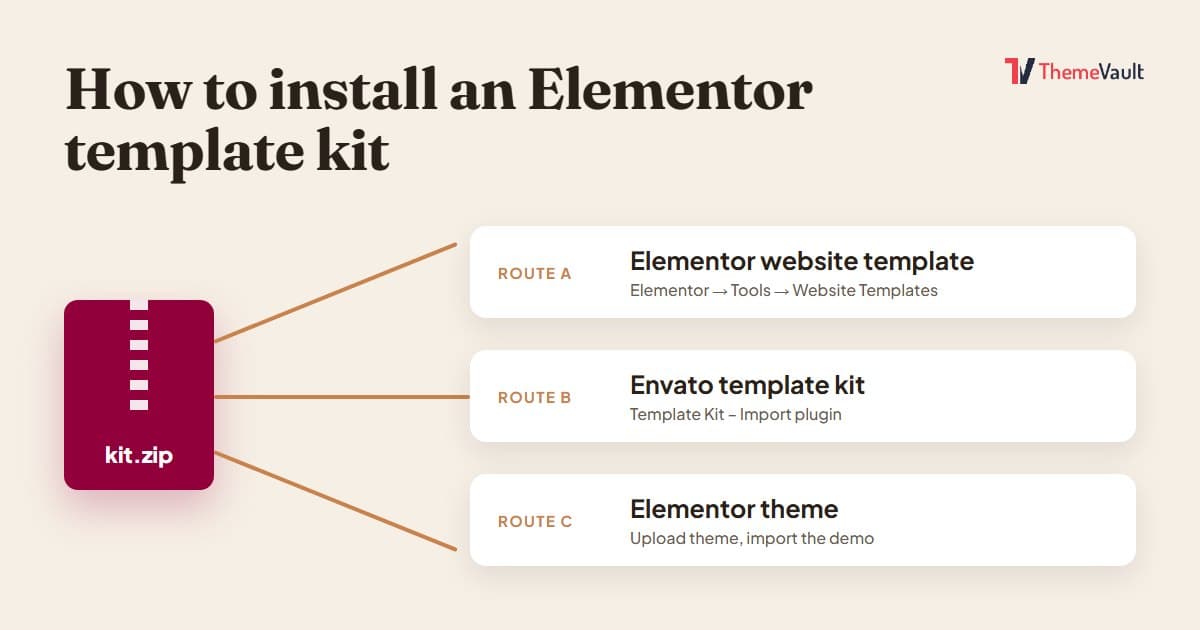
How to Install an Elementor Template Kit (2026 Guide)
We installed the same kit both ways on a clean WordPress site. Where each kind of kit goes, the steps people miss, and what to do when it looks wrong.
Read article →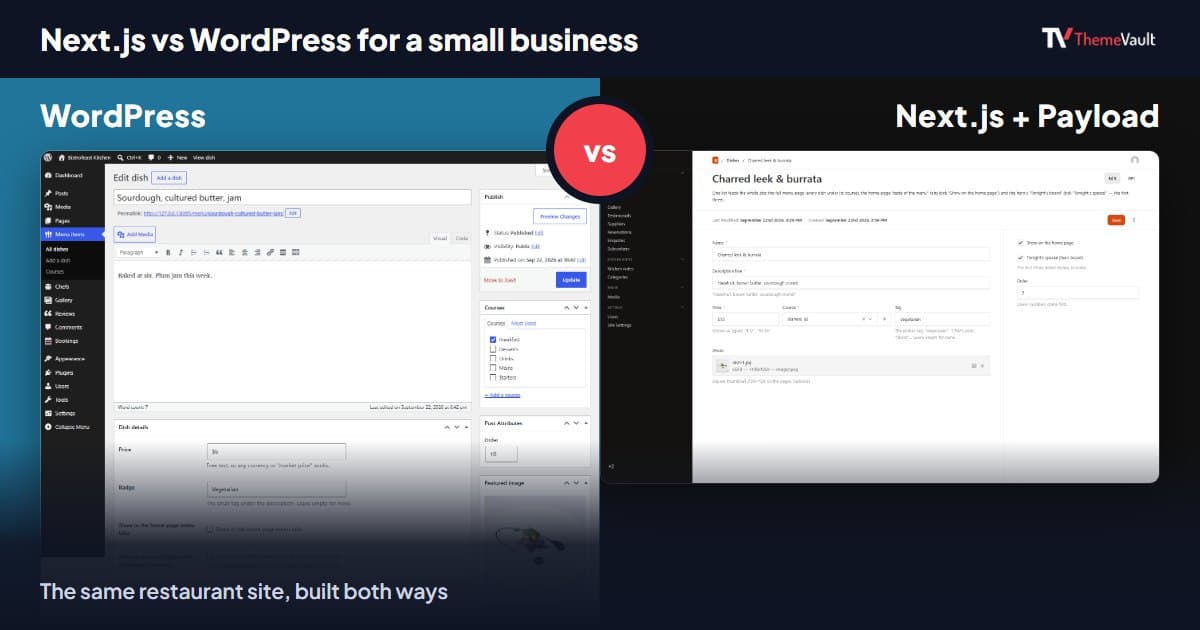
Next.js vs WordPress for a Small Business Website (2026)
We built the same restaurant website as a WordPress theme and as a Next.js template with Payload CMS. Here is where they really differ, and how to choose.
Read article →