
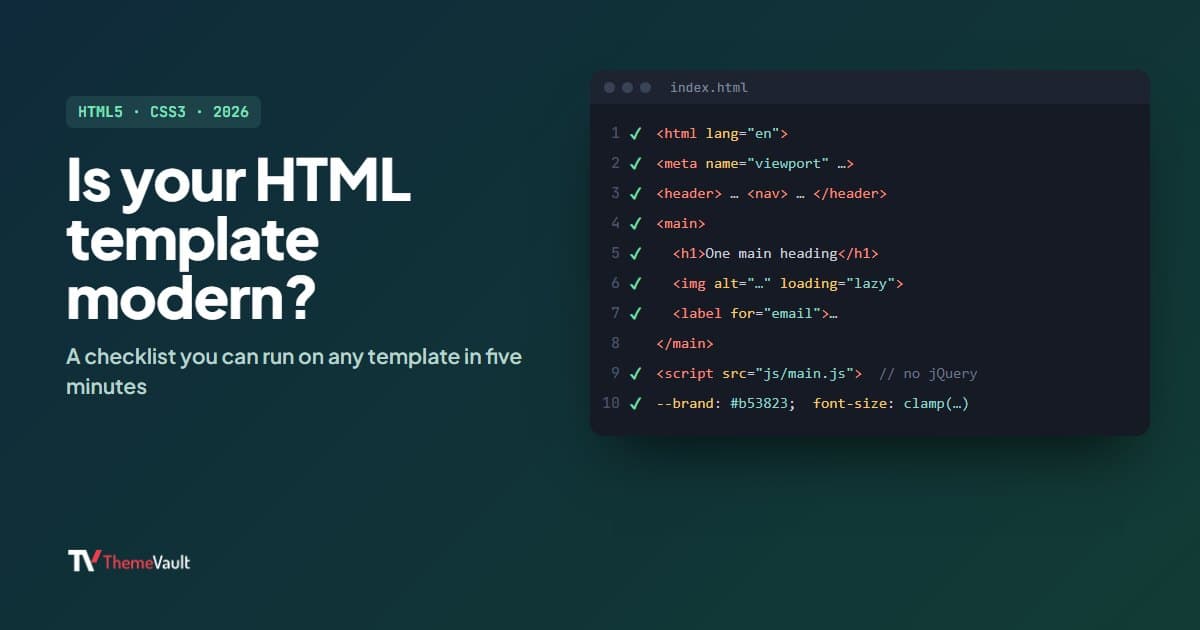
Almost every template calls itself “HTML5 and CSS3”, and almost every one technically is: the label has been true of nearly everything since about 2012. What actually tells you whether a template is current is how it uses them. A template built the 2016 way will still work, but it will be slower on phones, harder for people using a keyboard or a screen reader, and more work to edit.
Here is the checklist I use, with real code from our rebuilt templates so you can see what each item looks like. You can run all of it on any template’s live demo in about five minutes, before you download anything.
1. A proper document head
Look for <html lang="en"> (or your language), the viewport tag that makes the layout fit phones, and a title and description that are different on each page. Missing descriptions and a single shared title are among the most common gaps, and they cost you in search results.
2. Tags that describe the content
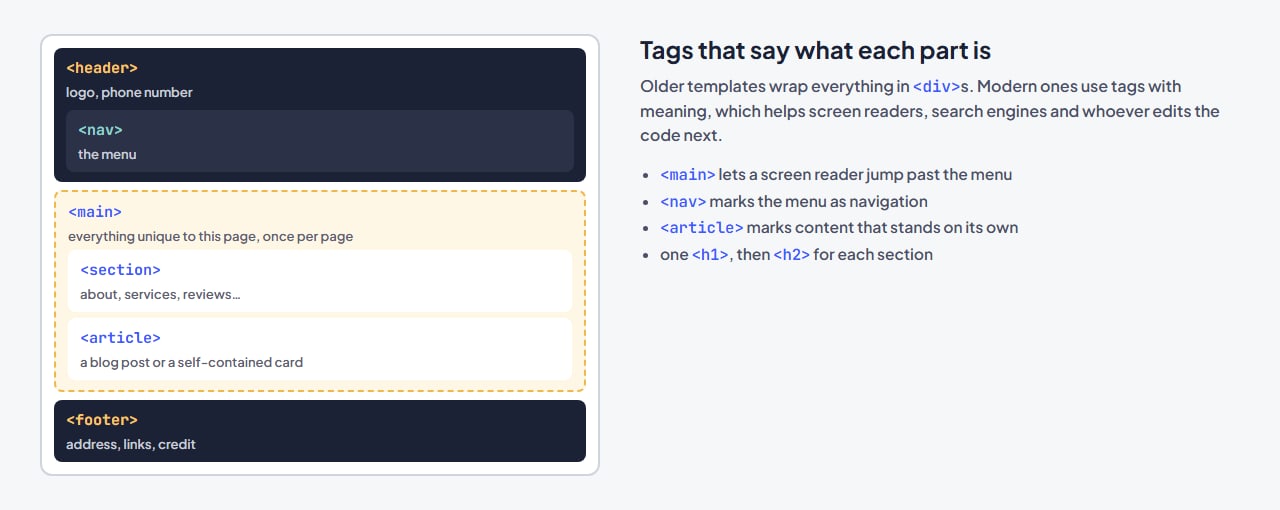
Older templates wrap everything in <div>. A modern one uses <header>, <nav>, <main>, <section>, <article> and <footer>. The page looks the same, but screen readers can jump straight to the content, and anyone editing the code can see at a glance what each block is.
3. One main heading per page
Each page should have exactly one <h1>, with <h2> for each section and <h3> inside those. Search engines and screen readers both read this outline. A common slip: big numbers in a “stats” strip (projects done, happy clients) marked up as headings just to make them large. Search the source for <h1 and count.
4. Layout with Grid and Flexbox
CSS Grid and Flexbox replaced the float and table tricks that older layouts relied on. They make columns that line up, wrap cleanly on small screens and are easy to change. In Kitchups, the hero is a grid:
.kx-hero { display: grid; grid-template-columns: 1fr; padding-top: var(--kx-head-h); background: var(--kx-tomato); }5. Colors and fonts kept in variables
CSS custom properties let a template define its colors and fonts once and use them everywhere. Change one line and the whole site follows. Here is part of the Kitchups palette:
--kx-butter: #f7c948;
--kx-tomato: #b53823;
--kx-tomato-deep: #922b19;
--kx-basil: #1a9c7f;
--kx-ink: #2b2320;
--kx-serif: "DM Serif Display", Georgia, serif;
If a template has no variables, recoloring it means find-and-replace across files, which works (my guide to building a website from a template shows how) but takes longer.
6. Sizes that scale smoothly
clamp() sets a size with a minimum, a preferred value that grows with the screen, and a maximum. Headings stay readable on a phone and generous on a laptop, without a pile of breakpoints:
body .kx-title { font: 400 clamp(38px, 4.8vw, 60px)/1.05 var(--kx-serif); }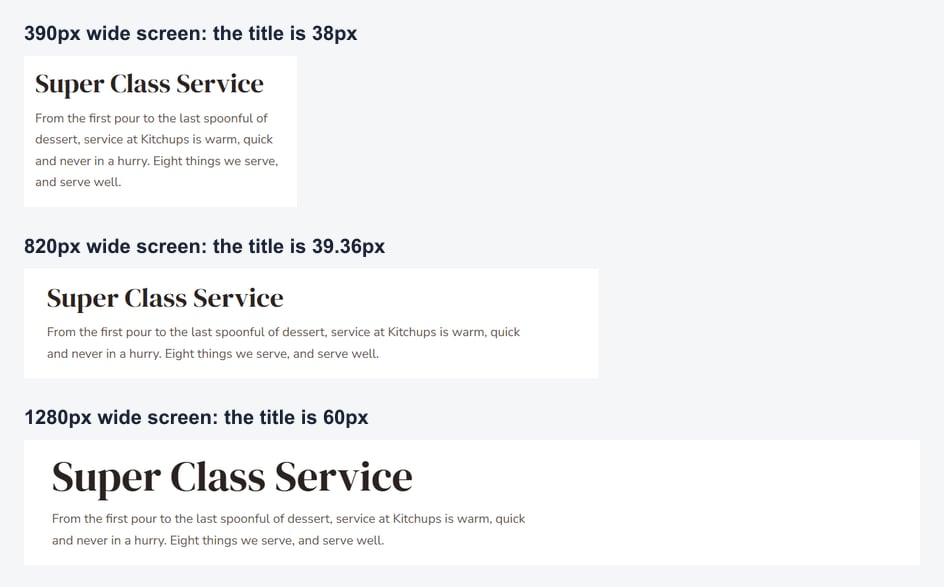
7. Images that don’t slow the page down
Every image should have alt text, a width and height (so the page doesn’t jump as images arrive), and loading="lazy" if it sits below the first screen, so the browser only fetches it when needed:
<img class="kx-about__a" src="images/Image1.png" alt="A chef tossing noodles in a flaming wok" width="370" height="500" loading="lazy">8. Forms that people can actually use
Each field needs a <label> (visible or hidden for screen readers), the right input type so phones show the right keyboard, and a clear message after sending. From the newsletter form in ClassicRestro:
<label class="visually-hidden" for="nl-email">Your email address</label>
<input id="nl-email" name="email" type="email" placeholder="Your email address" autocomplete="email" required>
<p class="cr-form__error" data-cr-error hidden>Please enter a valid email address.</p>
<p class="cr-form__note" tabindex="-1" role="status" hidden>You're on the list. Look out for a welcome email with this month's recipe.</p>
Remember that an HTML template can’t send email on its own; connecting the form to a form service is a separate step.
9. Keyboard and motion settings respected
Press Tab on the demo: you should always see where you are. And if someone has asked their device to reduce motion, the site should calm its animations down. Both take a few lines of CSS:
:focus-visible { outline: 3px solid var(--kx-butter); outline-offset: 2px; }

@media (prefers-reduced-motion: reduce) { html { scroll-behavior: auto; } }
10. No jQuery
Ten years ago nearly every template loaded jQuery for menus and sliders. Browsers now do all of that natively, so a modern template uses a small script of its own, and if it uses Bootstrap, version 5, which doesn’t need jQuery either. jQuery isn’t harmful, but it is extra weight to download, and it is a sign of how old the rest of the code is likely to be. (My post on Bootstrap 5 portfolio templates explains why the version matters when you edit.)
Run the checklist in five minutes
- Open the live demo and press Ctrl+U (Cmd+Option+U on a Mac) to view the source.
- Search the source for
<main,<h1,loading="lazy",<labelandjquery. - Click through to one of the stylesheets and search for
var(--,gridandclamp(. - Press Tab a few times and watch for the focus outline.
- Make the browser window narrow and check that nothing spills off the side.
- Optional: run Lighthouse in Chrome’s developer tools for an accessibility and speed score.
How our own templates measure up
We rebuilt most of our catalog in 2026 against this list, so the rebuilt designs, like Kitchups and ClassicRestro above, are where the examples in this post come from. Some of our original designs from 2016 to 2018 haven’t been rebuilt yet and still use jQuery and older layout methods; they are being rebuilt one at a time, and each template page shows its version history so you can see which is which. You can browse them all in our free HTML templates.
FAQ
What is an HTML5 CSS3 template?
A ready-made website built from HTML files for the content and CSS files for the design, usually with a little JavaScript. You edit the files and upload them to any web host; there is no database or installer.
Is jQuery bad?
No, but it is no longer needed for what templates use it for, so it adds download weight for nothing. It is mainly a useful sign that the rest of the template’s code is older.
Do I need Bootstrap in a modern template?
No. Bootstrap 5 is a fine choice and makes editing easy if you know it, but plain CSS with Grid, Flexbox and variables does the same job. What matters is that the template is current, not which tool it uses.
How do I check that a template is responsive?
Open its demo on your phone and on a laptop, and narrow your browser window slowly from wide to narrow. Nothing should overlap or run off the side, the menu should change into a phone menu, and text should stay readable without zooming.
More from the blog

Best Website Templates for Photographers (2026)
Six photographer website templates matched to the way you work, from booking-led sites with prices to print shops, plus the five pages that get you booked.
Read article →
Bootstrap Portfolio Templates: 5 Free Bootstrap 5 Designs (2026)
Five free portfolio templates built on Bootstrap 5.3, who each one suits, and how to customize the grid, popups and tabs with Bootstrap's own classes.
Read article →
What Is a Brochure Website? (And When a Small Business Needs One)
A brochure website is the online version of a printed brochure. Here is what it should include, three real examples, and when a small business needs more.
Read article →