
Last week I went through every portfolio template we publish and did something I should have done a long time ago. I didn't look at them as a designer. I looked at them as the person who decides whether to call you back.
That person isn't admiring your typing animation. They've got your portfolio open in one tab and nine others next to it, and they want answers to a few plain questions. What do you do? Have you done it before? Is the work any good? How do I get hold of you? If the site makes them dig for any of that, they close the tab. Nobody tells you that's what happened, which is why portfolio mistakes survive for years.
So for each template I opened the live demo and did what a hiring manager would do. I clicked into a project. I pressed “Download CV”. I filled in the contact form and pressed Send. Most of them passed. Two of ours didn’t, and I’ll name them below rather than pretend otherwise.
What actually matters
If you only read one section, read this one. A portfolio that gets replies does four things well.
It says what you do in a single line, near the top, without making anyone scroll. “Front-end developer for SaaS teams” works. “Creative thinker and problem solver” doesn’t, because it describes everyone.
It shows a handful of projects, and each one has its own page that explains it. A wall of thumbnails tells me you made things. A project page tells me how you think, which is what I’m actually trying to find out.
It has some proof from other people. Two real testimonials are worth more than ten skill bars.
And it’s easy to contact you. The form works, your email address is written on the page as well, and if there’s a CV button, it downloads a CV.
That’s it. Counters, services grids, a blog: all optional. I’d leave them out unless you’ll keep them current, and I’ll explain why further down.
How our templates did
Here’s what I found on 18 October 2026, testing the seven portfolio templates we rebuilt this year.
| Template | Good for | Project page | Contact form | CV |
|---|---|---|---|---|
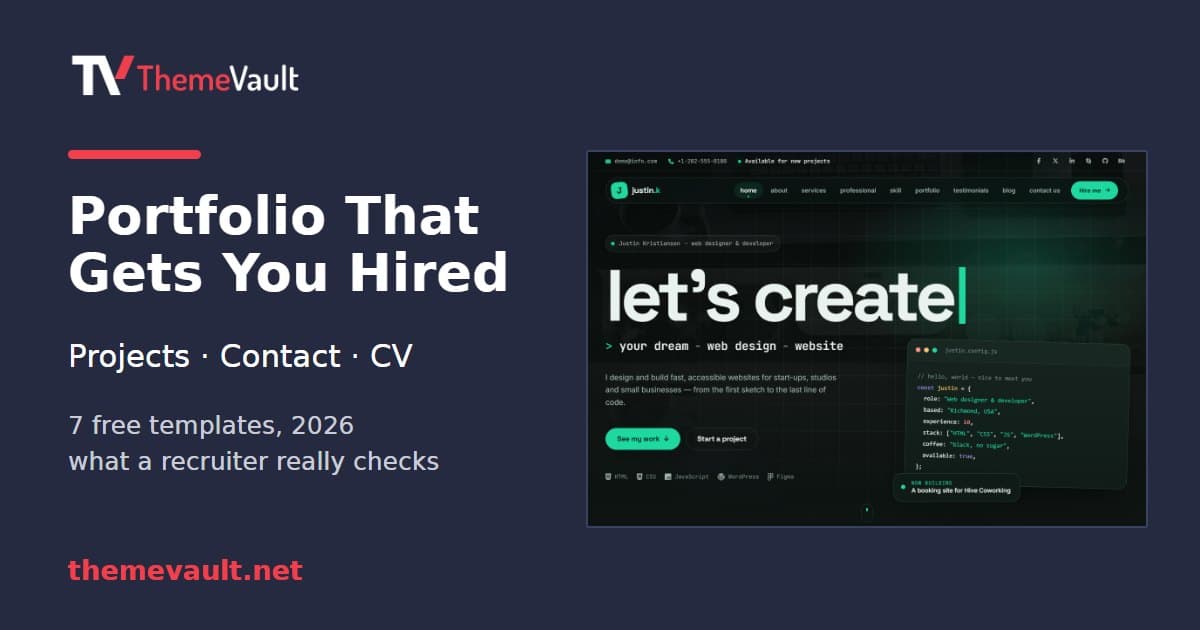
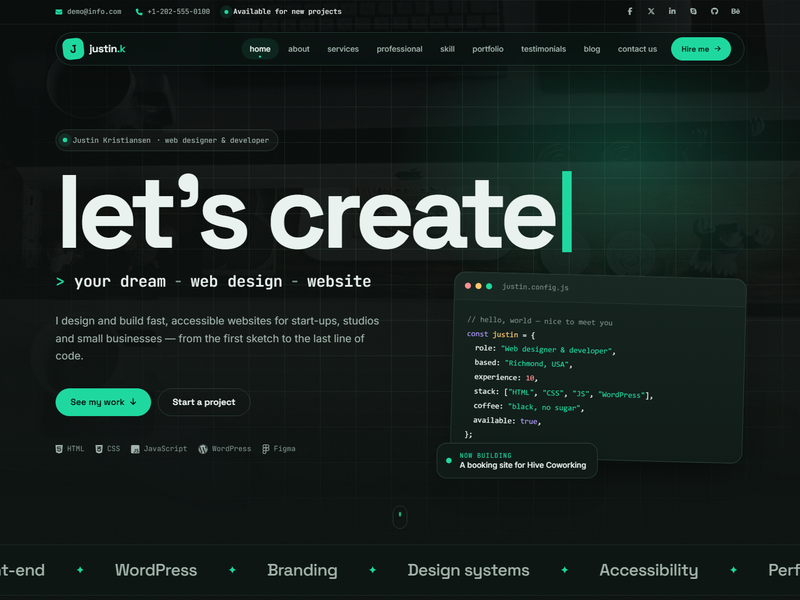
| Justin Kristiansen | Web developers | Brief, what changed, how we got there | Works, confirms | Resume section |
| EliteCV | Job seekers | Brief, what I did, result | Works, confirms | Printable resume page |
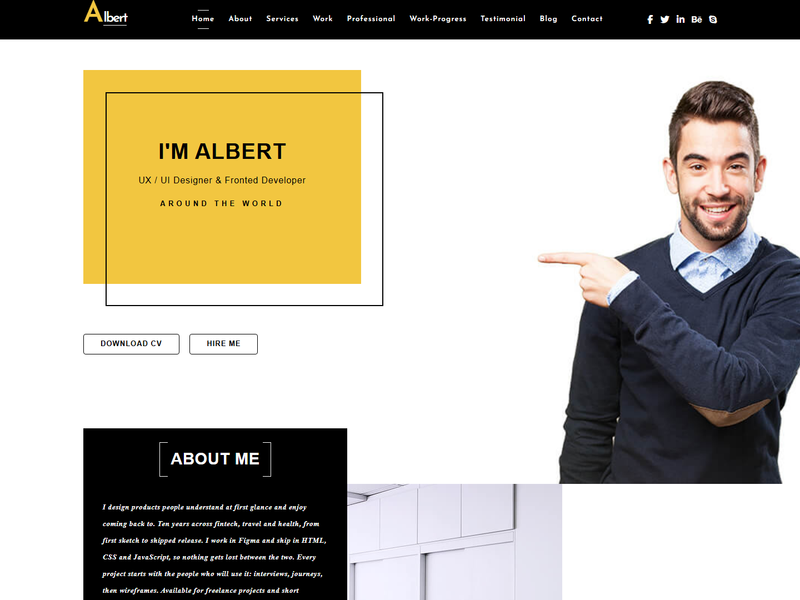
| Albert | UX designers | Project facts and process steps | Works, confirms | PDF download |
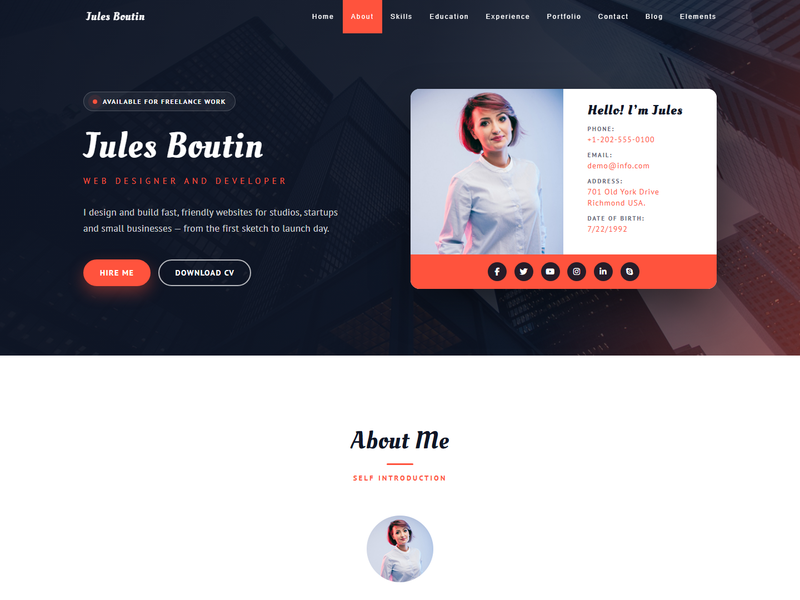
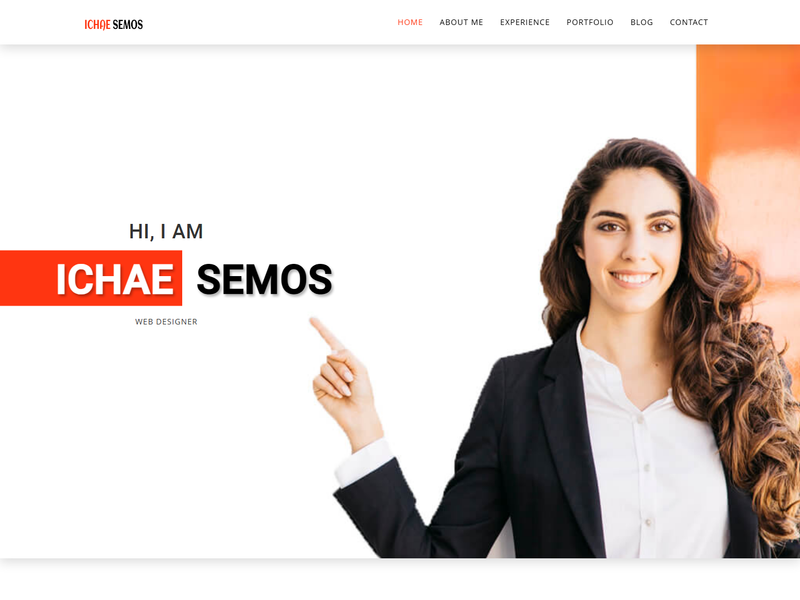
| Ichae Semos | Web designers | Brief, what changed, result | Works, confirms | PDF download |
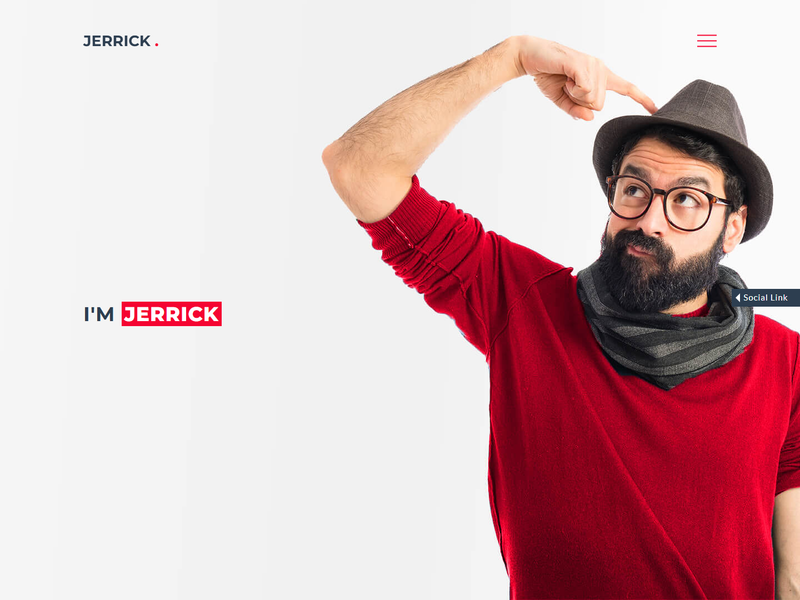
| Jerrick | Brand designers, studios | Brief, what I did, outcome | Works, confirms | Resume section |
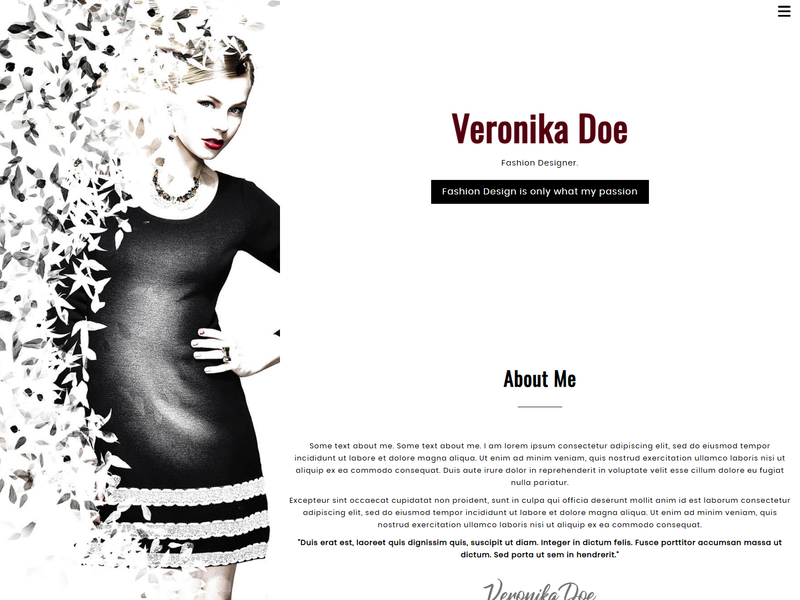
| VeronikaDoe | Fashion designers | Brief, process, result | Page just reloads | None |
| Falix Ford (HTML) | Developers, one page | Opens over the page | No reply after Send | Button goes nowhere |
A note on “works, confirms”: it means the form checks what you typed and tells the visitor their message went through. On a free HTML template, the form still needs connecting to something before you actually receive the message. That’s a fifteen-minute job and I’ve explained it further down.
The two failures are ours to fix, and they’re on the list. VeronikaDoe’s form is missing one small element its script looks for, so when I pressed Send the page simply jumped back to the top. Falix Ford’s HTML version has no script on its form at all, and its “Download Resume” button is a placeholder link. Funnily enough, both problems were already fixed in the WordPress and Next.js versions of Falix Ford. The free one just never got the same fix.
Write your projects like short stories
This is where most portfolios lose the interview, and it’s the easiest part to fix.
Each project page needs four small pieces. First, the facts: who it was for (or “personal project”, which is fine), your role, the year and the tools. Then the problem, in two or three sentences. Then what you did. If it was a team, say which part was yours, because that’s the first thing an interviewer will ask. And last, what changed afterwards. A number is great if you have one: pages loading in half the time, sign-ups up, a launch date hit. If you don’t have a number, an honest sentence is better than an invented one.
The good news is that six of the seven templates above already have a project page built in this shape, so you’re filling in boxes, not designing a layout. Albert’s sample project is a fintech dashboard with a facts box (client, role, year, tools, team) and a numbered process starting with research. For UX work that’s exactly right, since the process is the work. Justin Kristiansen has a “how we got there” part and a block for screens, which suits a developer showing before and after.
How many projects? Somewhere between three and six. I know it’s tempting to include everything. Don’t. Ten average projects bury your two good ones. If you’re just starting out, one personal project you can explain properly is worth more than a client logo you can’t.
Which template for which job
If you’re a web developer, start with Justin Kristiansen. It’s the most complete one we have: services, a section on how you work, skills, a portfolio you can filter, testimonials, a blog and that project page. It even comes with designs for the emails your site sends, like a contact reply and a newsletter.
Falix Ford is the one-page alternative. Projects and blog posts slide open over the page instead of loading a new one, which feels quick. Until we’ve fixed the free version, though, I’d only use it if you’re happy to wire up the form yourself and point the resume button at your own PDF. Or use the WordPress or Next.js version, where both already work.
If you’re job hunting and the CV is the main thing, look at EliteCV. Skills, education and work history sit right on the home page, and there’s a separate printable resume page. That’s handy when a recruiter asks you to “send your CV” and you’d rather send a link that’s always up to date.
If you’re a UX or product designer, I’d pick Albert, mainly for that process-led project page. Its CV button downloads a real PDF in the demo; swap in yours. Ichae Semos is quieter and leans more on text, with experience, education, a client list and articles. Its project page follows the same problem, change, result pattern, and it has a PDF CV button too.
If your work is visual (brand identity, illustration, a small studio), Jerrick is the big one. Thirty-nine pages, five home page variants, and gallery layouts in one, two, three, four or six columns plus masonry, which helps when your pieces come in awkward sizes.
If you’re a fashion designer, VeronikaDoe has work pages that walk through the brief, the process and the finished piece, plus a pricing section if you take commissions. Just remember the contact form problem above until we’ve shipped the fix.
Photographers and artists mostly need one thing: a gallery that opens images full size. I wrote about that separately in free art gallery website templates. Everything else is in our portfolio website templates collection.
Things I’d fix before anyone sees it
Search every page for “lorem”. Templates ship with placeholder text, and it hides in places you forget about, like the footer or the third testimonial. People reviewing portfolios notice it immediately.
After you publish, send yourself a message through your own form, from your phone. If it doesn’t arrive, nobody else’s will either. Then write your email address on the page somewhere as a backup.
Click your own CV button. Name the file something like priya-shah-cv.pdf, not final-v3.pdf, because that’s how it’ll sit in someone’s downloads folder.
Look hard at the counters. Most portfolio templates (ours included) come with a row of big numbers: projects done, happy clients, cups of coffee. If you’ve been freelancing for two years, “2,500 happy clients” does you more harm than good. Put in true numbers or delete the row.
Same with skill bars. “JavaScript 85%” doesn’t mean anything to anyone, including you. List the tools you use and let the projects prove it.
Resize your images. Around 1600 pixels wide is plenty for a project image, compressed. A portfolio that takes eight seconds to load on a phone loses people before they reach the first project.
And change the social links. Every template’s LinkedIn, GitHub, Behance and Dribbble icons point somewhere generic until you update them. It’s an easy one to miss.
Getting the contact form to send
An HTML portfolio has no server behind it, so the form needs a little help to deliver messages. The quickest route is a form service like Formspree, Basin or Netlify Forms. You sign up, they give you an address, you paste it into the form’s action, and messages start arriving in your inbox. Their free plans are more than enough for a portfolio. Then do the phone test again.
If you’d rather not deal with any of that, the WordPress and Next.js versions handle it for you (more on those at the end).
Putting it online
This part costs nothing. An HTML portfolio is just a folder of files, so GitHub Pages, Netlify or Cloudflare Pages will host it for free, with HTTPS. If you want to spend money anywhere, spend it on a domain. yourname.com on a CV looks more serious than a free subdomain, and it’s yours if you ever switch hosts. Then put the link on your LinkedIn, in your email signature and at the top of your CV.
Is the paid version worth it?
Honestly, for a lot of people, no. If you update your portfolio twice a year and don’t mind opening an HTML file, the free version is enough. The paid ones make sense when you want to add a new project from your browser in five minutes and never touch code.
The Falix Ford WordPress theme ($19 / ₹999) lets you edit projects, posts and text from wp-admin. Its contact form works straight away and the resume download is fixed.
The Falix Ford Next.js template ($29 / ₹1,499) has its own admin panel at /admin. You manage projects (with categories and a lightbox gallery), experience, testimonials and blog posts there, and upload your resume PDF. Every message from the contact form is saved in the admin and emailed to you once you add mail settings, so nothing gets lost if an email bounces. Each project also gets its own link you can share.
The free templates have a small credit link in the footer. You can pay to remove it on one template, or the Pro plan removes it everywhere and includes every format. The licence explains what you can and can’t do with each.
FAQ
How many projects should I put on my portfolio?
Three to six. Fewer than three can look thin, but more than six usually means weaker work is pulling down your best. Put the project closest to the job you want at the top.
Do I need a blog on my portfolio site?
Only if you’ll actually write. A post every month or two shows how you think, and it can bring in visitors from search. A blog with one post from 2023 does the opposite. If that’s you, hide the section until you’ve got three posts ready.
Should my CV be on my portfolio website?
Yes, as a PDF people can download. Recruiters often have to forward it or upload it into their hiring system, and a web page can’t be uploaded. A resume page is a nice extra if you want one.
Is a free HTML template okay for a professional portfolio?
Yes. Nobody visiting can tell what your site was built with. They can tell if it’s slow, confusing or full of placeholder text. Choose HTML if you’re comfortable editing files, and WordPress or Next.js if you’d rather update things from an admin panel.
Why doesn’t my HTML template’s contact form send emails?
Because a static site has no server to send them from. Connect the form to a form service by pasting its address into the form’s action attribute, publish, and send yourself a test. It takes about fifteen minutes.
If you do build your portfolio from one of these, send me the link. I’d genuinely like to see it, and if something in the template got in your way, I’d much rather hear about it from you than find it myself a year from now.
More from the blog
Restaurant Website Templates With Menus, Table Booking and Online Ordering (2026)
Seven free restaurant and café templates, checked for what their menus, booking forms and order pages really do — and where the free HTML stops and a WordPress or Next.js version with a real admin pan...
Read article →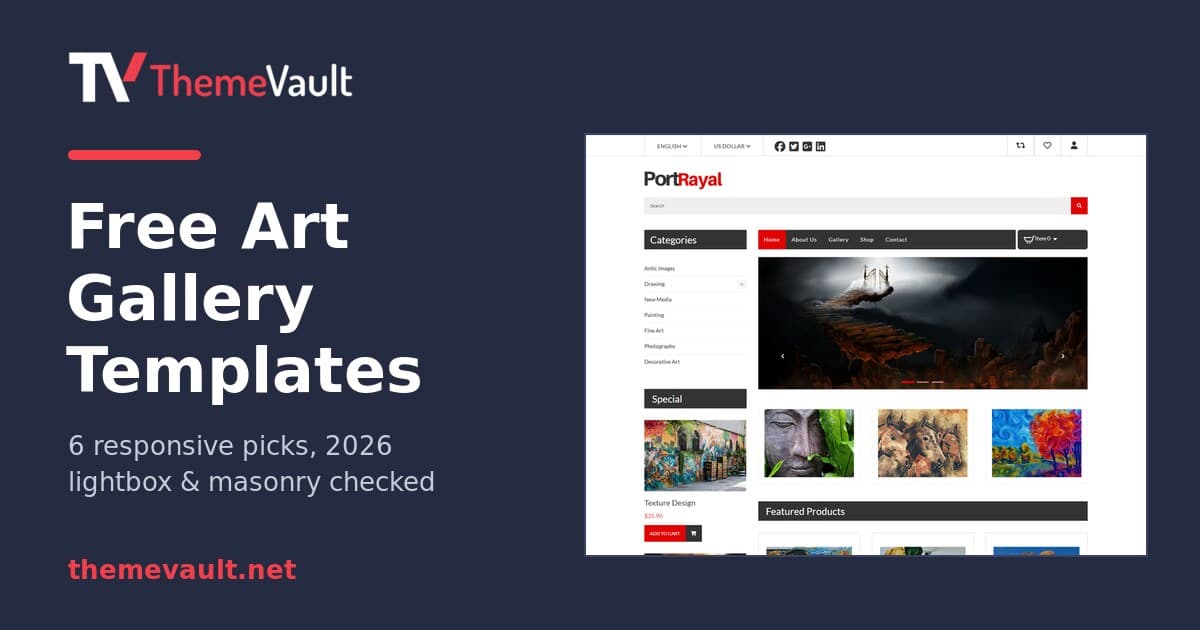
Free Art Gallery Website Templates (2026): 6 Responsive Picks
Six free, responsive art gallery and photography templates you can download today. I checked each live demo rather than the feature lists — here is which ones have a working lightbox, which use masonr...
Read article →
How to turn your visitors into forever customers for your eCommerce website?
A Good customer base helps to stand out from the crowd and grow your business. Here are few tips to Turn your visitors into your forever customers.
Read article →