Free Art Gallery Website Templates (2026): 6 Responsive Picks
- Design
- 🗓 September 17, 2026
An art gallery website has one job: get out of the way of the work. No hero carousel fighting the paintings, no eight-colour palette competing with the canvas. Just a clean grid, fast images, and a way to enquire about a piece.
I spent a good part of September rebuilding our two art gallery templates from the ground up, which means I have now stared at more gallery grids, lightboxes and dead “View Work” links than any reasonable person should. This guide is what came out of that.
Below are six free art gallery and photography website templates you can download from ThemeVault today — every one of them free, responsive, and built in plain HTML/CSS so you can edit them in any editor. I opened every live demo and read the code rather than copying our own feature lists, and I have included the honest bits: which have been rebuilt on Bootstrap 5, which are still on their original code, and the one whose gallery images do not open at all.
What an art gallery template actually needs
Before the list, the four things worth checking in any gallery template — because most free ones fail at least one of them.
- A real lightbox. Visitors will click a thumbnail expecting a full-size view. If the template only links the image file, the browser dumps them on a bare JPEG with no way back except the back button.
- Filtering that works. “Paintings / Sculpture / Photography” tabs are standard in gallery demos and frequently decorative — the buttons are there, the JavaScript is not.
- Image weight. A gallery is the one page type where you will legitimately load 20+ images. Check that the template uses
loading="lazy"and does not ship 4MB hero photos. - An enquiry path. Art is rarely bought with a Buy button. A working contact form, an address, and opening hours matter more than a checkout.
The six templates
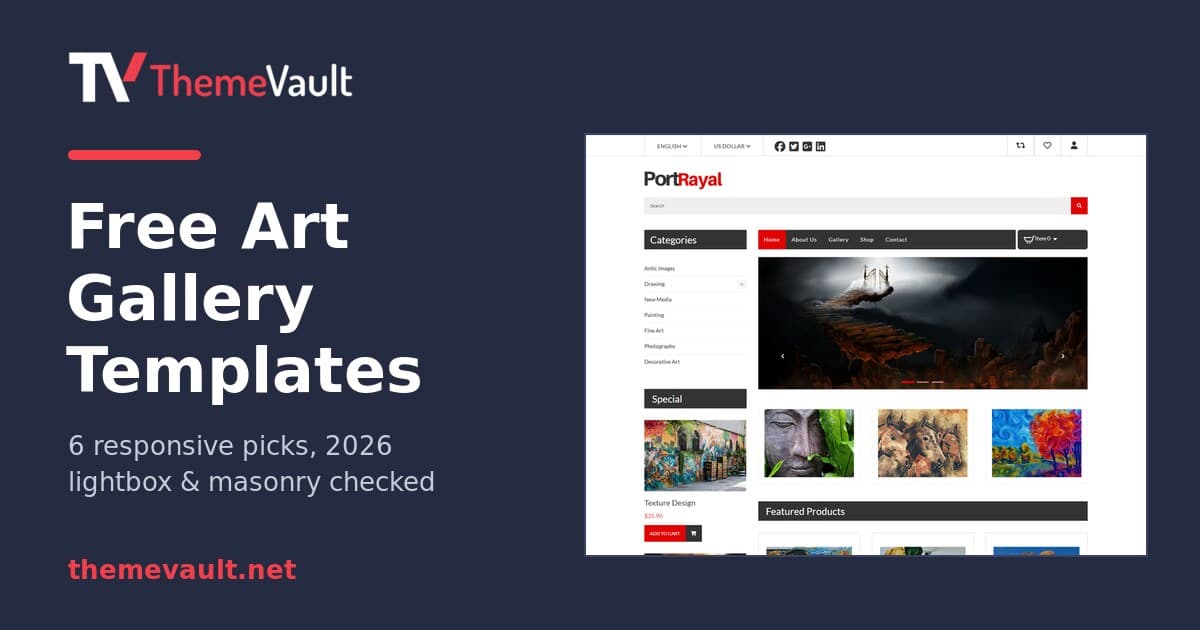
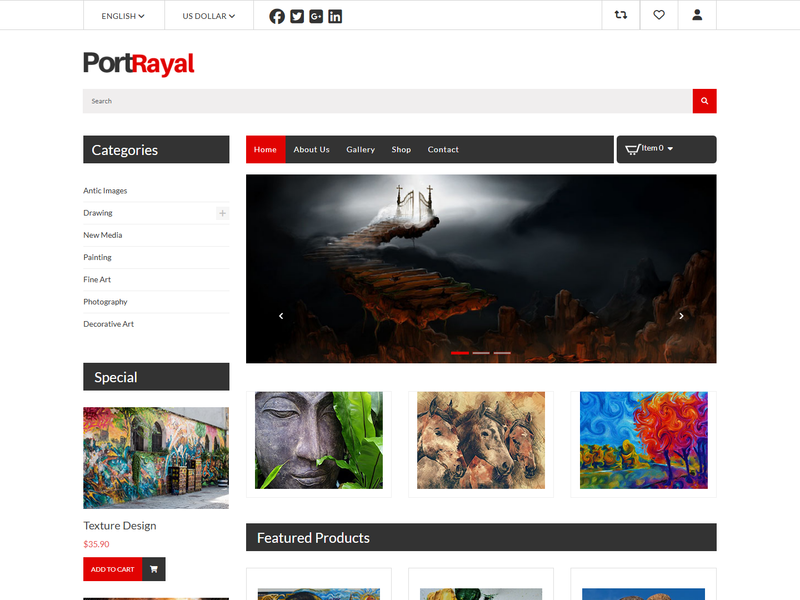
1. Portrayal — free online art gallery website template
The closest thing here to a gallery template in the traditional sense: a venue with a story, an exhibition space, and visiting details. It is also the most thoroughly rebuilt template on this list — version 2.0 landed in September 2026 and the changes were not cosmetic.
What it ships: a filterable artwork gallery with a full-screen lightbox, an About page covering the gallery’s story and what it stands for, and a Contact page with address, hours, phone, an enquiry form and a location map.
What changed in v2: rebuilt on Bootstrap 5.3 (it was Bootstrap 3), jQuery removed completely along with the bxSlider plugin, Font Awesome moved from 4 to 6, and Lato self-hosted rather than fetched remotely. The honest part: in version 1 somewhere between 27 and 40 links per page went nowhere, and the menu advertised About Us and Contact pages that did not exist. They exist now. A stray console.log and a CSS comment written with // — which silently voided the rule after it — were also fixed, and all eight pages got their own title and meta description.
It is the one I would start from for an actual gallery, museum or exhibition site. Download Portrayal free →
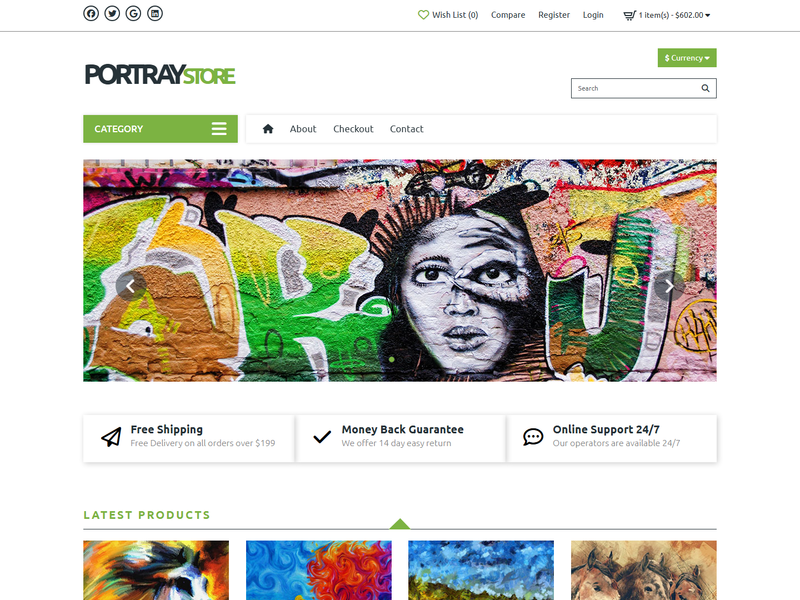
2. Portraystore — art gallery template with a working storefront
Pick this one if you are selling the work rather than exhibiting it. Portraystore is the ecommerce sibling of Portrayal and it is the most page-complete template in this guide after its September 2026 rebuild.
What it ships: product listing and single-product pages, a wishlist with Add-to-Cart and Remove, a my-account area with account details, address book and order history, plus the four pages an online shop is expected to have — delivery, privacy, terms and returns.
What changed in v2: every link that went nowhere in version 1 now has a destination. Specifically: the quick-view eye on each product card opens the work in a modal, the “+” beside a category opens its sub-list, the related-products strip on single-product pages has working prev/next, product thumbnails swap the main image and are keyboard-reachable, “Forgot Password” opens a reset block, the footer newsletter has a real submit, and the currency selector shows the chosen symbol on the button.
Those are all small things. Collectively they are the difference between a template you demo and a template you ship. Download Portraystore free →
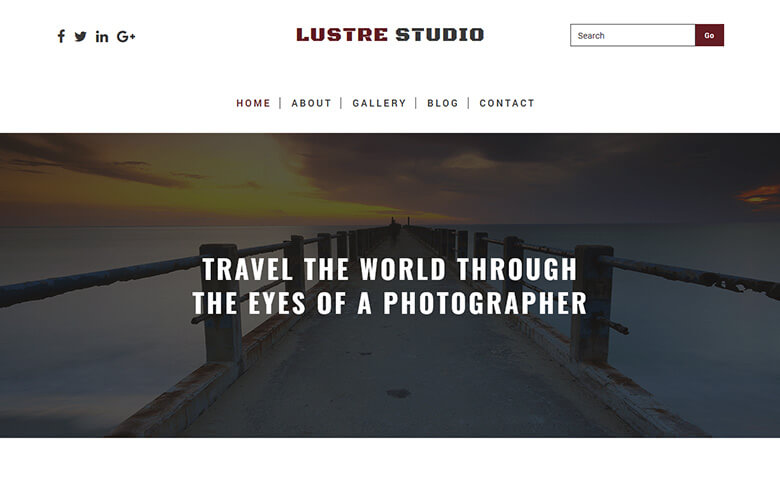
3. Luster Studio — masonry gallery with a lightbox and a blog
The strongest gallery mechanics of the four templates that have not yet been rebuilt. The gallery page runs Masonry for the grid and Magnific Popup for the lightbox, so mixed portrait and landscape images sit together without being cropped into squares, and clicking one opens it properly instead of dumping you on a bare JPEG.
Five pages — home, about, gallery, blog and contact. The blog is a genuine advantage if you plan to write about exhibitions or shoots.
The caveat: Masonry and Magnific Popup are both jQuery-era plugins, and this template has not been through the v2 rebuild, so jQuery is still loaded. It works; it is just not modern. Budget an hour if you want to strip it. Download Luster Studio free →
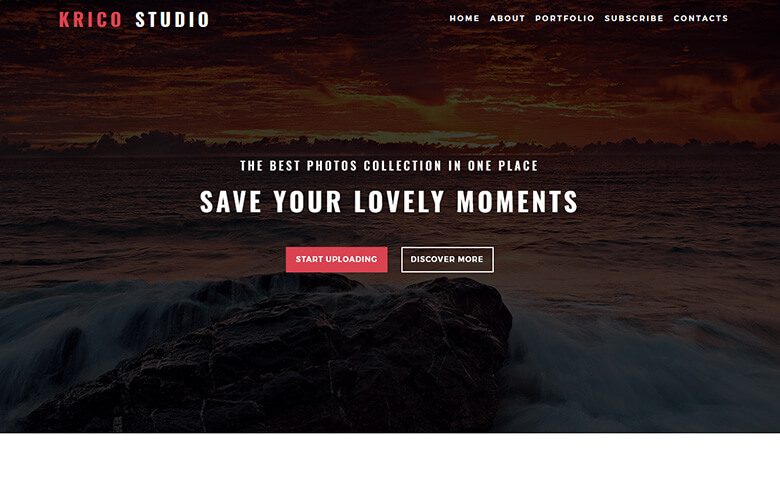
4. Krico — one-page photo gallery, fastest to launch
A single scrolling page — Home, About, Portfolio, Subscribe and Contacts are all anchor links, not separate files. That makes it the fastest of the six to put live: one file to edit, one set of images to swap.
Despite being one page it has the full gallery treatment: Masonry grid plus a Magnific Popup lightbox, with the work grouped into categories. Same jQuery caveat as Luster Studio. If you want a presence rather than a site, start here. Download Krico free →
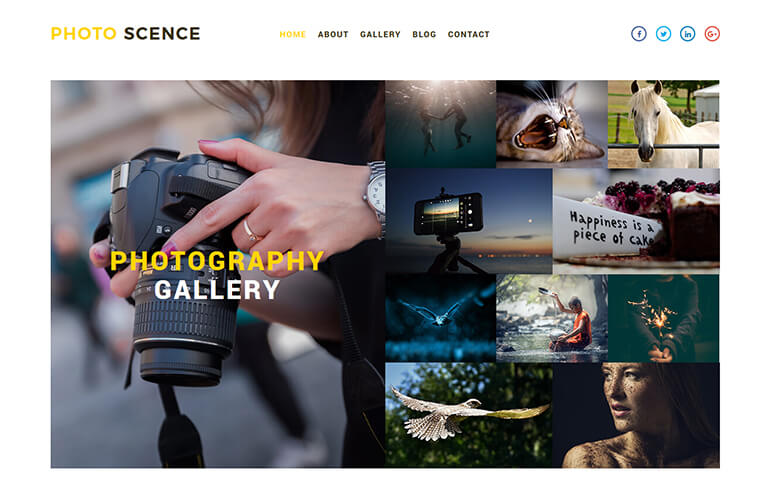
5. Photo Scence — clean masonry grid, but check the lightbox
Five pages including a blog, and a gallery page that uses Masonry for a tidy flat grid of ten images. The design is the most conventional of the set, which is not a criticism — conventional is easy to extend.
One thing to know before you commit, and it is the exact trap described at the top of this guide: the gallery images are not clickable. I only caught it because I clicked a thumbnail on the demo expecting a lightbox and nothing happened. There is no lightbox script on the gallery page and the thumbnails are not linked, so visitors cannot open a full-size view. If you use this template, wiring up a lightbox is job one. It is a twenty-minute fix with any modern library, but it is a fix you have to make — and yes, it is on our list too. Download Photo Scence free →
6. Snappy — minimal, and the biggest portfolio grid
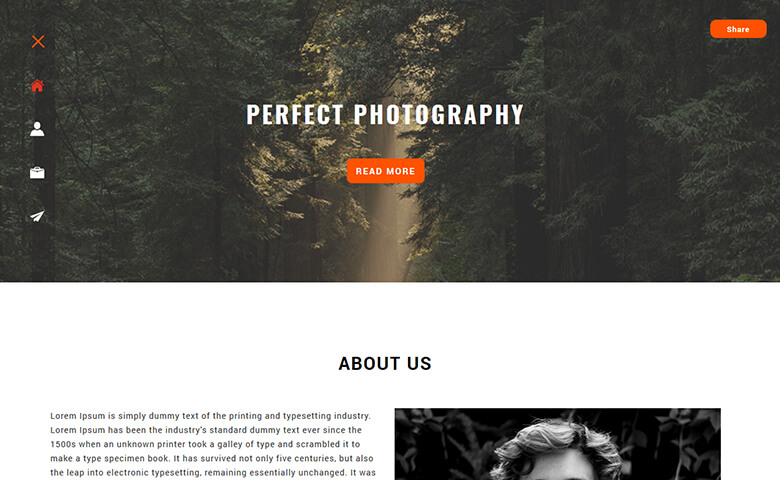
The most restrained design of the set — very little chrome, icon-led navigation, four pages (Home, About, Portfolio, Contact). Exactly what you want if the work is loud.
Its portfolio page also carries the most images of any template here, with a Magnific Popup lightbox behind them. A safe default when you are not sure which direction the site should take. Download Snappy free →
Gallery mechanics, side by side
Feature lists on template sites — ours included, historically — tend to say “gallery” and leave it there. So I checked each live demo and looked at which scripts actually load. This is what is in the code:
| Template | Structure | Grid | Lightbox | jQuery |
|---|---|---|---|---|
| Portrayal | 8 pages | Filterable | Yes | No — removed in v2 |
| Portraystore | Shop + account pages | Product grid | Quick-view modal | No — removed in v2 |
| Luster Studio | 5 pages + blog | Masonry | Yes (Magnific) | Yes |
| Krico | One page | Masonry | Yes (Magnific) | Yes |
| Photo Scence | 5 pages + blog | Masonry | No — add one | Yes |
| Snappy | 4 pages | Uniform grid | Yes (Magnific) | Yes |
Which one should you pick?
| If you want to… | Start with |
|---|---|
| Exhibit work and take enquiries | Portrayal |
| Sell work online | Portraystore |
| Show mixed portrait/landscape images uncropped | Luster Studio |
| Be live this afternoon | Krico |
| Blog about the work as well as show it | Luster Studio or Photo Scence |
| Let loud work speak for itself | Snappy |
More in the same vein: Art & Culture templates and Photo & Gallery templates.
What “free” means here
Every HTML template on ThemeVault is free to download and use, including on commercial projects. The one condition is a small credit link in the footer. If you would rather not carry it, you can remove the credit on a single template for $9, or on everything you ever download with a Pro plan. Full terms are on the license page.
There is no trial, no watermark on the files, and no premium tier holding back the good templates — the split between “free” and “premium” was retired in September 2026.
Where else to look
We do not have every gallery layout ever made, and pretending otherwise would waste your time. Three other places worth checking:
- Colorlib’s free Bootstrap gallery templates — the largest free roundup in this niche, with demos for each.
- TemplateMonster’s free art gallery category — a small free selection alongside their paid catalogue.
- TemplateOnWeb arts & gallery templates — Bootstrap-based, free, multi-page.
FAQ
Can I use these art gallery templates for a client project?
Yes. Commercial use is allowed on the free licence. The footer credit stays unless you buy credit removal for that template, or a Pro plan for all of them.
Do I need to know how to code?
Some HTML helps. These are static HTML/CSS files, so you edit text and swap images directly in the markup — there is no admin panel or database. If you want a dashboard to manage the gallery, you want WordPress instead, not a static template.
Which of these is best for a photographer rather than a gallery?
Luster Studio or Krico. Both are built around image grids first and text second. Portrayal and Portraystore assume there is a venue or a shop behind the work.
Are these templates mobile responsive?
All six are. Portrayal and Portraystore are the two rebuilt on Bootstrap 5.3, so their responsive behaviour is the most current; the other four use their original grid systems, which still work but are older.
How do I add my own images?
Replace the files in the template’s images folder and update the src attributes in the HTML. Keep the same aspect ratios as the originals where you can — gallery grids are the layout most likely to break when you drop in images of a different shape.
Start here
If you only take one: Portrayal for exhibiting, Portraystore for selling. Both are free, both were rebuilt this month, and both ship with the pages the menu promises — which, as version 1 of each proved, is not a given in a free template.
And if you build a gallery site with one of these, send me the link. I genuinely like seeing where they end up, and the good ones tend to find their way into the next version of this guide.