Restaurant Website Templates With Menus, Table Booking and Online Ordering (2026)
- Web Development
- 🗓 September 24, 2026
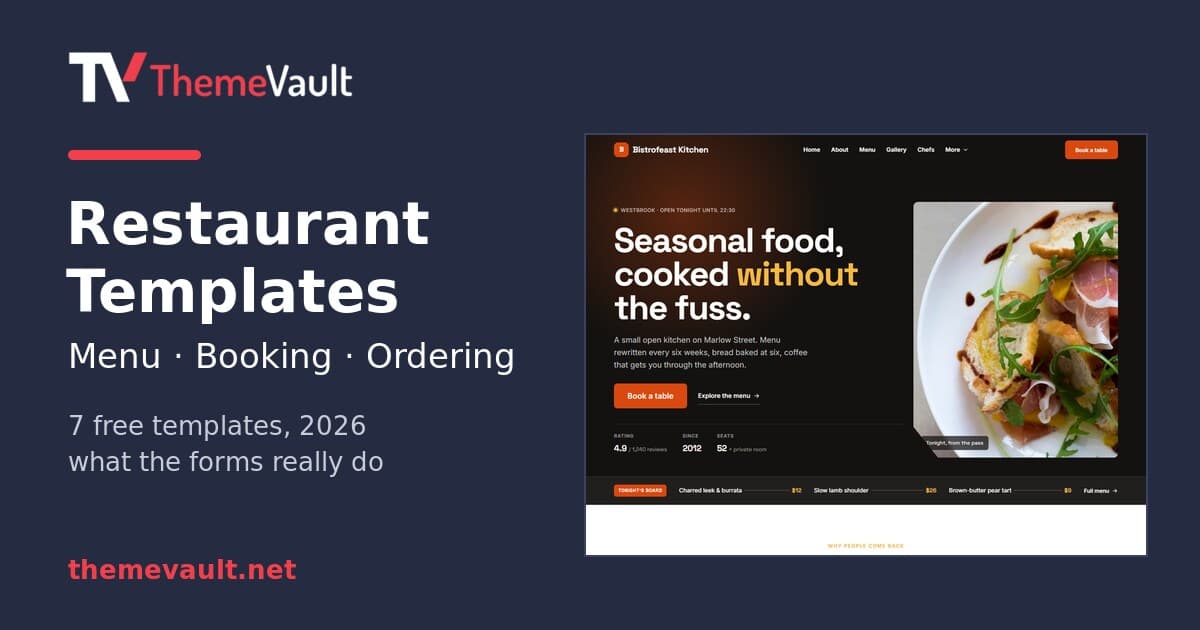
Every restaurant website is asked to do three things: show the menu, take a table booking, and — increasingly — take an order. Template demos are very good at looking like they do all three. A “Book a table” button, an “Order now” link, a menu with prices. Click them, and in most free templates, nothing actually goes anywhere.
So before writing this I opened the source of every restaurant template we publish and checked what the menu, booking and ordering parts really do. Below are seven free restaurant and cafe templates with an honest answer for each — and where the free HTML stops and a version with a real admin panel starts.
The short answer
Every one of these templates has a real menu with prices and a booking form. In five of the seven, the form checks what the guest types and shows a confirmation; in FoodEpik and FoodFries there is no script behind it yet, so pressing the button just reloads the page. And none of the free HTML versions sends the booking anywhere — the form is the front end, and you connect the back end. That takes about fifteen minutes (see making the forms work below), or you use a WordPress or Next.js version where it is already done.
And none of them takes paid online orders. I will come back to why that is usually the right call for a small restaurant.
| Template | Menu | Booking form asks for | Ordering |
|---|---|---|---|
| Bistrofeast | Tabbed (5 courses) | Date, time, guests, notes | — |
| FoodFries | Tabbed (5 courses) | Name, email, phone, message | — |
| Bake at Hunt | Full menu page | Time, message | Order page: dish, qty, pickup or delivery |
| Foodvivers | Menu page + menu search | Date, time, guests | — |
| Eatry | Menu page by meal | Preferred time, message | — |
| Citreat | Menu card + today’s menu | Time, message | — |
| FoodEpik | Menu page | Date, time, party size | — (despite the name) |
The seven templates
1. Bistrofeast — the most complete booking flow
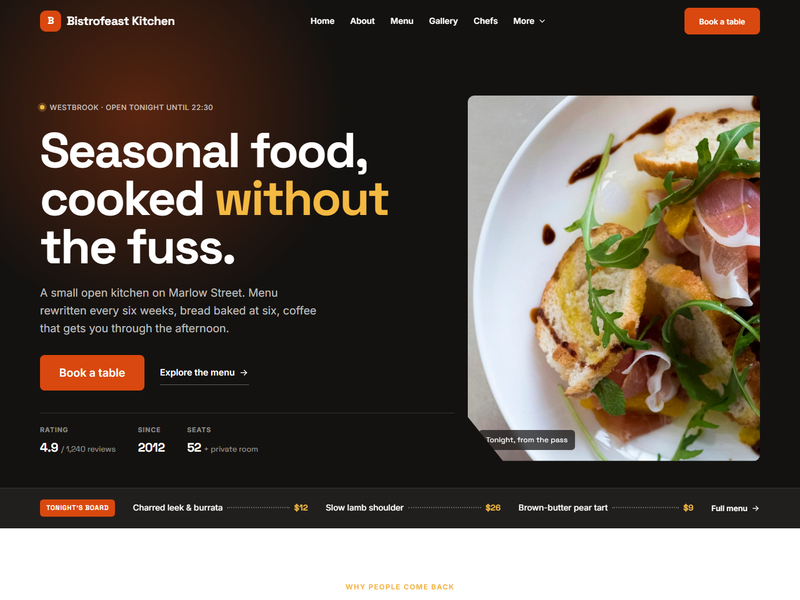
Our newest restaurant template and the one I would hand to a café or bistro today. The menu is tabbed by course — Breakfast, Starters, Mains, Desserts, Drinks — and the reservation page asks for exactly what a floor manager needs: date, time, number of guests and a notes field for allergies or high chairs. There is a proper thank-you page, and a matching confirmation-email design is included for when you wire the form up.
It is also the only template here that meets you halfway on the back end: the form script already contains a fetch() call with a comment telling you where to paste a Formspree, Basin or Netlify endpoint. Twelve pages in total, including chefs, gallery and blog.
Bistrofeast is also available as a WordPress theme and a Next.js template — more on what those add below. Download Bistrofeast free →
2. FoodFries — one page, tabbed menu
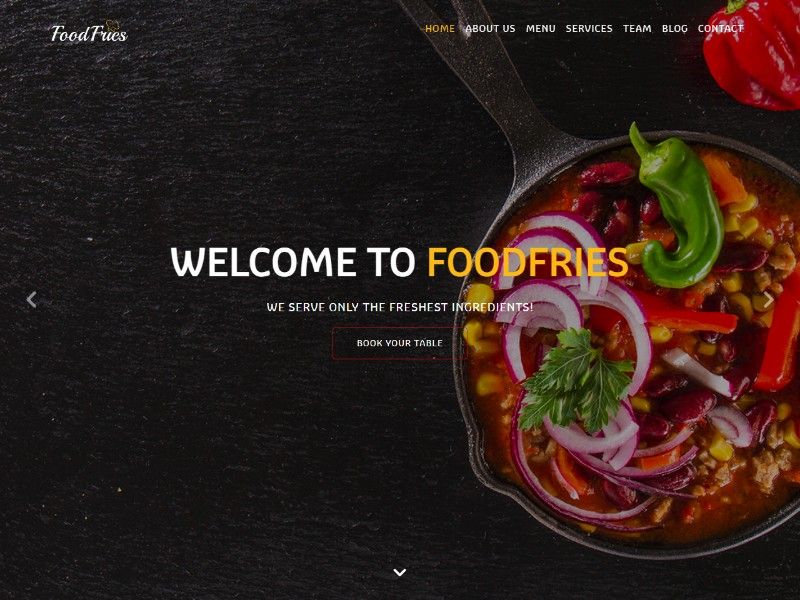
A single-page site: hero, a menu tabbed by Breakfast, Lunch, Dinner, Drinks and Dessert, chefs, testimonials and an “Online Reservation” band. That band is simpler than it sounds — name, email, phone and a message, next to a tap-to-call number. For a place that takes most bookings by phone, that is honestly the right design. One caveat: the HTML form has no script behind it, so it neither confirms nor sends until you connect a form service — the WordPress and Next.js versions below handle it for you.
FoodFries is the template with the most versions: WordPress, Next.js with an admin panel, Elementor and Astro. Download FoodFries free →
3. Bake at Hunt — the only one with an order page
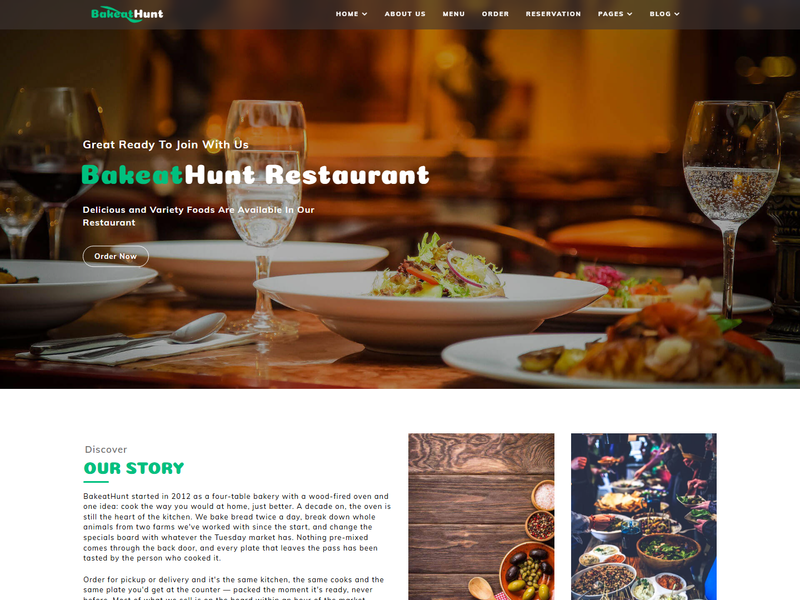
If “food ordering website template” is what you searched for, this is the one to look at first. Its order.html is a genuine order form: pick a dish from a pre-filled list with prices, set a quantity, choose pickup or delivery, add a time, a delivery address and a note. It is not a cart with payment — it is an order request, which is how a lot of small kitchens actually work.
It is also the biggest template here: twenty pages, three home-page variants (one-page, parallax, slider), the largest menu of the set, split into breakfast, lunch and dinner, gallery, FAQ, team and a full blog. Download Bake at Hunt free →
4. Foodvivers — restaurant plus events
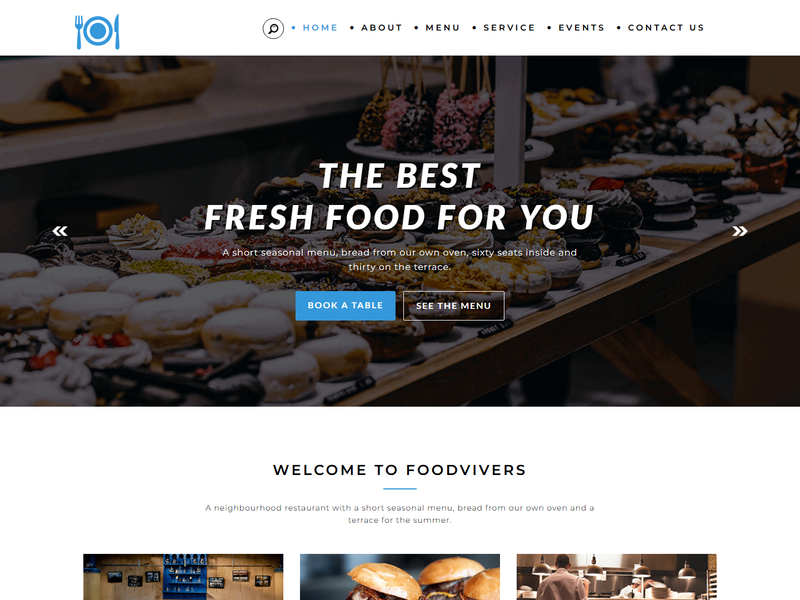
By far the most downloaded restaurant template we have — more than 3,700 times. It suits a venue that does more than dinner: there are event and single-event pages, a chef page, services with detail pages, and a menu organised into starters, mains, breakfast and lunch, drinks and desserts. Uniquely, it has a menu search in the header. The reservation form takes date, time and number of guests. Download Foodvivers free →
5. Eatry — three home pages to choose from
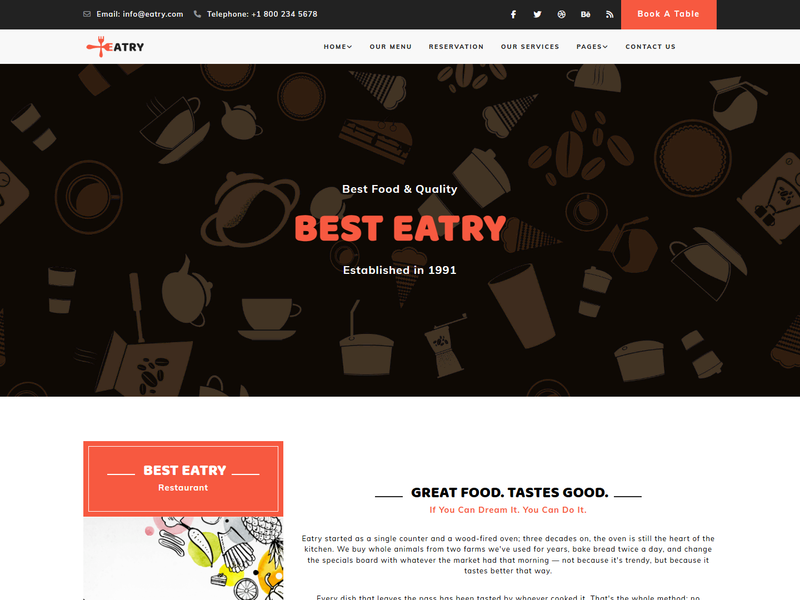
Rebuilt this month. Eatry ships three home-page styles — classic, parallax and the default — with a menu page split by meal, team, services, blog and a reservation page. One thing to know: its booking form asks for a preferred time as free text (“e.g. 7:30 pm”) rather than a date picker, which is friendlier on a phone but means you confirm the date by reply. Download Eatry free →
6. Citreat — for a menu that changes daily
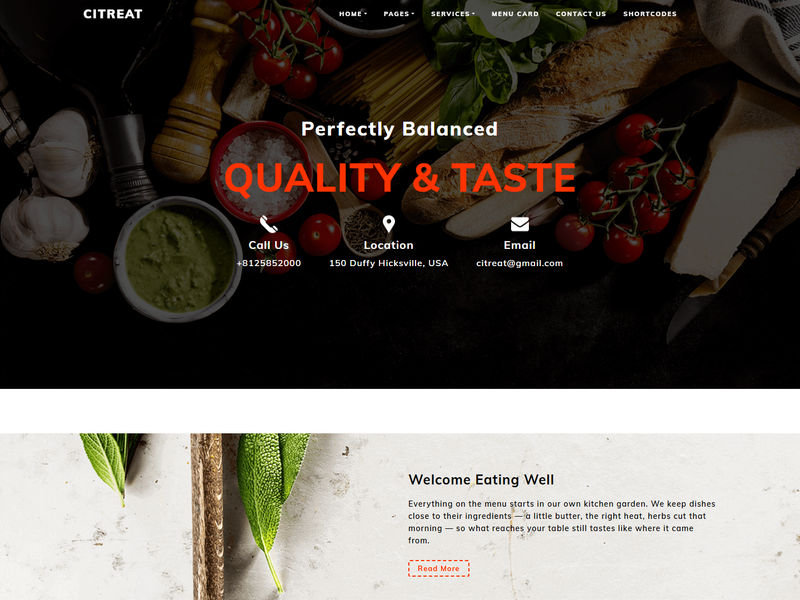
The only template with separate today’s menu and promotions pages next to the full menu card — useful for a place with daily specials or a lunch deal. There is a “find us” page, a gallery, and a one-page variant if you want everything on the home screen. The booking form sits on the home page. Download Citreat free →
7. FoodEpik — a menu and a booking form (not ordering)
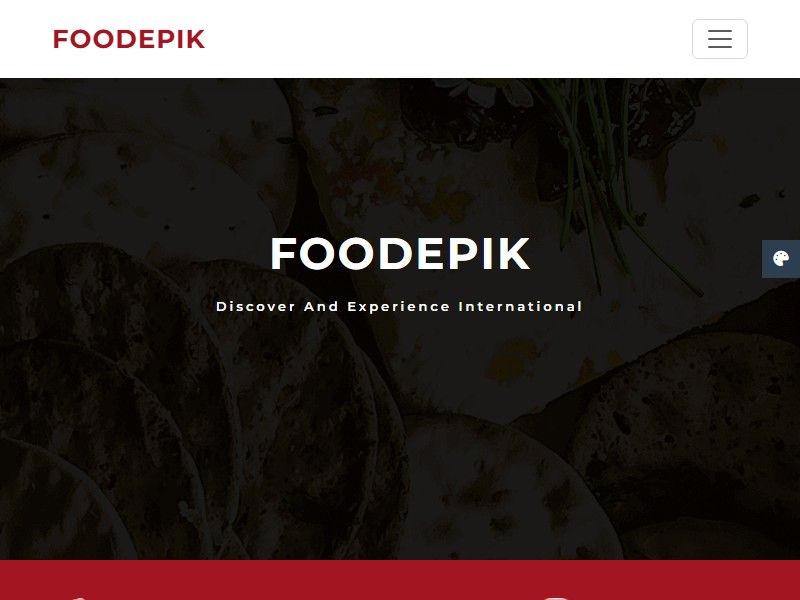
I have to be straight about this one because of its name. FoodEpik is listed as an “online food ordering template”, and it is not one: there is no cart, no order form and no checkout in it. What it does have is a clean menu page (starters, mains, soups, desserts), a reservation form with a proper date picker, time and party size (it needs a form service connected before it does anything on submit), and a set of ready-styled component pages — buttons, alerts, tabs, accordions, form fields, typography — which make it a handy starter kit if you are building your own layout. If you need an order page, use Bake at Hunt. Download FoodEpik free →
Making the forms work
Whether or not a form shows a confirmation, on its own it sends nothing. You have three ways to fix that, in order of effort:
- A form service (about fifteen minutes). Formspree, Basin or Netlify Forms give you an endpoint URL; you put it in the form’s
action(or, in Bistrofeast, in thefetch()call that is already there), and bookings arrive by email. Free tiers are fine for a restaurant’s volume. - Your existing booking system. If you already use a reservation service, replace the form with its widget or link the “Book a table” button straight to it. Do not run two booking systems.
- Use a version with a real back end. This is where the WordPress and Next.js versions earn their price.
When the WordPress or Next.js version is worth it
The free HTML is enough if the menu changes twice a year and bookings are a trickle. The paid versions are for a restaurant where someone who is not a developer will update the menu, and where a lost booking costs a table.
- FoodFries WordPress theme ($19 / ₹999) — every dish is an entry in wp-admin with its photo, price and an optional struck-through “was” price; add a new course and a new menu tab appears on its own. The reservation form works out of the box and emails you each booking.
- FoodFries Next.js template ($29 / ₹1,499) — the same menu management in a Payload admin panel, and every booking is stored in the admin, and emailed too once you add mail settings, so nothing is lost if an email bounces.
- Bistrofeast WordPress ($19) and Next.js ($29) — the most complete: every booking lands in the admin with a status the floor team can update (New, Confirmed, Seated, Cancelled on WordPress; the Next.js version also gives each one a reference number), the guest gets a confirmation email, and ticking “tonight’s special” on up to three dishes puts them on a board in the hero.
Pro members get the WordPress and Next.js versions included — see pricing.
A word on online ordering
None of these templates takes card payments for food, and I do not think a small restaurant’s own website should try to on day one. Online ordering is a kitchen workflow — a printer, a tablet, a driver, refunds — not a web page. Most places are better served by an order-request form like Bake at Hunt’s (confirmed by phone or WhatsApp), or by linking the “Order now” button to the delivery platform they already use. Build real checkout when volume justifies it.
Which one should you pick?
| If you run… | Start with |
|---|---|
| A café or bistro that takes reservations | Bistrofeast |
| A place that takes pickup and delivery orders | Bake at Hunt |
| A venue with events and private dining | Foodvivers |
| A lunch spot with daily specials | Citreat |
| A small place that books by phone | FoodFries |
| A menu someone non-technical will edit weekly | FoodFries WordPress or Bistrofeast WordPress |
Browse the whole collection of restaurant website templates for the rest of the catalogue, including older layouts not yet rebuilt.
FAQ
Do these restaurant templates take real table bookings?
Not on their own. Five of the seven booking forms validate and show a confirmation in the browser, but none of the free HTML versions sends the booking anywhere until you connect a form service such as Formspree, Basin or Netlify Forms. The WordPress and Next.js versions of FoodFries and Bistrofeast take real bookings out of the box.
Is there a free restaurant template with online ordering?
Bake at Hunt has a dedicated order page with dish, quantity, pickup or delivery, time and address. It sends an order request, not a paid order — there is no cart or card payment in any of these templates.
Which template is best for a café?
Bistrofeast — it is designed for a restaurant and café, with a course-tabbed menu (breakfast through drinks) and a booking form that asks for date, time and number of guests.
Can I update the menu without editing HTML?
Not in the free HTML versions — the menu is written in the page. In the FoodFries and Bistrofeast WordPress and Next.js versions, each dish is an entry in an admin panel with its price and photo, and the menu tabs update themselves.
Are these templates free for a client’s restaurant?
Yes. Every HTML template on ThemeVault is free for personal and commercial projects, with a small credit link in the footer that can be removed for a one-time fee from the template page.
One last thing
The single most useful line on any restaurant website is not in any template: your opening hours, written as text, near the top of the home page. It is what people search for, what Google shows in the result, and what they cannot find on a menu PDF. Whatever you pick from this list, put it there first.