
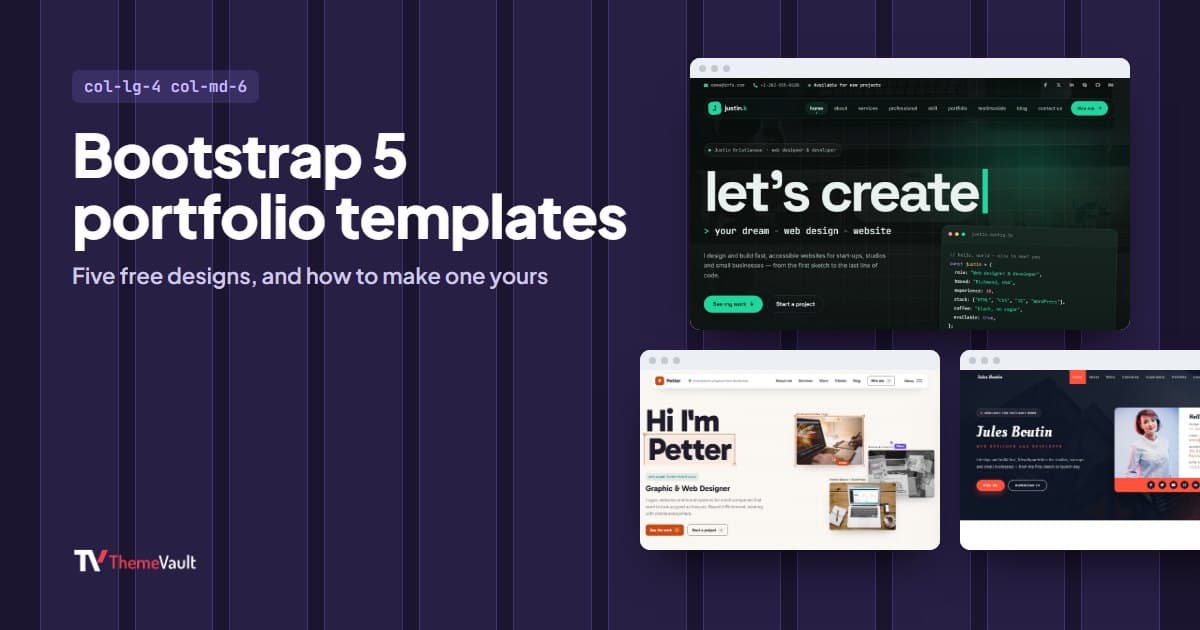
Bootstrap is a sensible base for a portfolio. The grid handles the project gallery on every screen size, the components (menus, tabs, popups) are already built and documented, and if you know a little HTML you can change almost anything by following the Bootstrap docs rather than reading someone else’s custom code.
This post covers our five portfolio templates built on Bootstrap 5, who each one suits, and the Bootstrap changes I would make first to turn one into your own site. I went through every live demo before writing it.
Why Bootstrap 5 rather than an older version
A lot of Bootstrap portfolio templates online still run on Bootstrap 3 or 4, and a Bootstrap 3 template with today’s documentation is a frustrating mix: class names have changed, and the components need jQuery. All five templates below run on Bootstrap 5.3 and load just two scripts, Bootstrap’s own bundle and the template’s main.js, with no jQuery. So when the Bootstrap docs show you how to add a popup or a set of tabs, the code works as written.
Five Bootstrap 5 portfolio templates
Justin Kristiansen: for a web developer
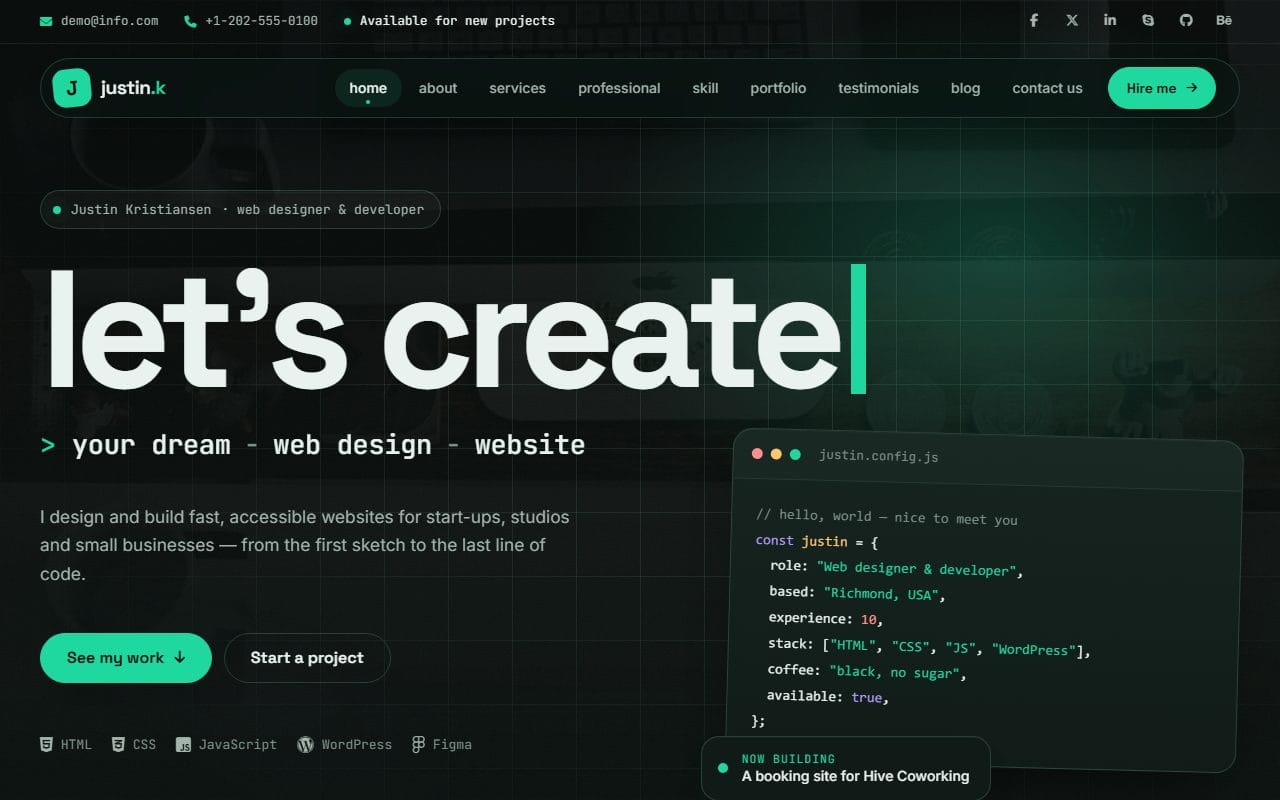
A dark home page with a small code card in the hero, then services, a step-by-step process, skills, a portfolio, testimonials and a contact form. The about section is split into Bootstrap pills (about, details, profile and résumé), so a lot of information fits in little space. The extra pages are what make it useful for a developer: a blog called “Notes from the workbench” with real article titles, and a case-study page laid out as the brief, what changed, how it was done and the screens.
Albert: for a UX designer who also builds
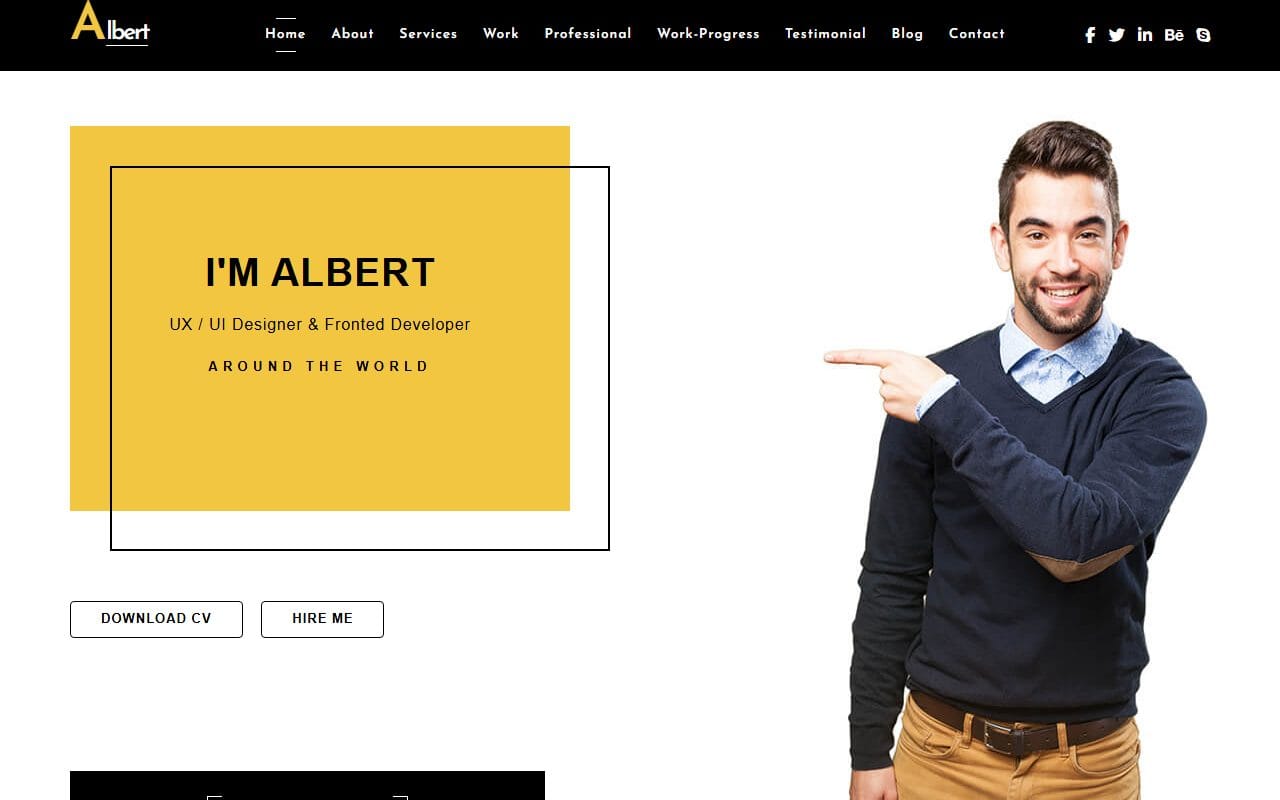
Albert’s “Download CV” button links to an actual PDF in the download, so you only swap in your own. There is a services page with a “what’s included” list for each service and a section on how a project runs, and a case-study page for a fintech dashboard that ends with the results in numbers. That last part is worth copying whatever template you use: a case study that ends with a result gets read to the end.
Petter: for a graphic and brand designer
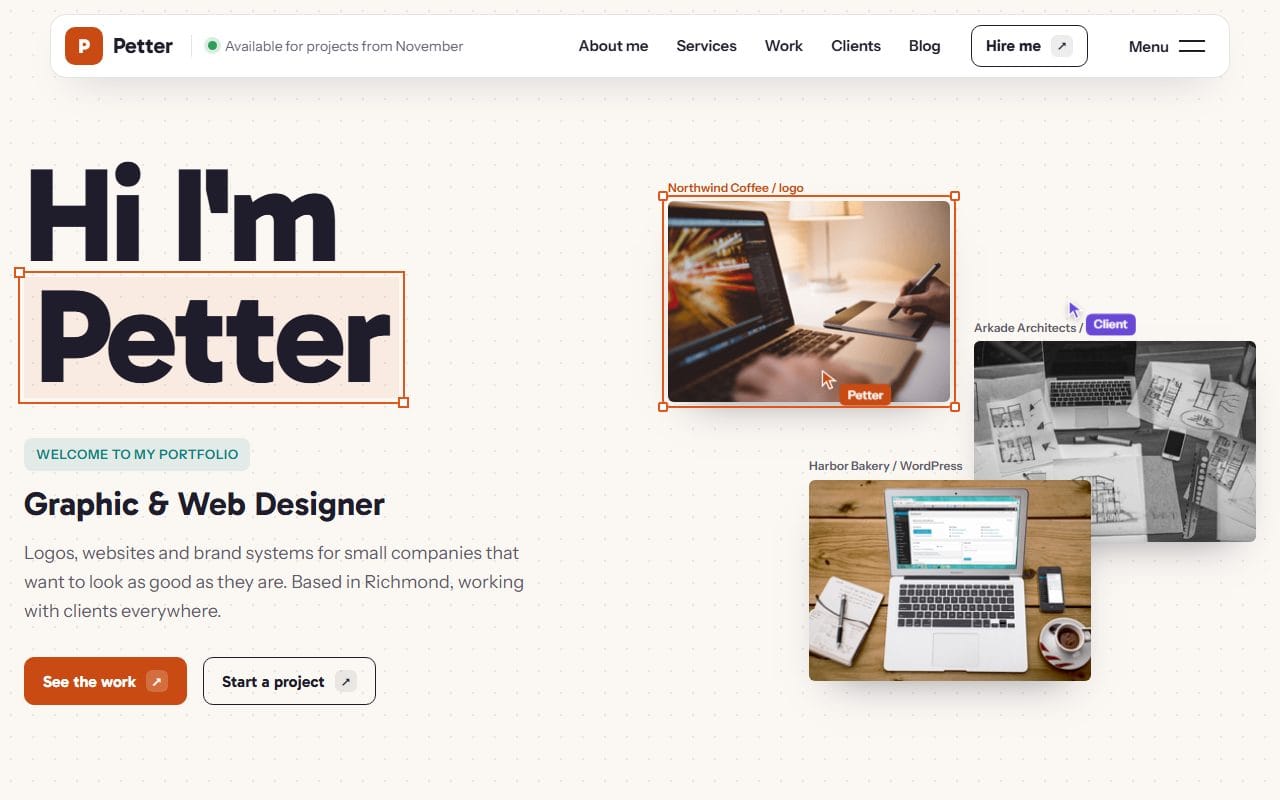
Petter is the largest of the five. It has two complete looks, Canvas and Cover Story, with a switch to compare them, three home page versions, a full case study (from first sketch to the finished brand on a van door), and a service page for logo design with three packages and a short FAQ. It also ships with several blog layouts and a set of UI pages (buttons, tabs, forms, typography) that show every component in the theme.
EliteCV: for a CV-first portfolio
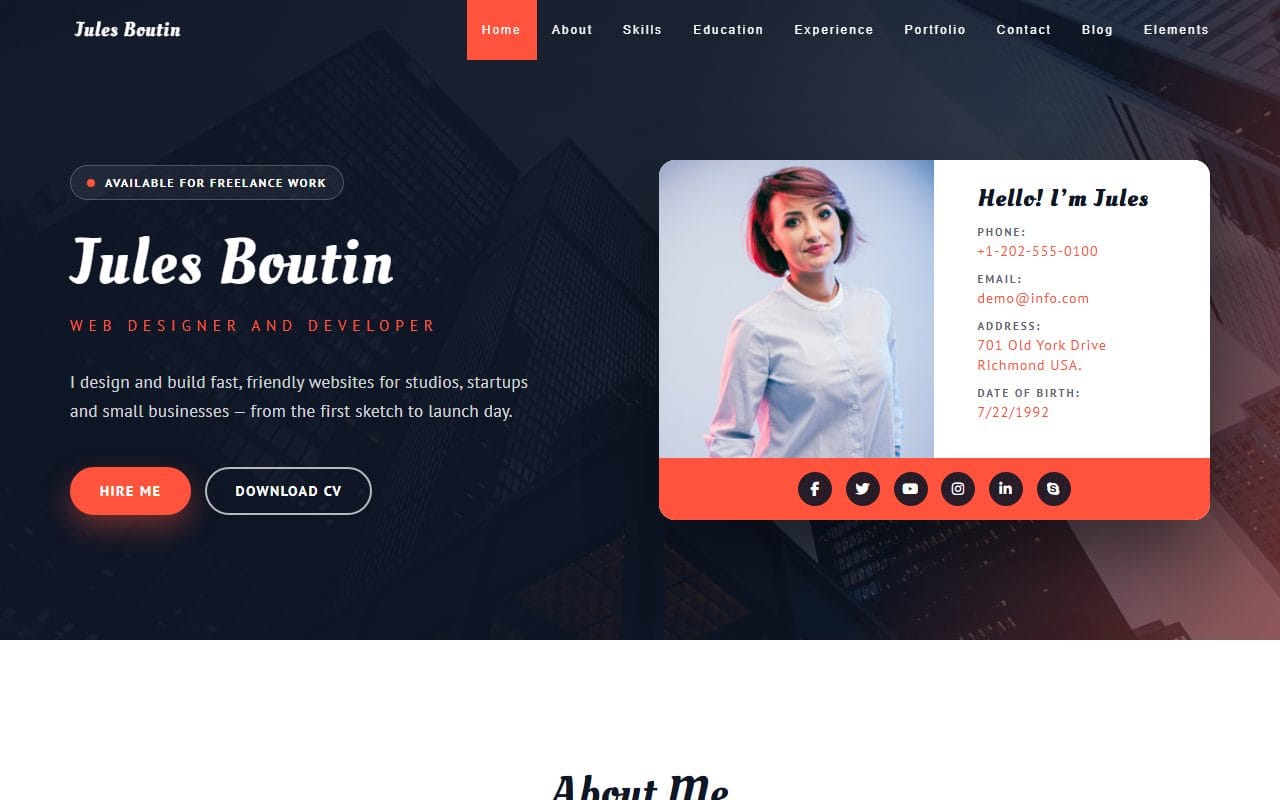
EliteCV puts your name, role and contact details on the first screen, then about, skills, education and experience, a portfolio and contact. Its “Download CV” button leads to a separate résumé page with profile, experience, education, skills, tools, languages and references. It suits someone who is job hunting as much as freelancing. There are three home page versions, a project page and a blog.
Ichae Semos: everything on one page
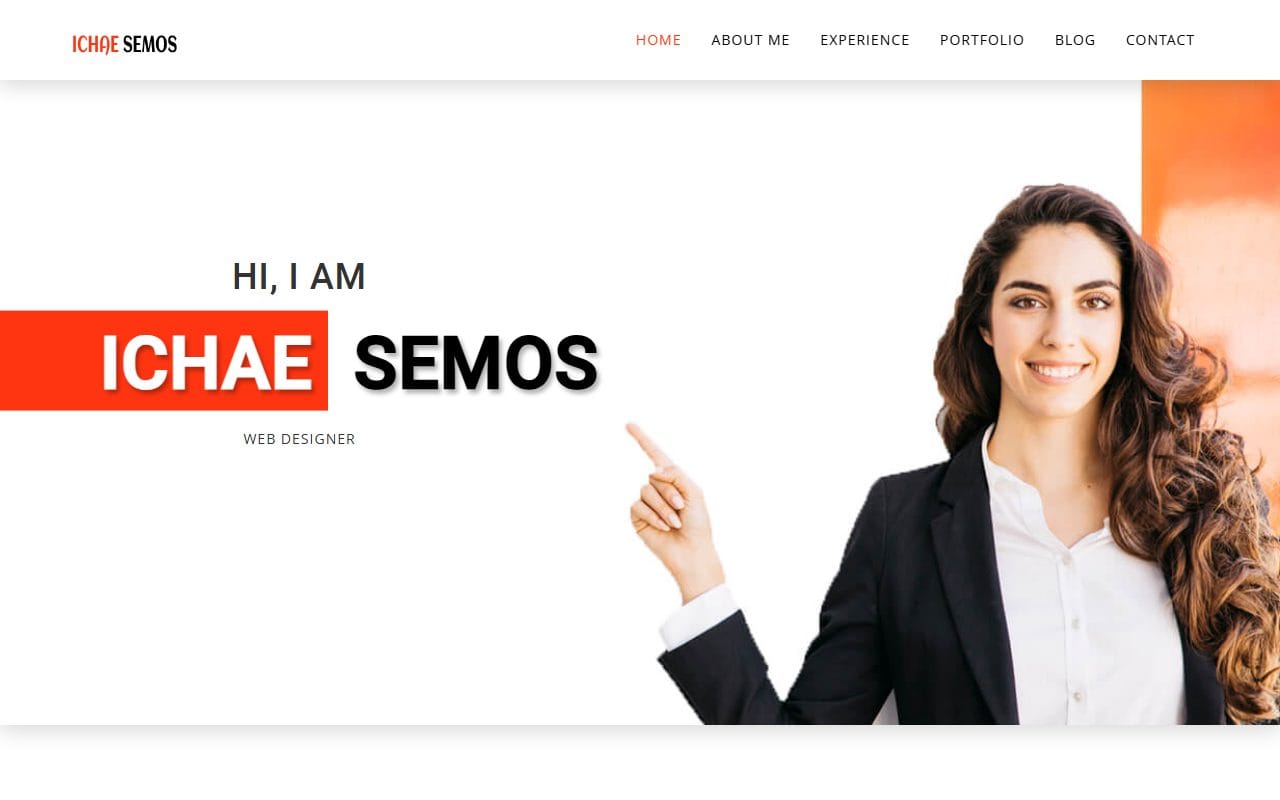
A one-page portfolio: what you do, experience, education, a portfolio you can filter by type of work, clients, articles and a contact form, with a separate project page and article page for when one block isn’t enough. The quickest of the five to fill in.
We also have older portfolio designs on Bootstrap 3 and 4 in our portfolio templates category. They work fine as they are, but if you plan to edit with today’s Bootstrap docs open, start with one of the five above.
Making a Bootstrap portfolio your own
These are the changes I make first. Each uses Bootstrap’s own classes, so you are working with the framework rather than around it.
Change how many projects sit in a row
Bootstrap’s grid has 12 columns, and the classes on each project say how many of them it takes at each screen size. col-lg-4 means 4 of 12 on large screens (three per row), col-md-6 means half on tablets, and col-12 means full width on phones.
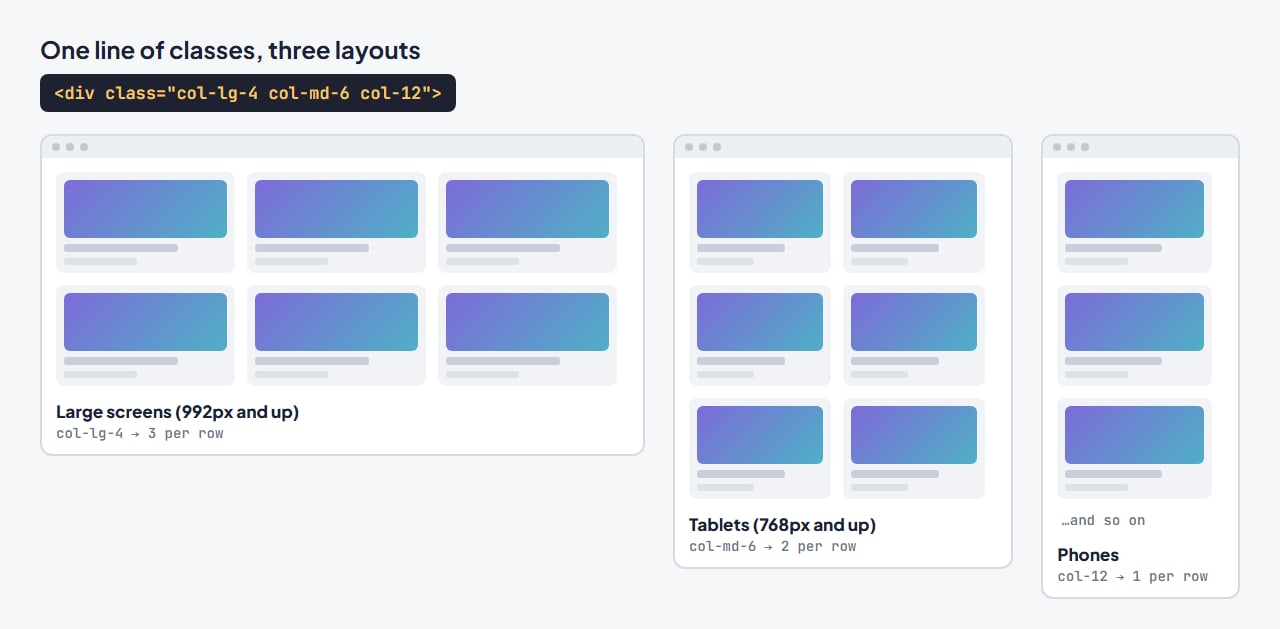
Albert’s project items, for example, use col-xl-4 col-lg-4 col-md-4 col-12, which keeps three per row even on a tablet. If your project images are detailed, change col-md-4 to col-md-6 and tablets get two larger ones instead:
<!-- before -->
<div class="item web col-xl-4 col-lg-4 col-md-4 col-12">
<!-- after: two per row on tablets -->
<div class="item web col-xl-4 col-lg-4 col-md-6 col-12">
Use spacing and display classes instead of new CSS
Most small layout fixes don’t need a single line of CSS. mt-4 adds space above, py-5 adds space above and below, and d-none d-md-block hides something on phones and shows it from tablets up, which is handy for a decorative image that crowds a small screen.
<img src="images/desk.jpg" class="img-fluid d-none d-md-block mt-4" alt="My desk and sketchbook">Open project details in a popup
Because the templates load Bootstrap’s full JavaScript bundle, its modal (popup) works with no extra script. It is a neat way to show a short project summary without building a full case-study page for every piece:
<button type="button" class="btn btn-dark" data-bs-toggle="modal" data-bs-target="#project-cafe">Read the summary</button>

<div class="modal fade" id="project-cafe" tabindex="-1" aria-labelledby="project-cafe-title" aria-hidden="true">
  <div class="modal-dialog modal-lg modal-dialog-centered">
    <div class="modal-content">
      <div class="modal-header">
        <h3 class="modal-title fs-5" id="project-cafe-title">Café rebrand and website</h3>
        <button type="button" class="btn-close" data-bs-dismiss="modal" aria-label="Close"></button>
      </div>
      <div class="modal-body">
        <p>What the client needed, what you did, and one result.</p>
      </div>
    </div>
  </div>
</div>
Reuse the tabs for skills or experience
Justin Kristiansen splits its about section into Bootstrap pills, and EliteCV uses tabs to filter its portfolio. Copy one of those blocks to split a long list (for example “Design”, “Code”, “Tools”) instead of making visitors scroll past all of it.
Change the colors where they actually live
One thing that surprises people: the template’s colors are usually set in its own css/style.css, not in Bootstrap, so changing Bootstrap’s primary color does little. Find the template’s main color code and replace it across the css folder, as in step 5 of my guide to building a website from a template. The same guide covers connecting the contact form, which in all five templates checks the fields and shows a confirmation but needs a form service to actually send.
Before you publish
- Show four to eight of your best projects, not everything. Each one should say what the problem was and what you did.
- Replace every sample project, name and testimonial. A portfolio with someone else’s sample work in it is worse than a short one.
- Check the project grid at tablet width, where Bootstrap layouts most often look cramped, and adjust the
col-md-*classes if needed.
If you are still deciding what your portfolio should say, my post on building a portfolio website that gets you hired covers the content side.
FAQ
Which Bootstrap version do these portfolio templates use?
All five use Bootstrap 5.3, with Bootstrap’s JavaScript bundle and no jQuery, so the examples in the official Bootstrap documentation work in them as written.
Are these Bootstrap portfolio templates free?
Yes, they are free to download and use, including for client work. They come with a footer credit you can keep, or remove with a one-time payment or a Pro plan.
Can I add Bootstrap components that aren’t in the template?
Yes. Because the full Bootstrap bundle is already loaded, you can paste in modals, tooltips, accordions, offcanvas menus and the rest straight from the docs. Only the styling may need a small tweak to match the template.
Can I use a Bootstrap 3 portfolio template with Bootstrap 5 code?
Not easily. Many class names changed between versions and the old components rely on jQuery. It is usually quicker to start from a Bootstrap 5 template than to upgrade an old one.
More from the blog
Best Website Templates for Photographers (2026)
Six photographer website templates matched to the way you work, from booking-led sites with prices to print shops, plus the five pages that get you booked.
Read article →
What Is a Brochure Website? (And When a Small Business Needs One)
A brochure website is the online version of a printed brochure. Here is what it should include, three real examples, and when a small business needs more.
Read article →
One-Page vs Multi-Page Website: Which Should You Build? (2026)
How to choose between a one-page and a multi-page website, with real examples from our templates and how to move from one to the other later.
Read article →