
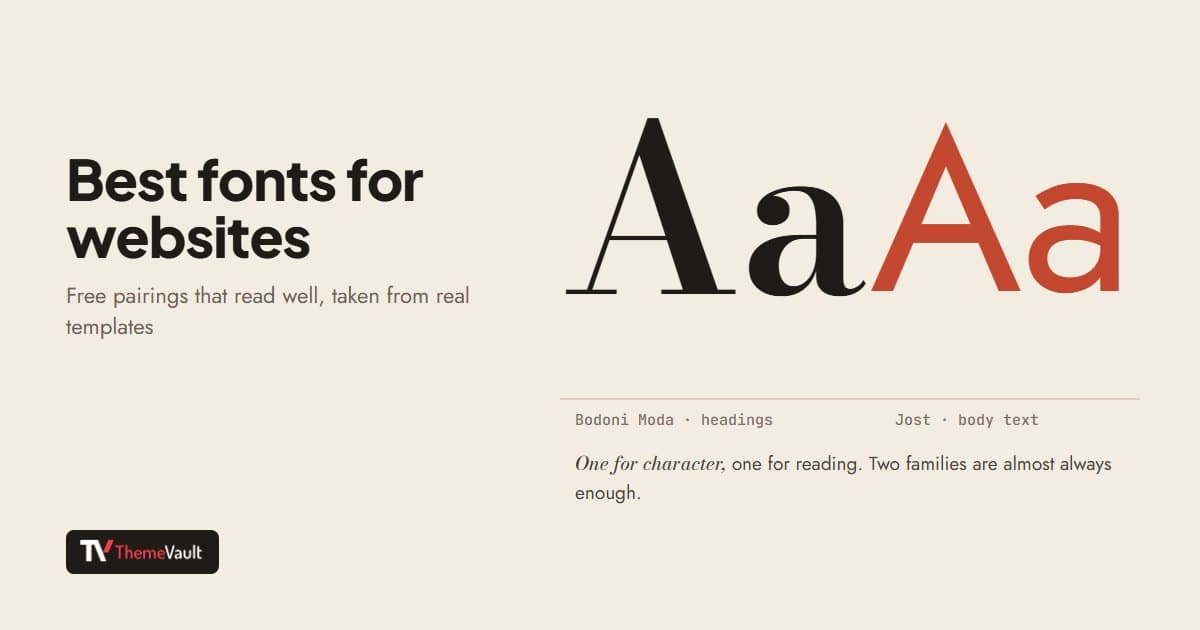
The best fonts for a website are the ones people can read without noticing them, plus one with enough character to make your headings yours. You don’t need to pay for either: the fonts in this post are all on Google Fonts, released under open licenses (mostly the SIL Open Font License), so you can use them on any website, including a client’s.
Rather than a list of fonts I like, these are the pairings our own rebuilt templates use, so you can see each one doing a real job on a real page. An earlier version of this post listed classic print typefaces such as Helvetica and Futura; those are paid fonts, so I have rewritten it around free ones you can actually use on the web.
What makes a font good on a website
- It reads well at 16 to 18 pixels. Body text is where most fonts fail. Look for open letter shapes and a generous x-height (the height of lowercase letters).
- It has the weights you need. Regular, a medium or semibold for emphasis, and bold. Many modern fonts are “variable”, meaning one file covers every weight.
- It covers your languages. Check accents and any non-Latin script your visitors use before you fall in love with a font.
- It is light enough to load. Two families in three or four weights is plenty; every extra weight is another file a phone has to download.
12 free font pairings from our templates
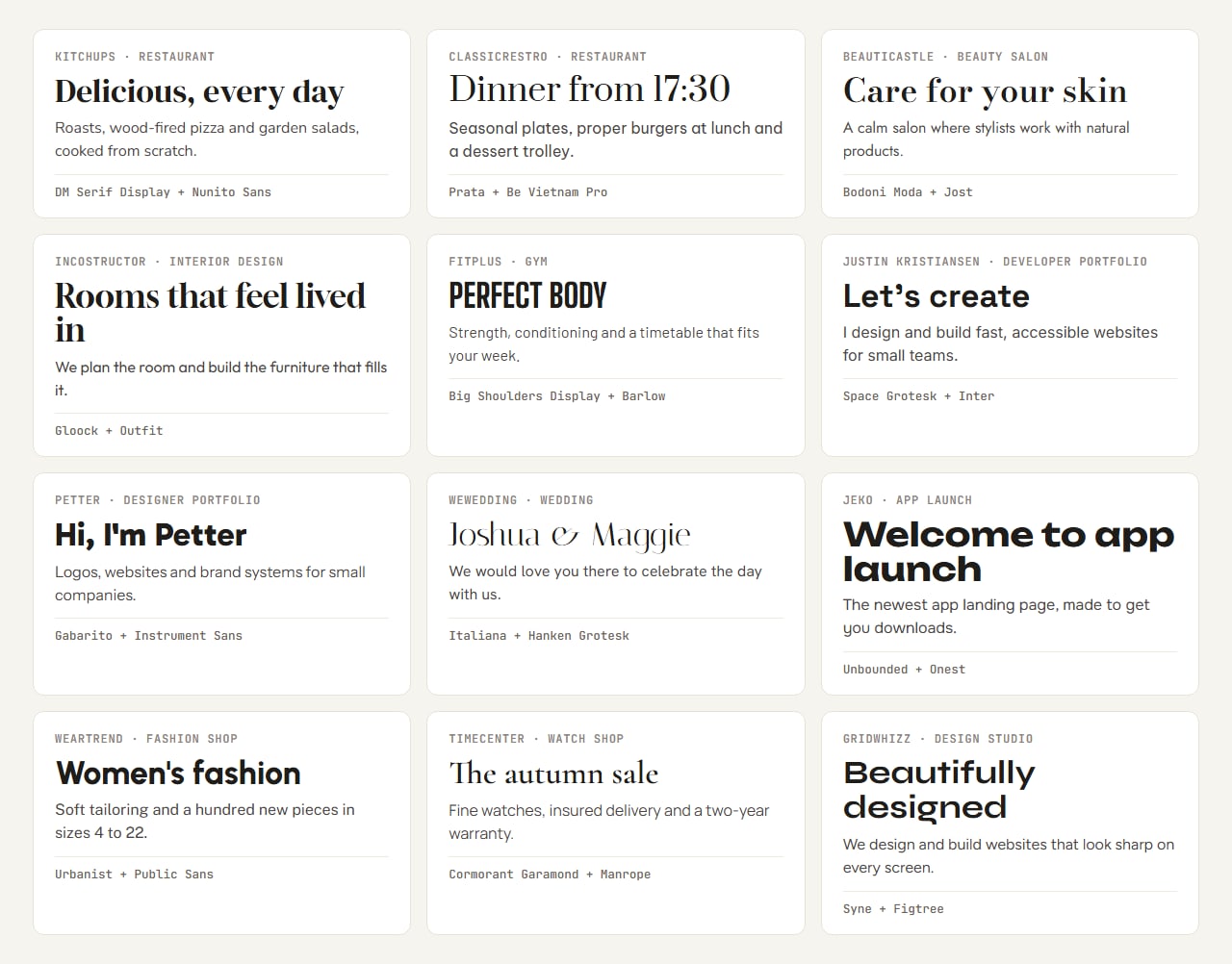
Each pairing below is a heading font with personality and a calmer font for reading. The card shows them at real sizes, and each template name links to the design using it.
Elegant serifs for hospitality, beauty and luxury
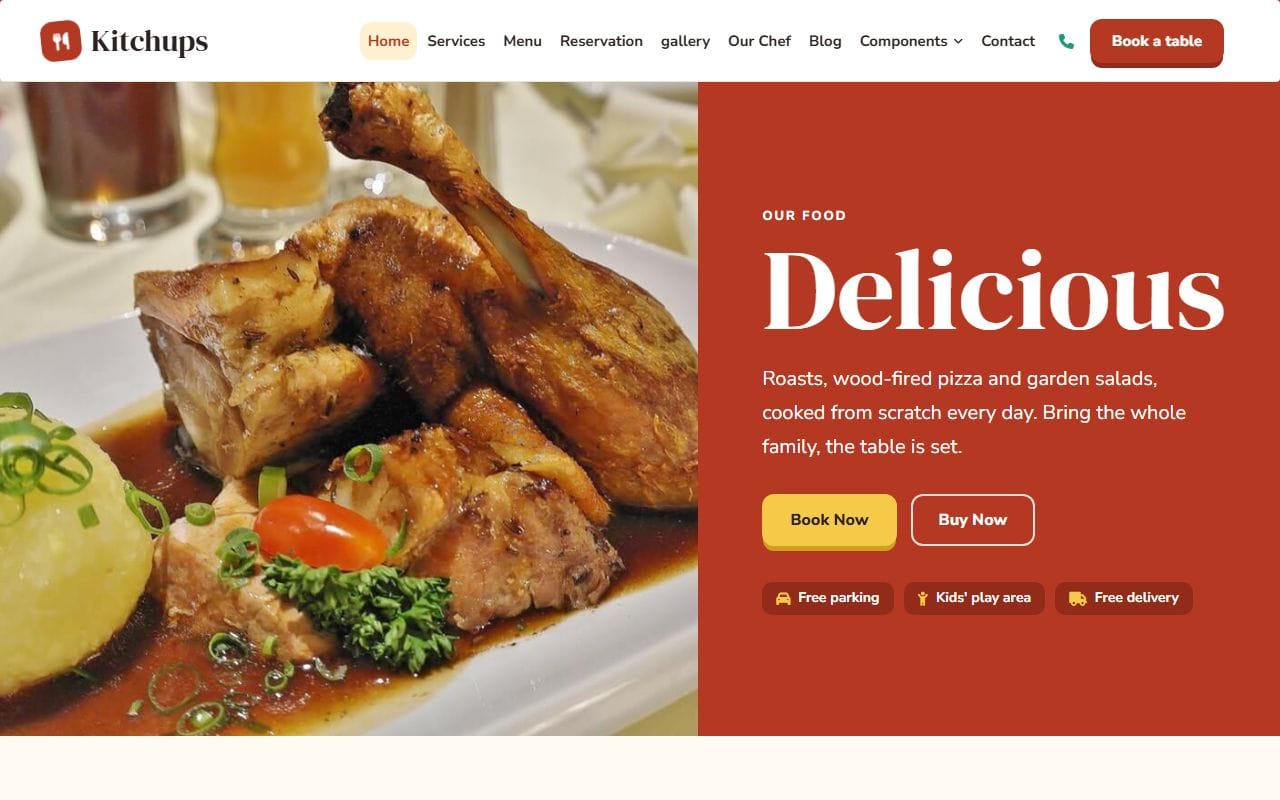
- Kitchups: DM Serif Display with Nunito Sans. A warm, rounded pair for a friendly restaurant.
- ClassicRestro: Prata with Be Vietnam Pro. More formal; Prata’s contrast suits menus and prices.
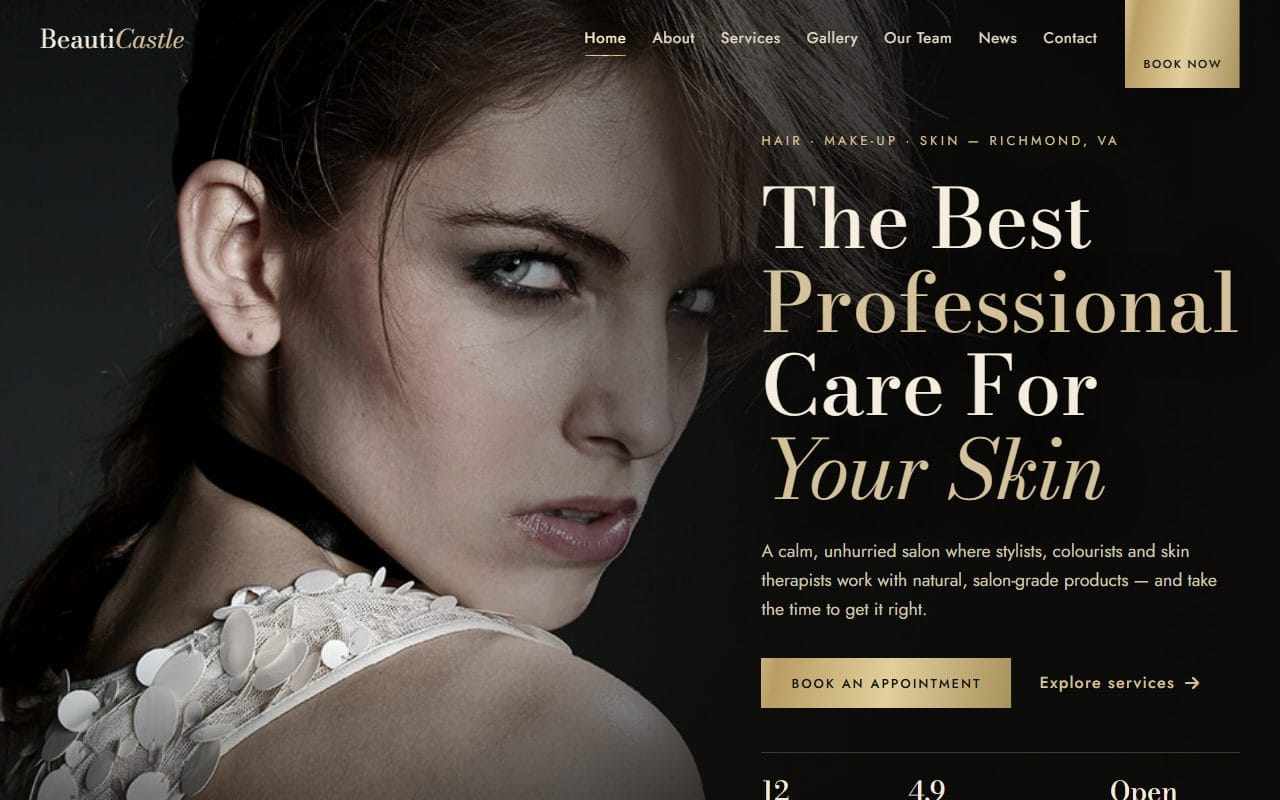
- BeautiCastle: Bodoni Moda with Jost. High-fashion contrast. Keep Bodoni for large headings; its thin strokes disappear at small sizes.
- Timecenter: Cormorant Garamond with Manrope. Classic and quiet, good for anything that should feel expensive.
- WeWedding: Italiana with Hanken Grotesk. Light and romantic, best at very large sizes.
- InCostructor: Gloock with Outfit. A characterful serif with a clean geometric sans, for interiors and makers.
Strong sans-serifs for sport, tech and modern brands
- FitPlus: Big Shoulders Display with Barlow. Tall, condensed capitals for a gym; Barlow keeps the timetable readable.
- Justin Kristiansen: Space Grotesk with Inter, plus JetBrains Mono for the code-style details. A natural fit for developers.
- Petter: Gabarito with Instrument Sans. Confident and friendly, for a designer’s portfolio.
- Jeko: Unbounded with Onest. Wide, bold headings for an app launch.
- WearTrend: Urbanist with Public Sans. Clean and neutral, so the product photos lead.
- GridWhizz: Syne with Figtree. Distinctive headings for a creative studio.
The body fonts doing the hard work
Notice that the reading fonts in those pairings are all quiet sans-serifs: Nunito Sans, Be Vietnam Pro, Jost, Manrope, Hanken Grotesk, Outfit, Barlow, Inter, Instrument Sans, Onest, Public Sans and Figtree. Any one of them is a safe choice for body text on almost any site. If you only pick one font, pick one of these and use its bold for headings.
If you liked the classics the old version of this post listed: Helvetica and Futura are paid fonts, but there are free fonts in a similar spirit. Inter and Public Sans give a neutral, Helvetica-like feel, and Jost was inspired by the geometric German sans-serifs of the 1920s, Futura among them.
Simple rules that make any font look better
- Use two families at most: one for headings, one for text.
- Set body text at 16 to 18px with a line height around 1.5 to 1.7.
- Keep lines to roughly 60 to 75 characters; very wide paragraphs are tiring to read.
- Make headings clearly bigger than text, not just bolder.
- Check the font on a phone and on a cheap screen, not only on your own laptop.
How to add a font to your website
The quickest way is the link Google Fonts gives you, pasted into the <head> of each page:
<link rel="preconnect" href="https://fonts.googleapis.com">
<link rel="preconnect" href="https://fonts.gstatic.com" crossorigin>
<link href="https://fonts.googleapis.com/css2?family=DM+Serif+Display&family=Nunito+Sans:wght@400;700&display=swap" rel="stylesheet">
Then use them in your CSS:
body { font-family: "Nunito Sans", system-ui, sans-serif; }
h1, h2, h3 { font-family: "DM Serif Display", Georgia, serif; }
Our templates go one step further and host the font files themselves, inside the template folder. That saves a connection to another server, keeps working if a third-party service is slow, and means visitors’ browsers don’t contact Google just to show your text, which some site owners in Europe prefer for privacy reasons. Either way, keep display=swap (or font-display: swap) so text appears right away in a fallback font while yours loads.
Changing the fonts in a template is the same idea: replace the font links or files and the two font-family lines. My guide to building a website from a template covers the other edits that usually go with it.
FAQ
What is the most readable font for a website?
For body text, a clean sans-serif with open letters, such as Inter, Public Sans, Nunito Sans or Manrope, set at 16 to 18px. Readability depends as much on size, line height and line length as on the font itself.
Are Google Fonts free for commercial use?
Yes. The fonts on Google Fonts are released under open licenses, mostly the SIL Open Font License, which allows commercial use on websites, including client sites.
How many fonts should a website use?
Two is ideal: one for headings and one for body text. One is fine too. More than two usually looks messy and slows the page down.
Should I use a serif or a sans-serif font?
Either works on modern screens. A common and safe approach is a serif or a distinctive display font for headings and a sans-serif for body text, as most of the pairings above do.
More from the blog
How to Build a Portfolio Website That Gets You Hired (2026)
Recruiters give your portfolio about a minute. I tested our portfolio templates the way a hiring manager would: opened the projects, pressed the CV buttons, sent the contact forms. Here is what matter...
Read article →
Free Art Gallery Website Templates (2026): 6 Responsive Picks
Six free, responsive art gallery and photography templates you can download today. I checked each live demo rather than the feature lists — here is which ones have a working lightbox, which use masonr...
Read article →
Landing Page Design: 9 Rules That Get More Sign-ups (2026)
Nine landing page design rules, shown on two real landing templates, plus how to test changes and when you need a landing page instead of a home page.
Read article →