
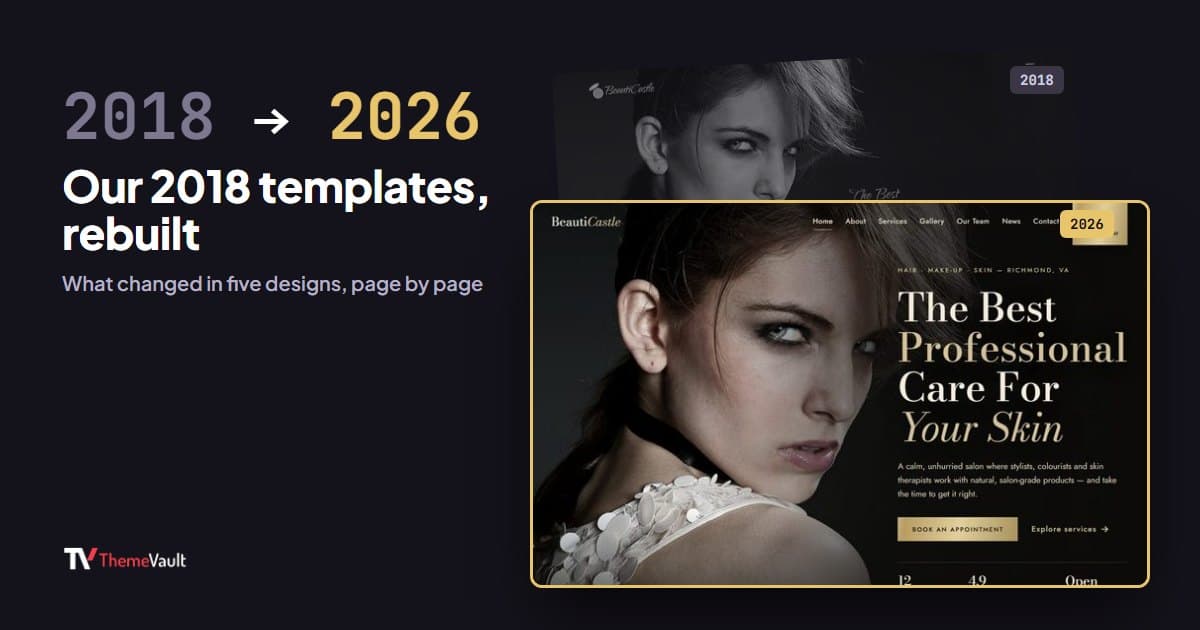
In 2018 we released ten new templates and wrote this post to introduce them. Eight years later, most of them have been rebuilt, so instead of leaving a list of “trendy 2018 releases” online, here is what actually changed.
One thing I want to be upfront about: most of these rebuilds don’t look very different on the first screen. The work went into the parts you only notice when you use a template for a real business: pages that were missing, forms that didn’t do anything, placeholder text, and old code. One of them did get a completely new look, and I start with that one.
Why rebuild a template instead of making a new one
A 2018 template was typically built on Bootstrap 3 with jQuery and a handful of plugins, filled with lorem ipsum, and shipped with a home page plus whatever extra pages the designer had time for. Menus often pointed to pages that didn’t exist. That was normal for the time, but it means a business owner had to finish the template before they could use it.
Rebuilding keeps the design people already liked, and the same address, while fixing all of that: current code, real text written for the kind of business the template is for, the pages that business needs, and forms that check what people type and confirm it.
BeautiCastle: a new look, two ways
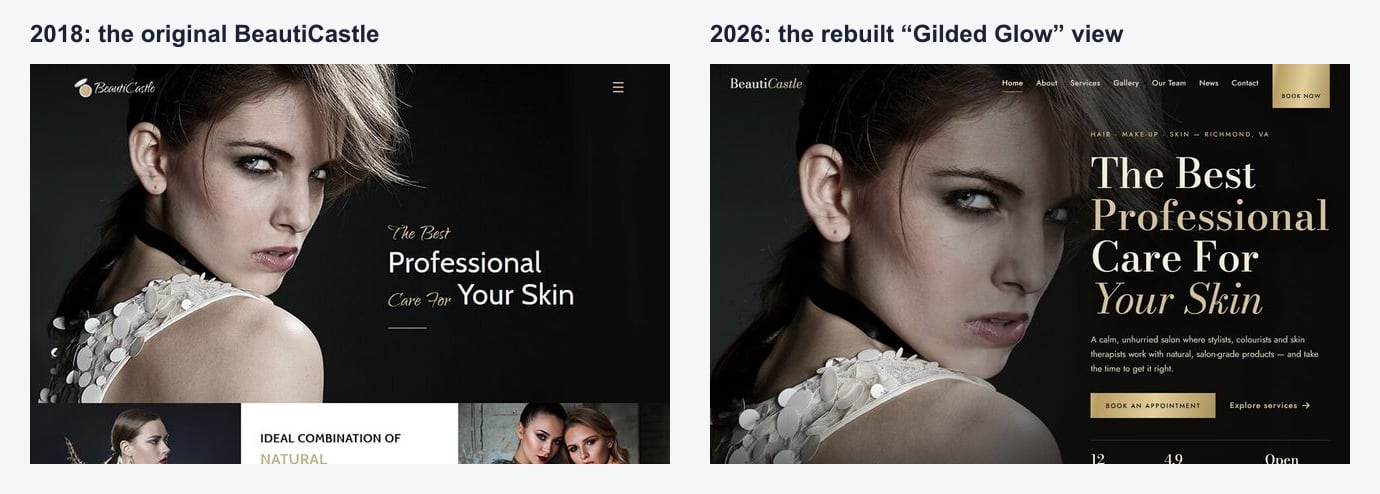
BeautiCastle is the one that changed the most. It now comes with two complete looks in one download: “Gilded Glow”, dark with gold, and “Silk & Blush”, light and soft, and you can keep either one. It gained a services and prices page with treatment times, a working booking form where clients choose the treatment, stylist, date and time, and three matching emails for the booking confirmation, the contact reply and the newsletter welcome. Under the hood it moved to Bootstrap 5 with no jQuery.
Bite on Bite: from a home page to a full restaurant site
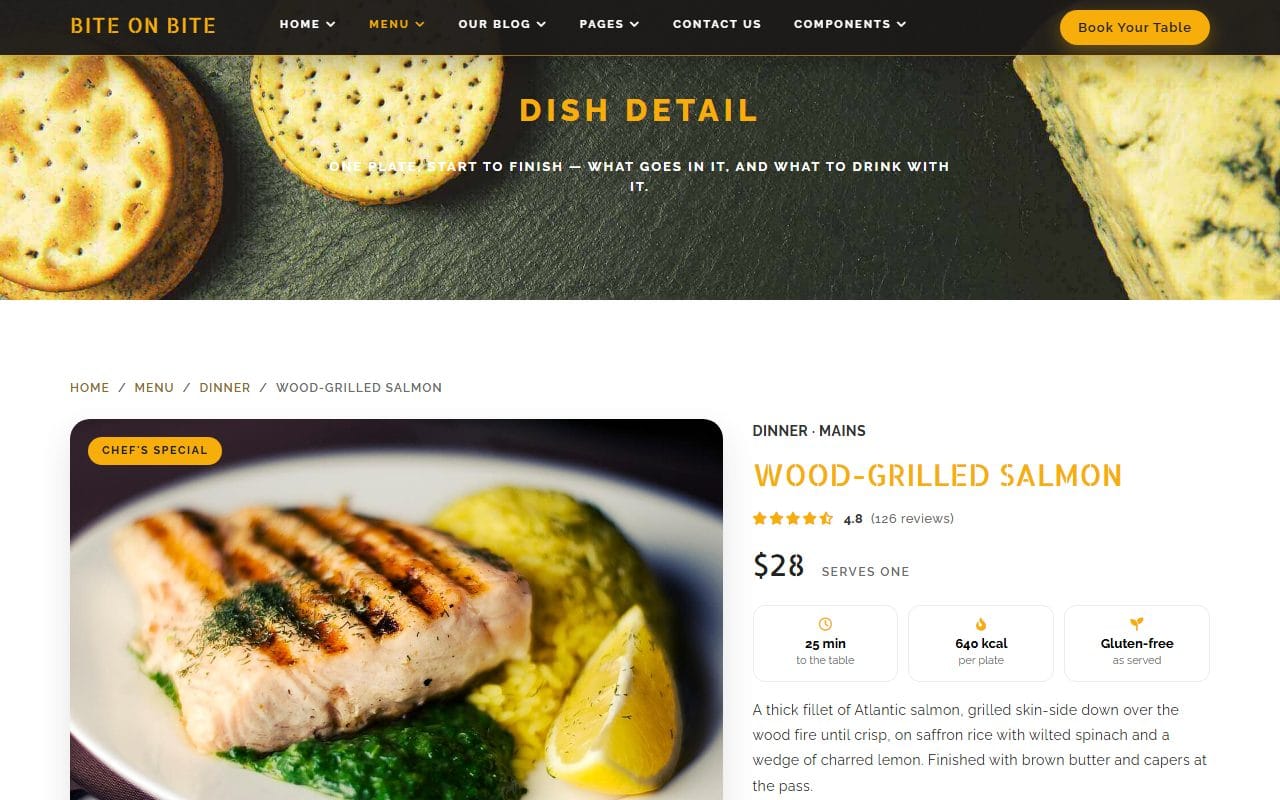
Bite on Bite kept its amber and charcoal style but became a much more complete restaurant site. Six new pages include an about page with the restaurant’s story, a chef profile and a page for each dish with ingredients and allergens. The menu now lists real dishes with prices and dietary tags, every form (bookings, contact, newsletter, blog comments) validates and confirms, and there are four ready-to-send emails, starting with the reservation confirmation.
DeeWrap: it finally has a menu
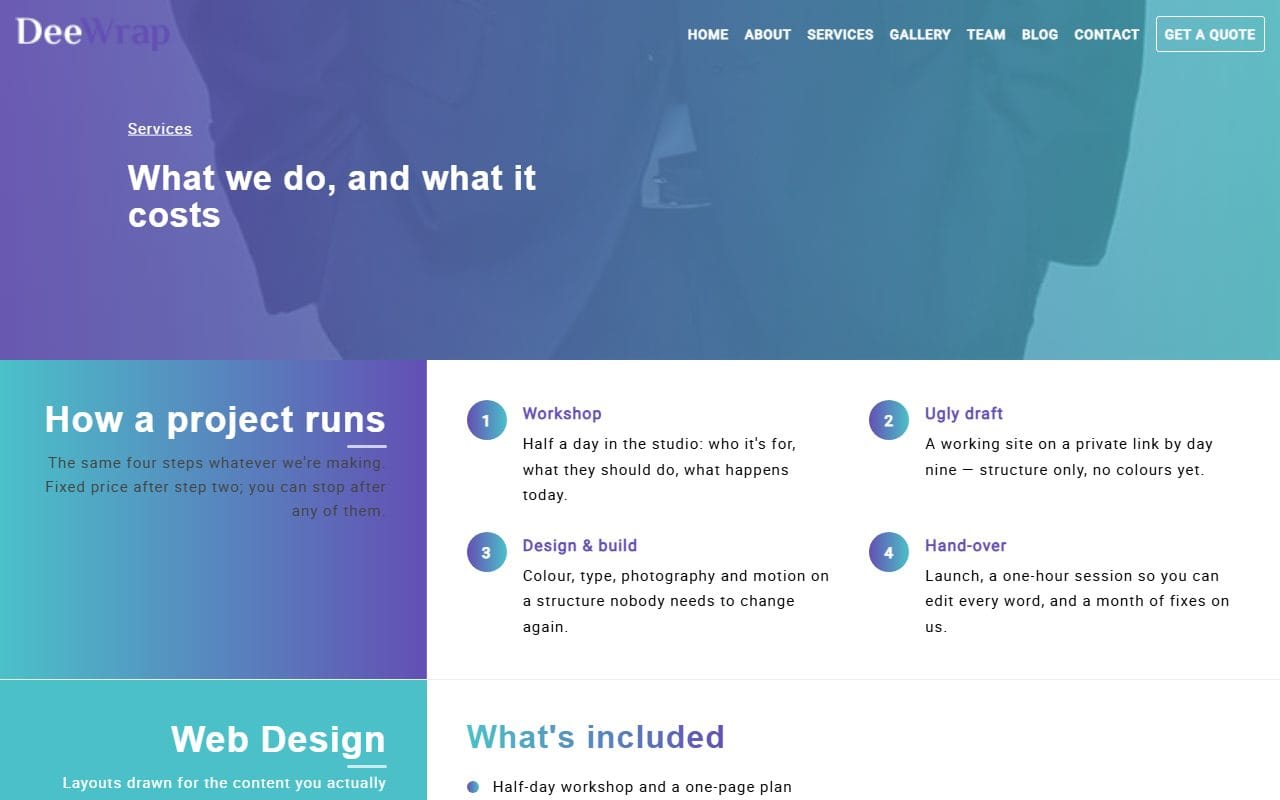
The 2018 version of DeeWrap had no menu at all, only dots down the side of the home page. It now has a proper menu on every page, a services page with what each service includes and costs, a project page for every tile in the gallery, a profile for each team member, a full blog post and a 404 page. It moved from Bootstrap 3 and jQuery to Bootstrap 5 and plain JavaScript.
WeRandom: real studio content and six new pages
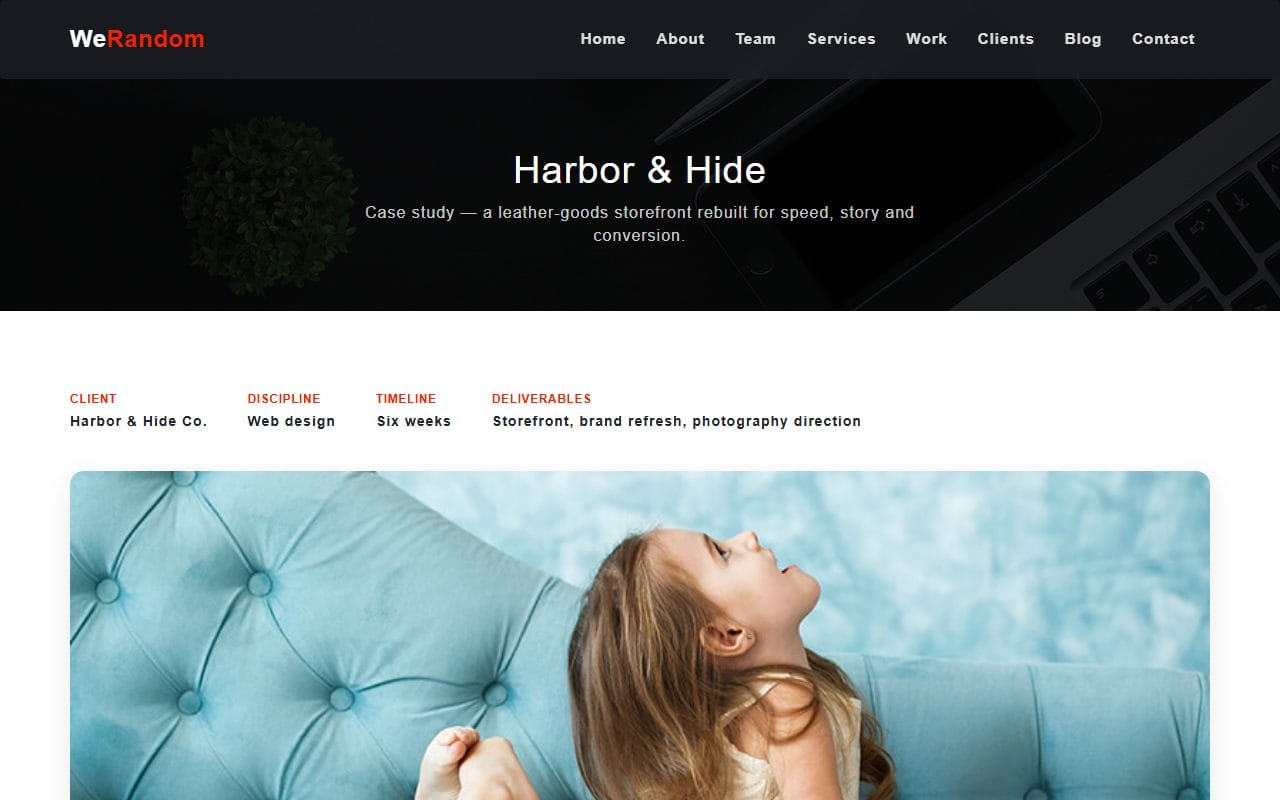
WeRandom kept its red, navy and white, with rounder, softer details. The placeholder text is gone from every section, replaced with copy for a creative studio, and there are six new pages: a service detail, a portfolio case study, a team member profile, a contact page, a blog and a blog post. The menu now sticks to the top and highlights the section you are reading.
FoodFries: same design, real words
FoodFries is the exception: its HTML version was not redesigned at all. What changed is the content: every placeholder replaced with restaurant text, and a real menu of 30 named dishes with prices across breakfast, lunch, dinner, drinks and dessert. FoodFries is also the design we took furthest in other directions: it now comes as a WordPress theme, an Elementor theme, a Next.js template and an Astro site.
The other five
Produxon, JustDance, VeronikaDoe and ToddleFun have had their code rebuilt, but some of their text is still being finished, so I’ll add them here once it is. Davy-Del hasn’t been rebuilt yet and is still the 2018 version.
How to see what changed in any template
- Every template page on our site has a version history listing what changed in each release.
- Rebuilt templates include a
CHANGELOG.txtin the download with the same notes. - The live demo always shows the current version, so you can check before you download.
If you are deciding whether a template is current, my HTML5 and CSS3 checklist lists what to look for, and you can browse every design in our website templates.
FAQ
I downloaded one of these templates years ago. Can I get the new version?
Yes. Download it again from its template page and you get the current version. Your old copy and any changes you made to it are not affected.
Will the new version work with the site I built on the old one?
Not as a drop-in update. The rebuilds changed the code underneath, so treat the new version as a fresh start and copy your text and photos across, rather than replacing files one by one.
Why do the rebuilt templates keep their old names and addresses?
So that anyone who bookmarked or linked to them still finds them, and because people chose these designs for how they look. The rebuild keeps the design and fixes what was underneath.
More from the blog

How to Build a Portfolio Website That Gets You Hired (2026)
Recruiters give your portfolio about a minute. I tested our portfolio templates the way a hiring manager would: opened the projects, pressed the CV buttons, sent the contact forms. Here is what matter...
Read article →
Free Art Gallery Website Templates (2026): 6 Responsive Picks
Six free, responsive art gallery and photography templates you can download today. I checked each live demo rather than the feature lists — here is which ones have a working lightbox, which use masonr...
Read article →
Landing Page Design: 9 Rules That Get More Sign-ups (2026)
Nine landing page design rules, shown on two real landing templates, plus how to test changes and when you need a landing page instead of a home page.
Read article →